


Work directly with Code Syntax
I used setVariableCodeSyntax to save platform-specific syntax. The plugin works with local variables, loads no external resources, and supports keyboard navigation.
Code Syntax for web, iOS, and Android—directly from Figma.
Open on Figma Community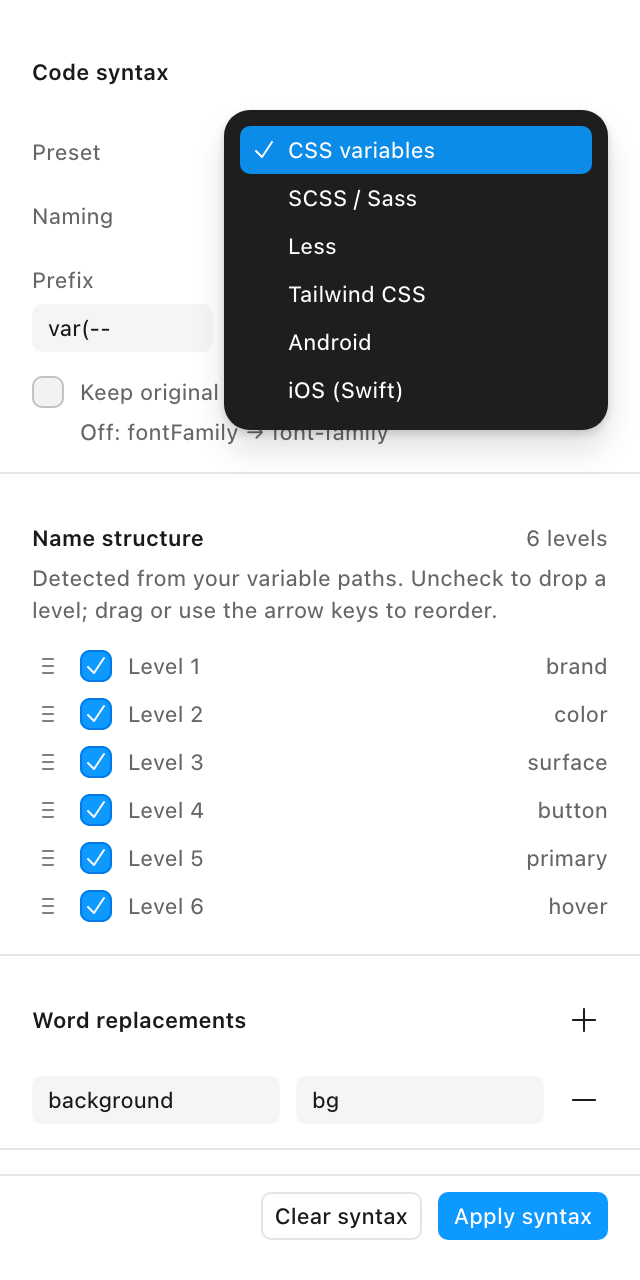
Teams managing design variables in Figma
Plugin · Code Syntax · Platform conventions
Figma Variables / Code Syntax / Web · iOS · Android
The idea
The paths I use to organize variables in Figma don't always match each platform's naming conventions. I built Syntaxer to configure and preview those conversions, then save them to Code Syntax. This preserves the structure of the Figma file while preparing names for web, iOS, and Android.
Platforms
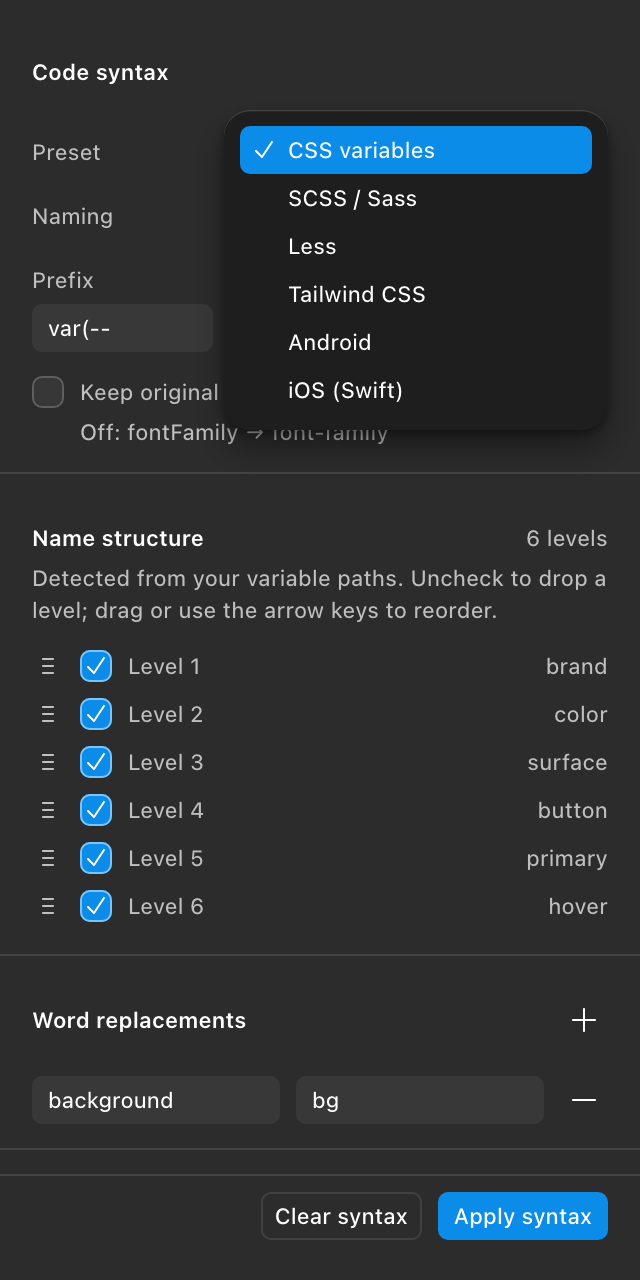
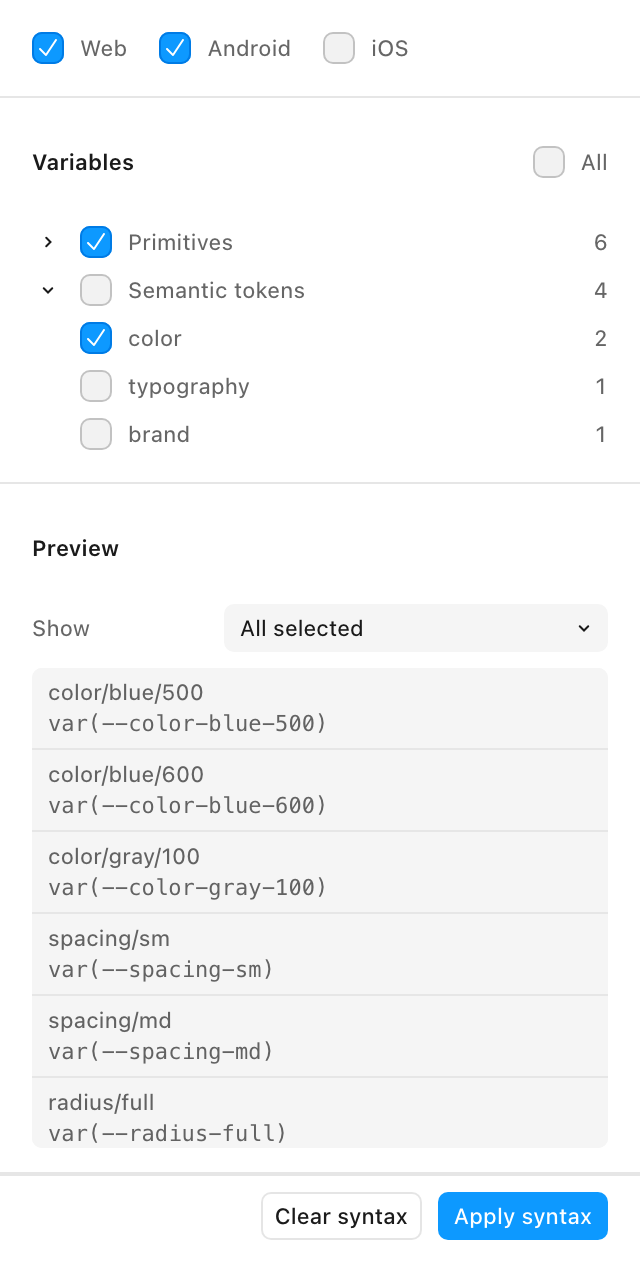
I used variable paths as the starting point for writing platform-specific names into the Code Syntax fields shown in Dev Mode.
Rules
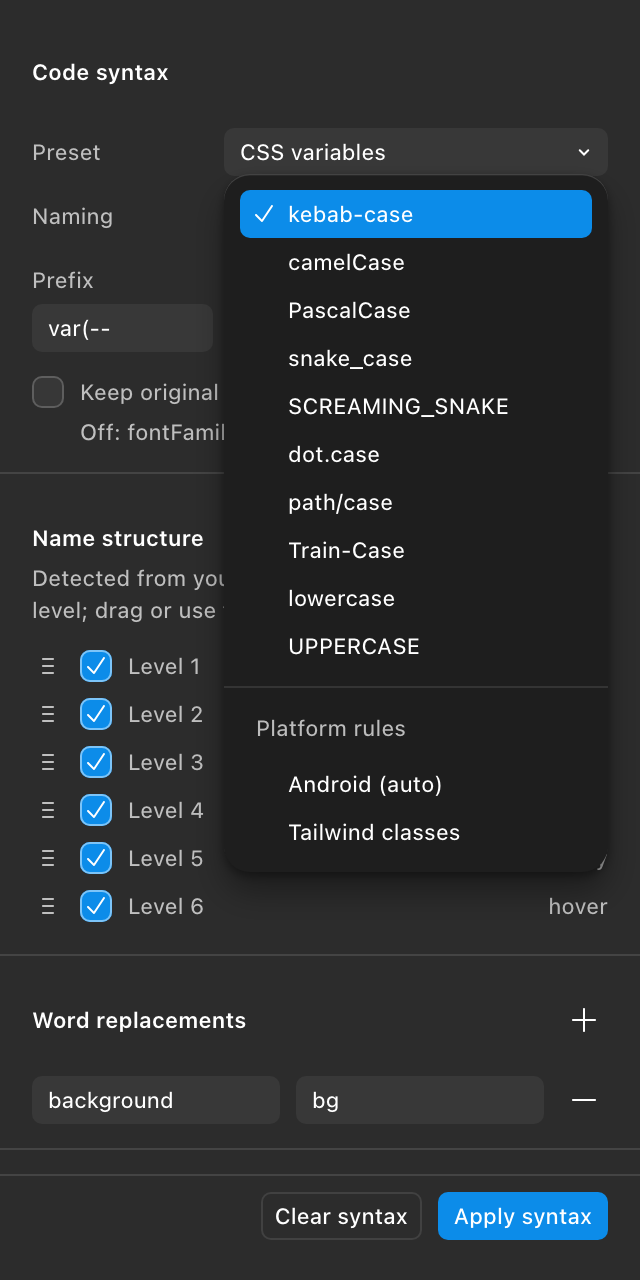
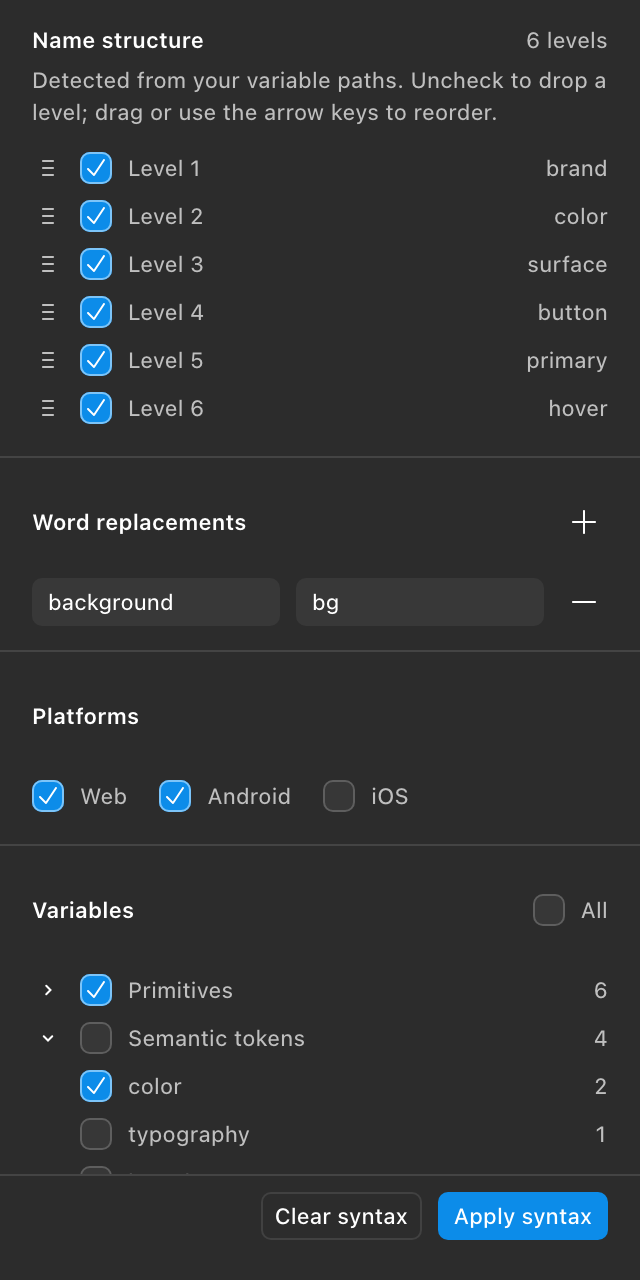
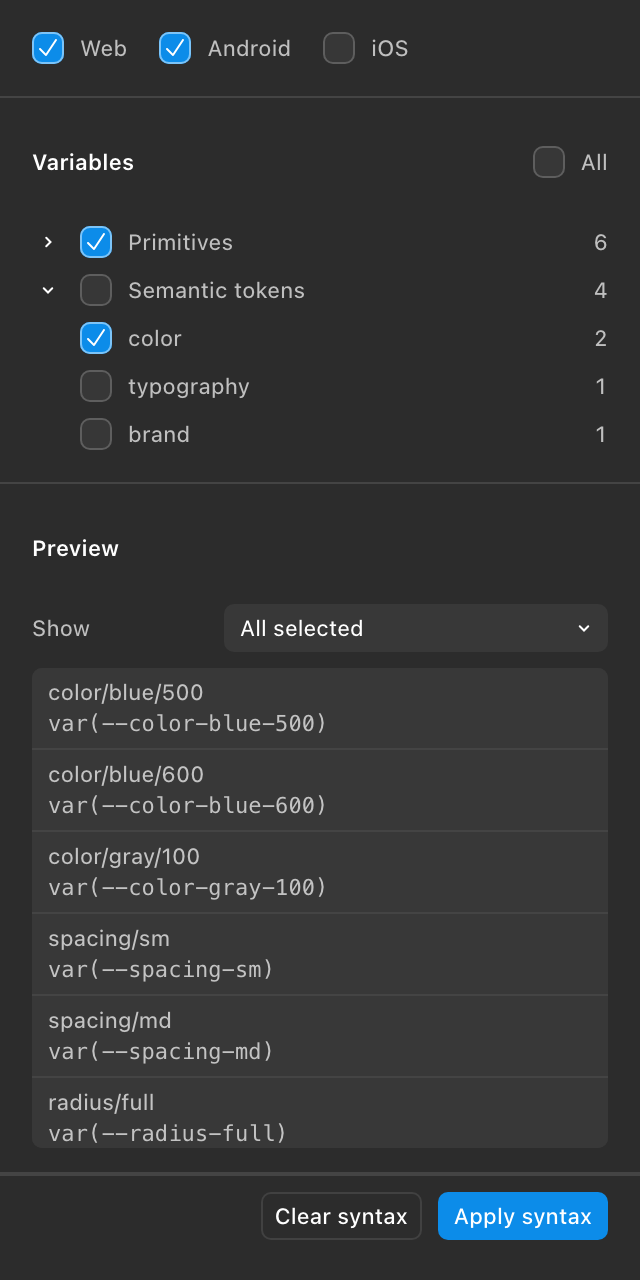
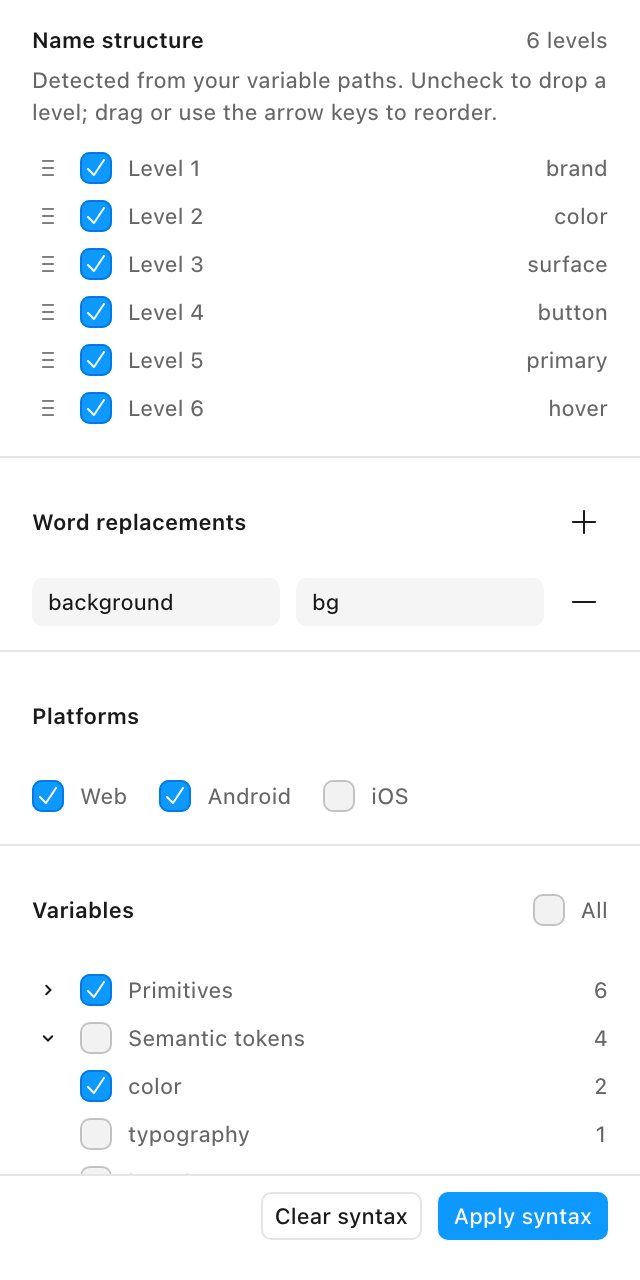
I let users select and reorder path levels, replace words, and preview the result before applying changes. Variable names in Figma stay untouched.
Presets
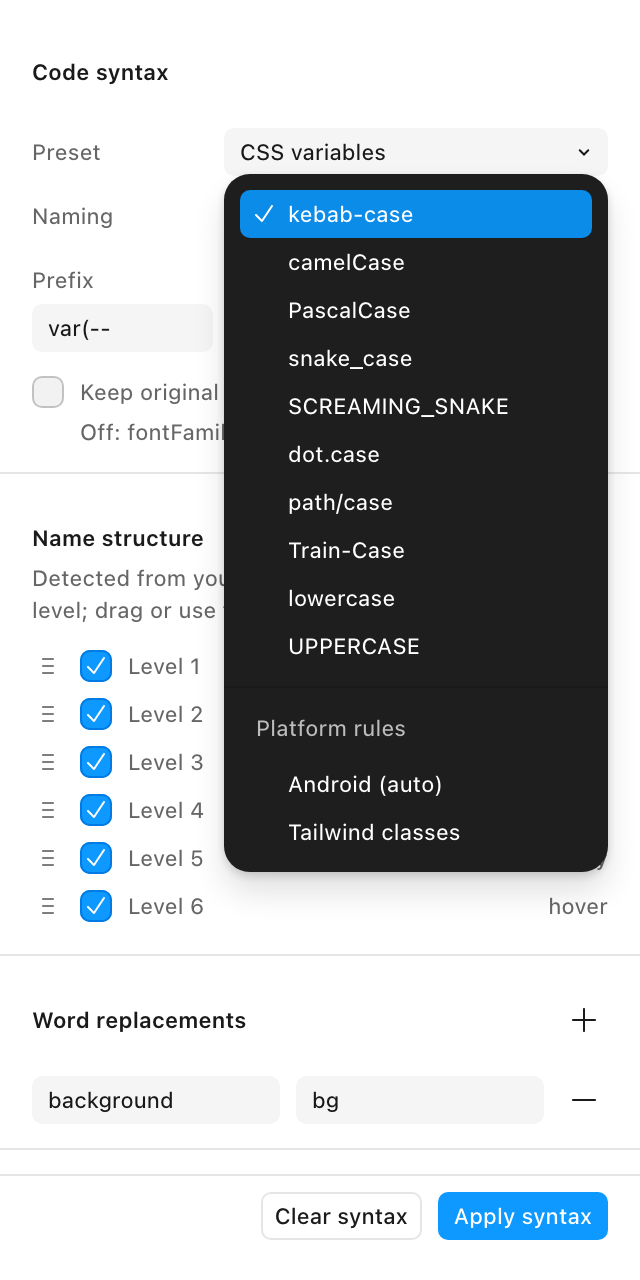
I added six presets that populate casing, prefix, separator, and suffix. Every value can still be adjusted.
Replacements
I added substitutions such as bg for background and camelCase segment handling to match code conventions.
A transformation of color/background/primary that leaves the original Figma name unchanged.
var(--color-background-primary)colorBackgroundPrimaryColorBackgroundPrimaryImplementation
I used setVariableCodeSyntax to save platform-specific syntax. The plugin works with local variables, loads no external resources, and supports keyboard navigation.
Code Syntax for web, iOS, and Android—directly from Figma.
Syntaxer configures Code Syntax metadata. It does not export components or rename variables.