


Your existing environment
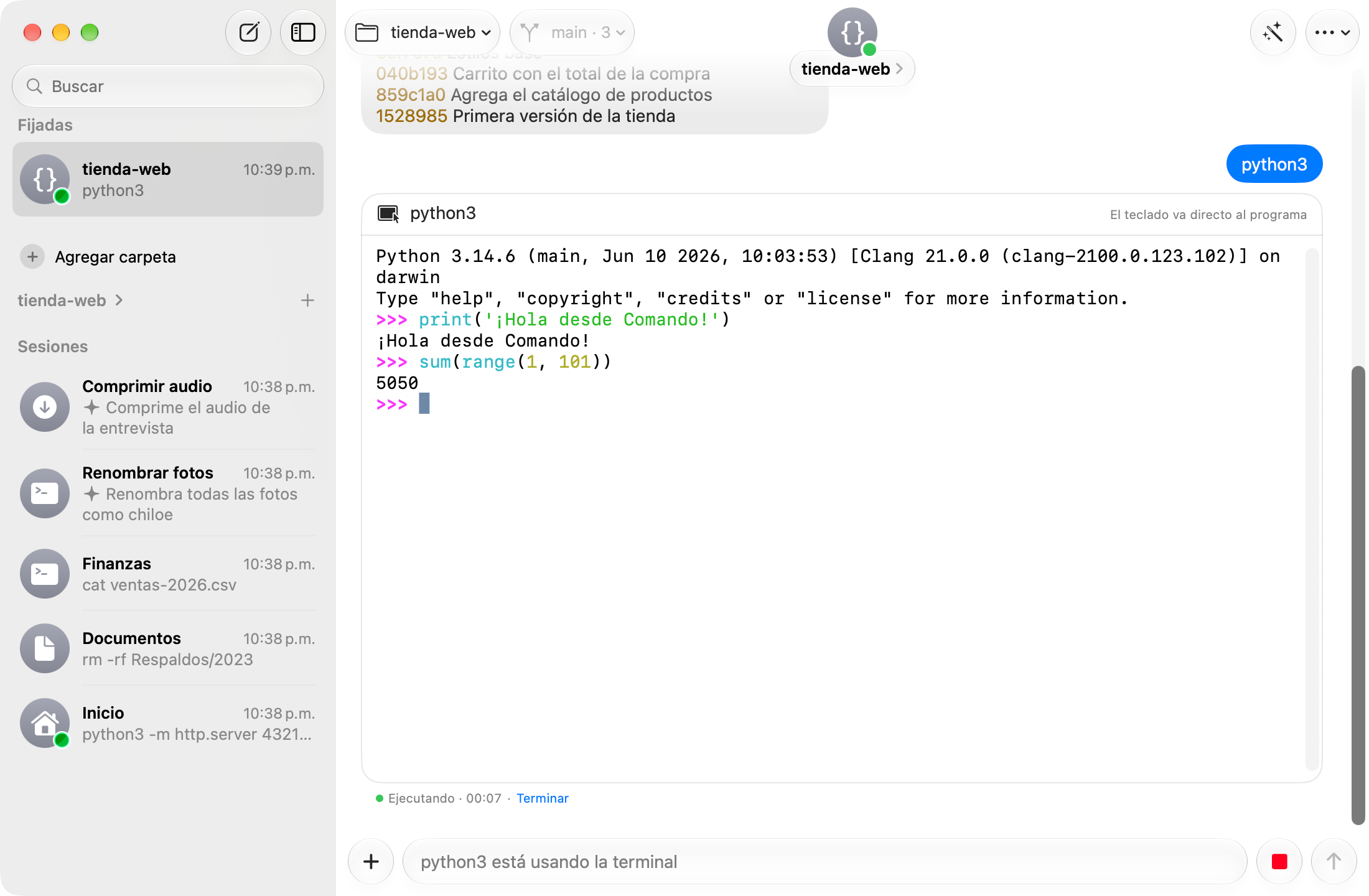
I preserved zsh configuration loading and integrated SwiftTerm for interactive tools. Programs run within the conversation, sharing the same session and working directory.
A terminal built around a conversation.
People who use the terminal on Mac or Windows
Native app · Terminal · On-device assistance
SwiftUI / Apple Intelligence / WinUI 3 / Phi Silica / Interaction design
The idea
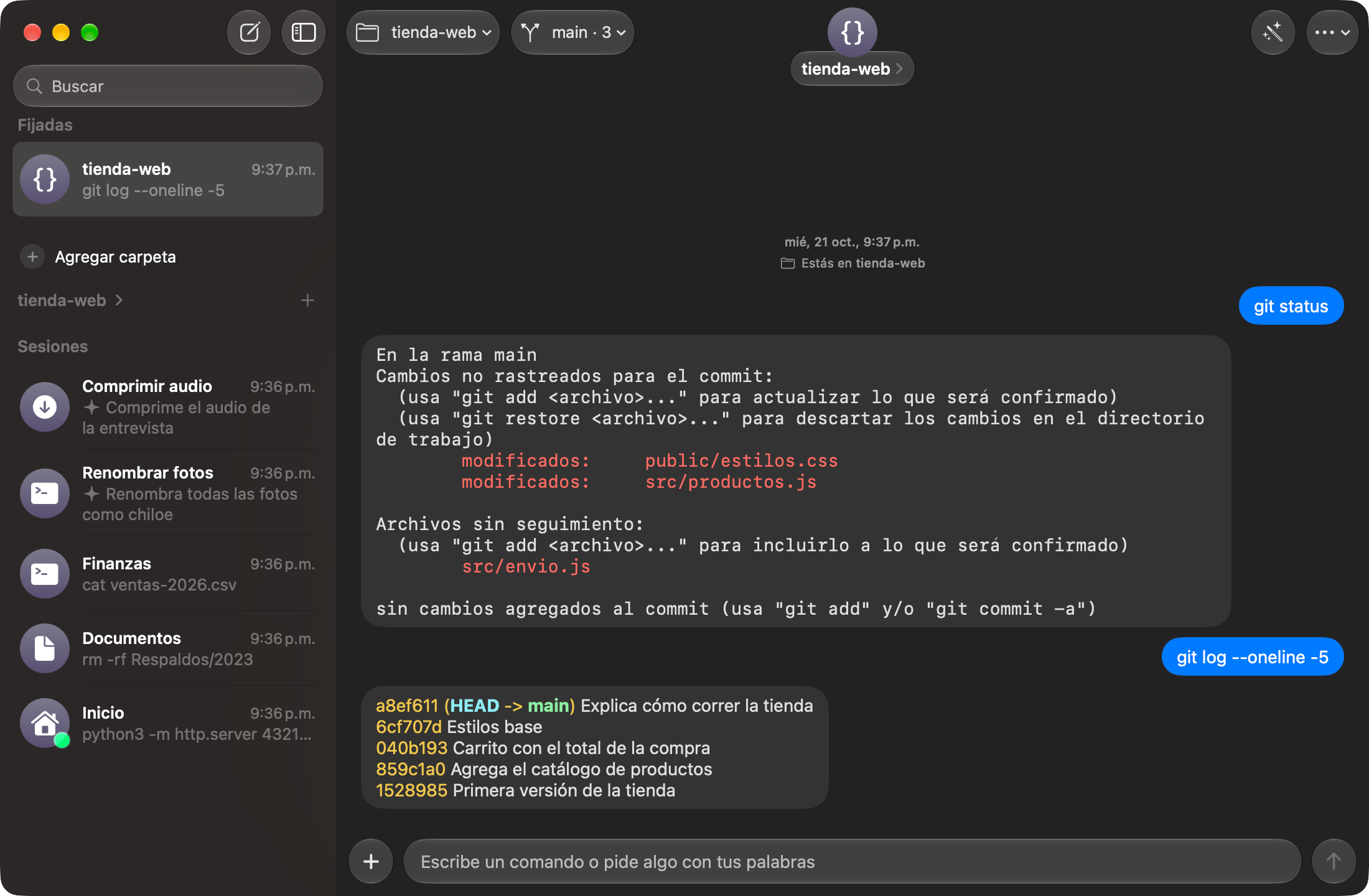
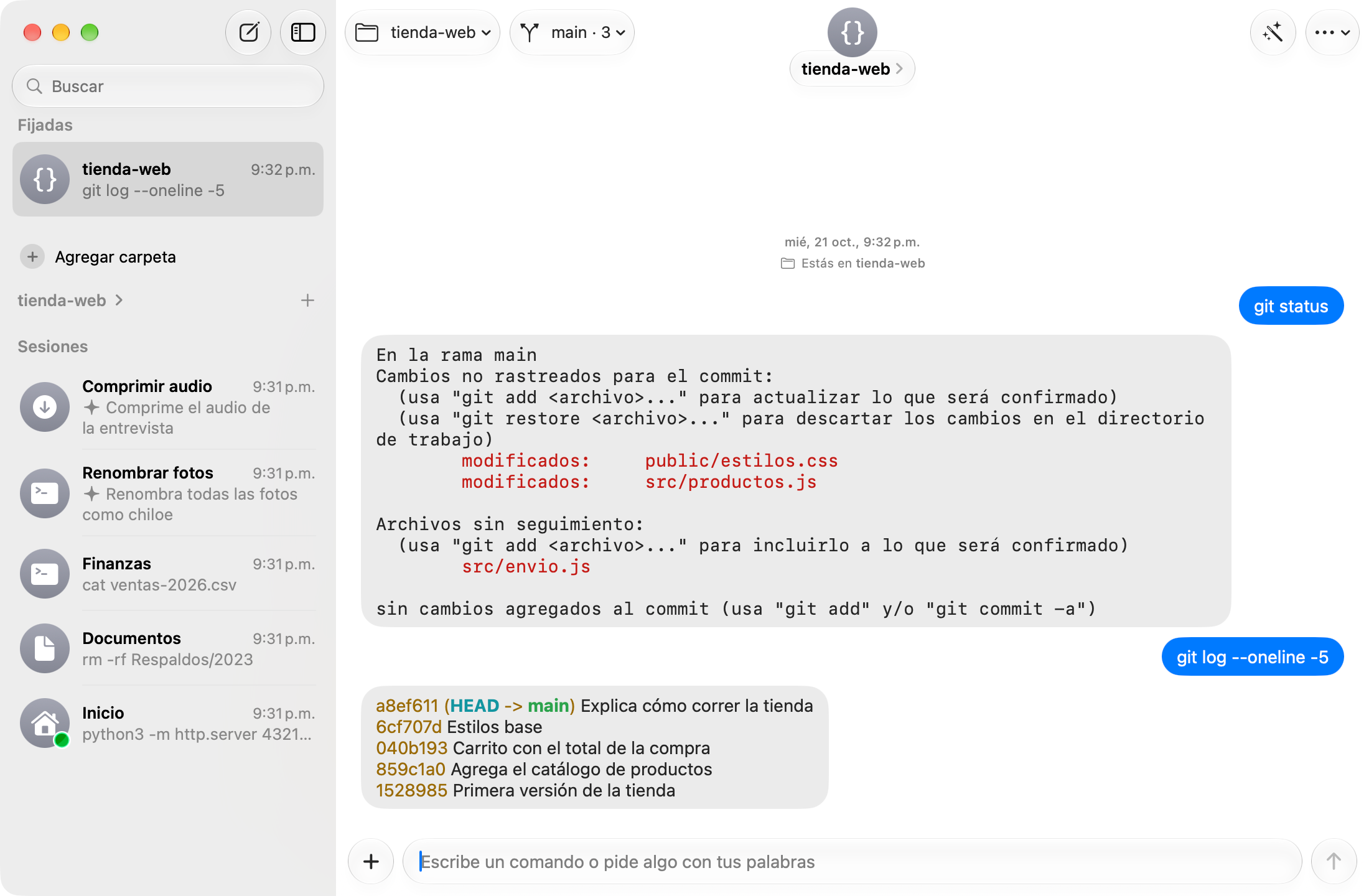
I wanted to make terminal activity easier to follow: what I asked for, what ran, and what happened. I built Comando around that sequence, using a conversational interface while retaining the user's shell (zsh on Mac, PowerShell on Windows), configuration, and tools.
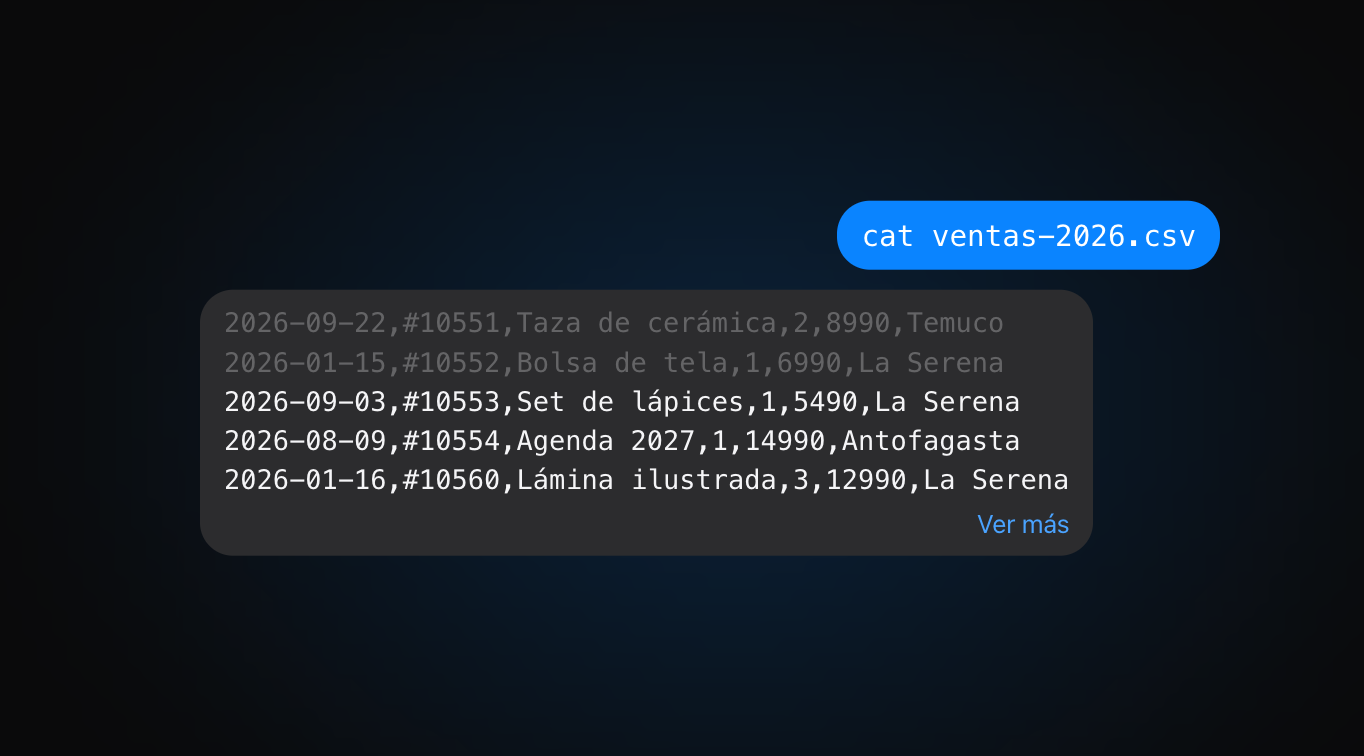
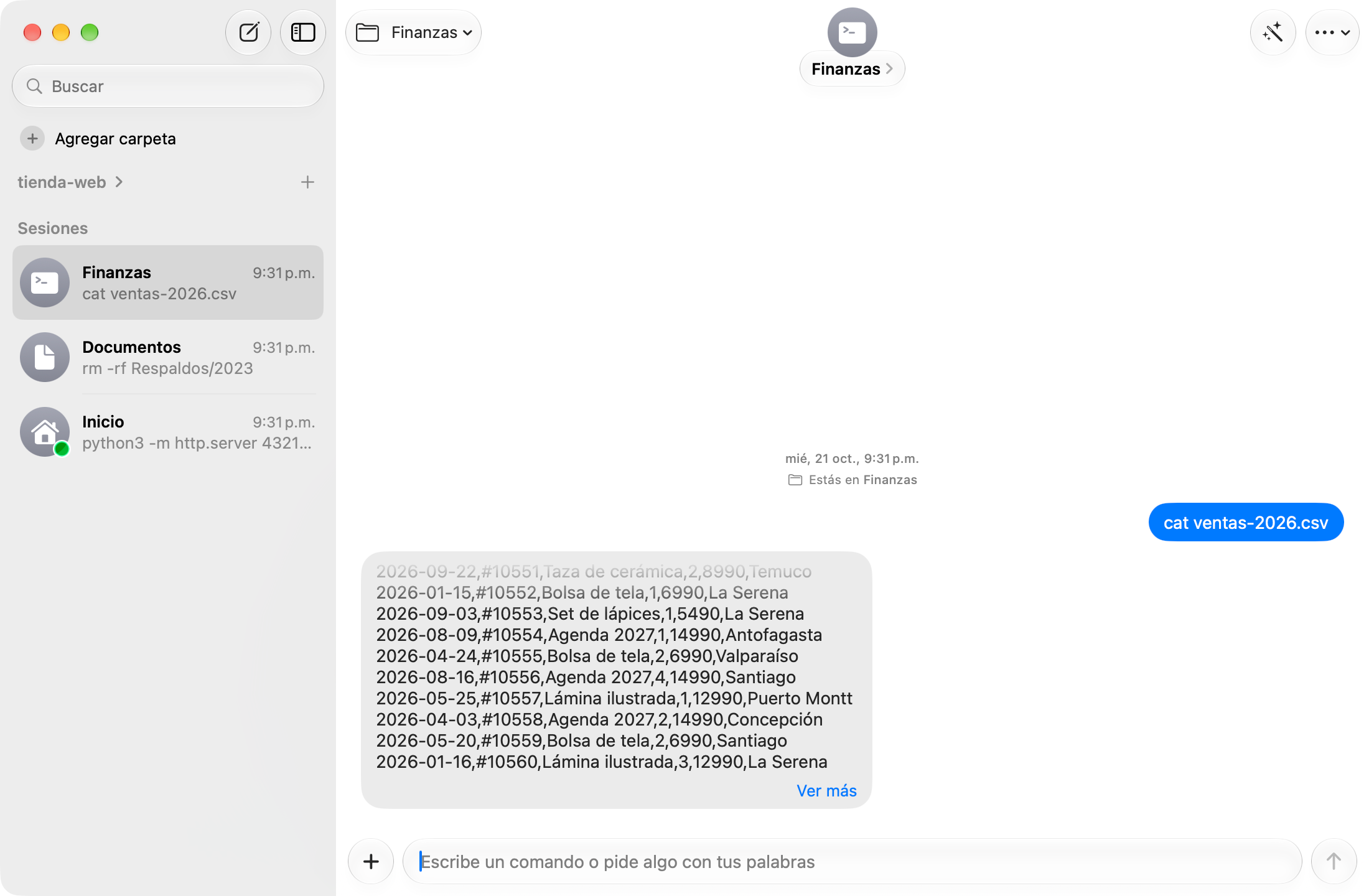
Long output
I kept the latest lines visible and added an action to expand the rest, preserving context without overwhelming the conversation.
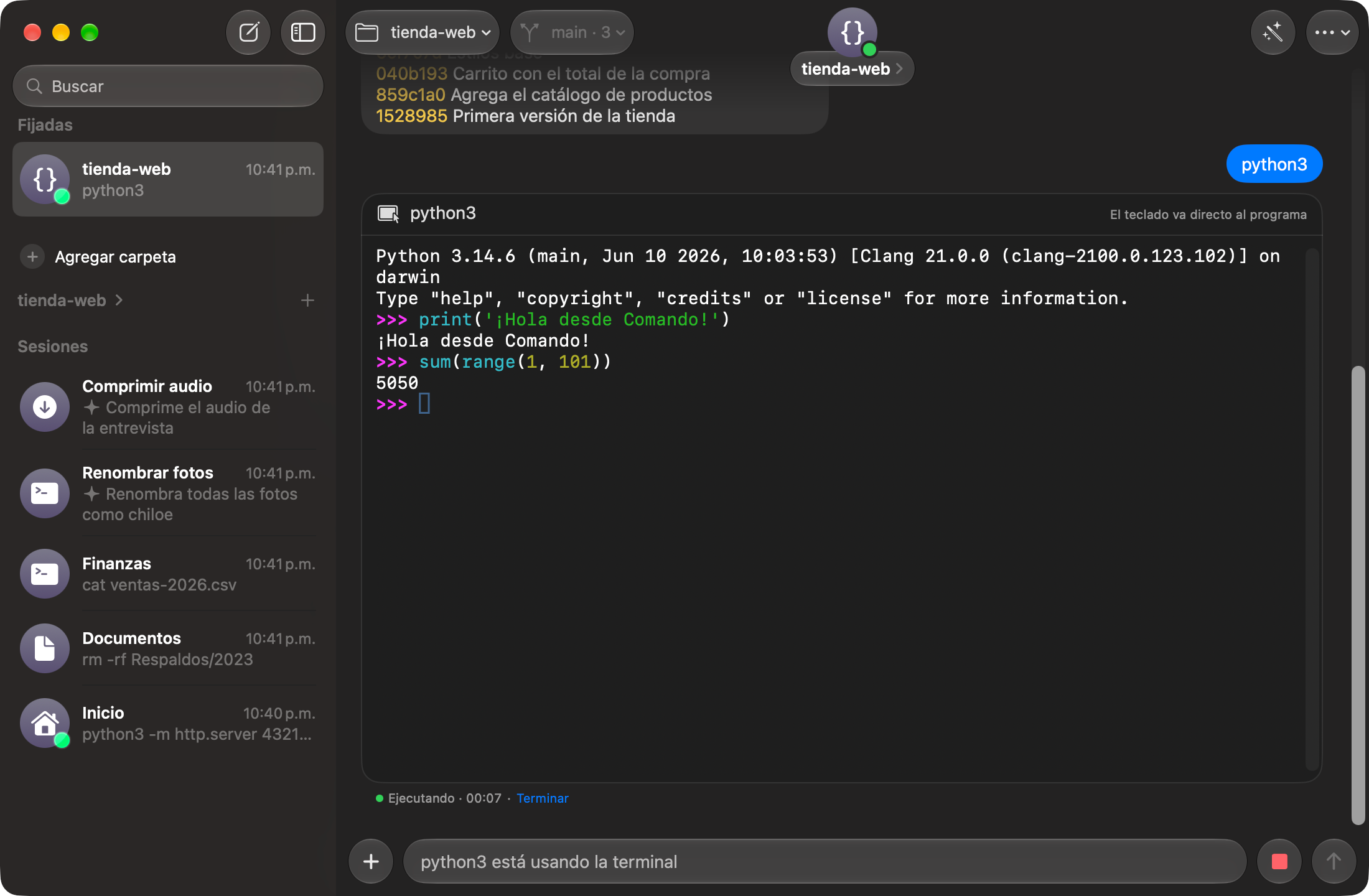
Interactive programs
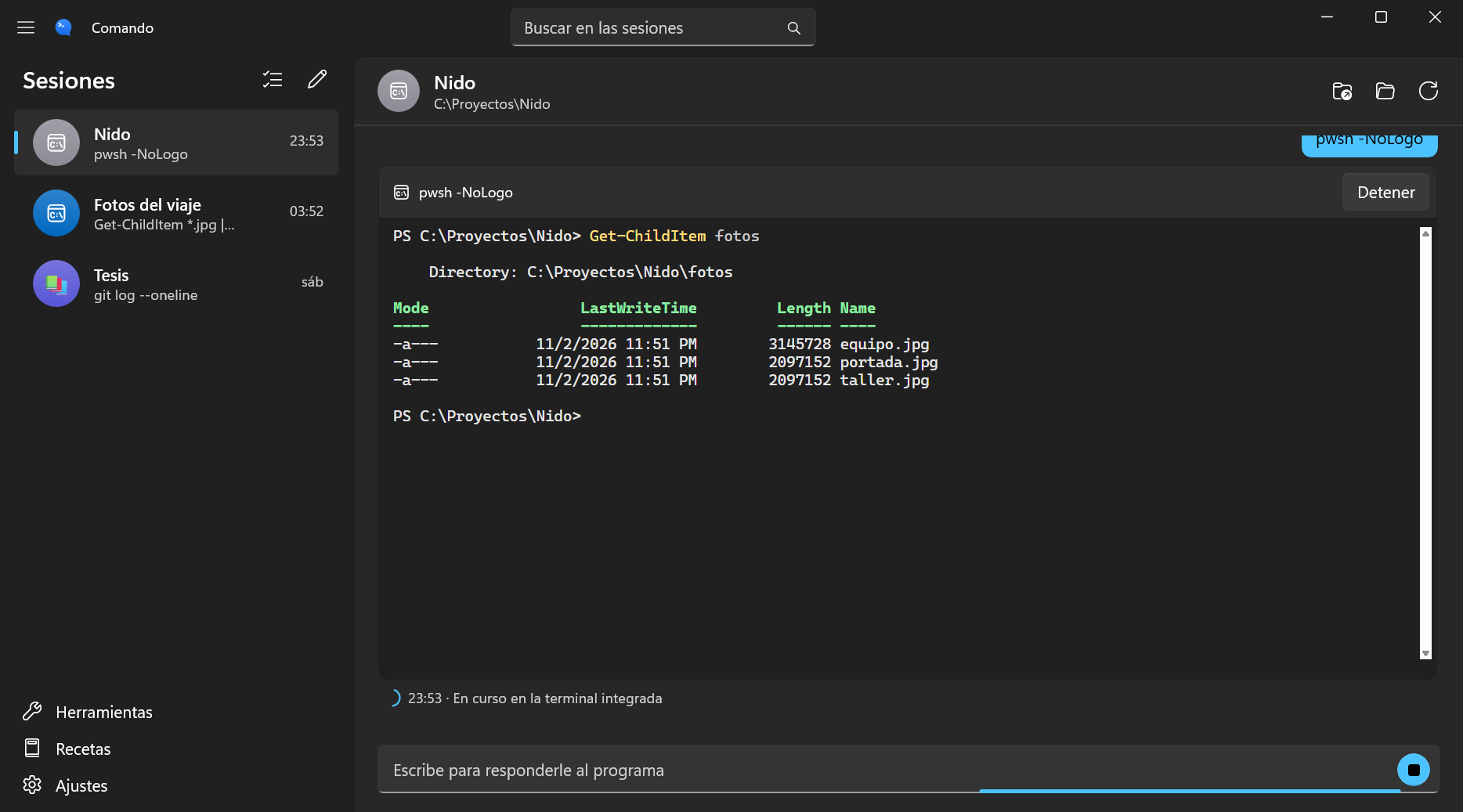
I integrated an embedded terminal for python3, vim, top, and ssh inside the conversation, preserving the session and working directory.
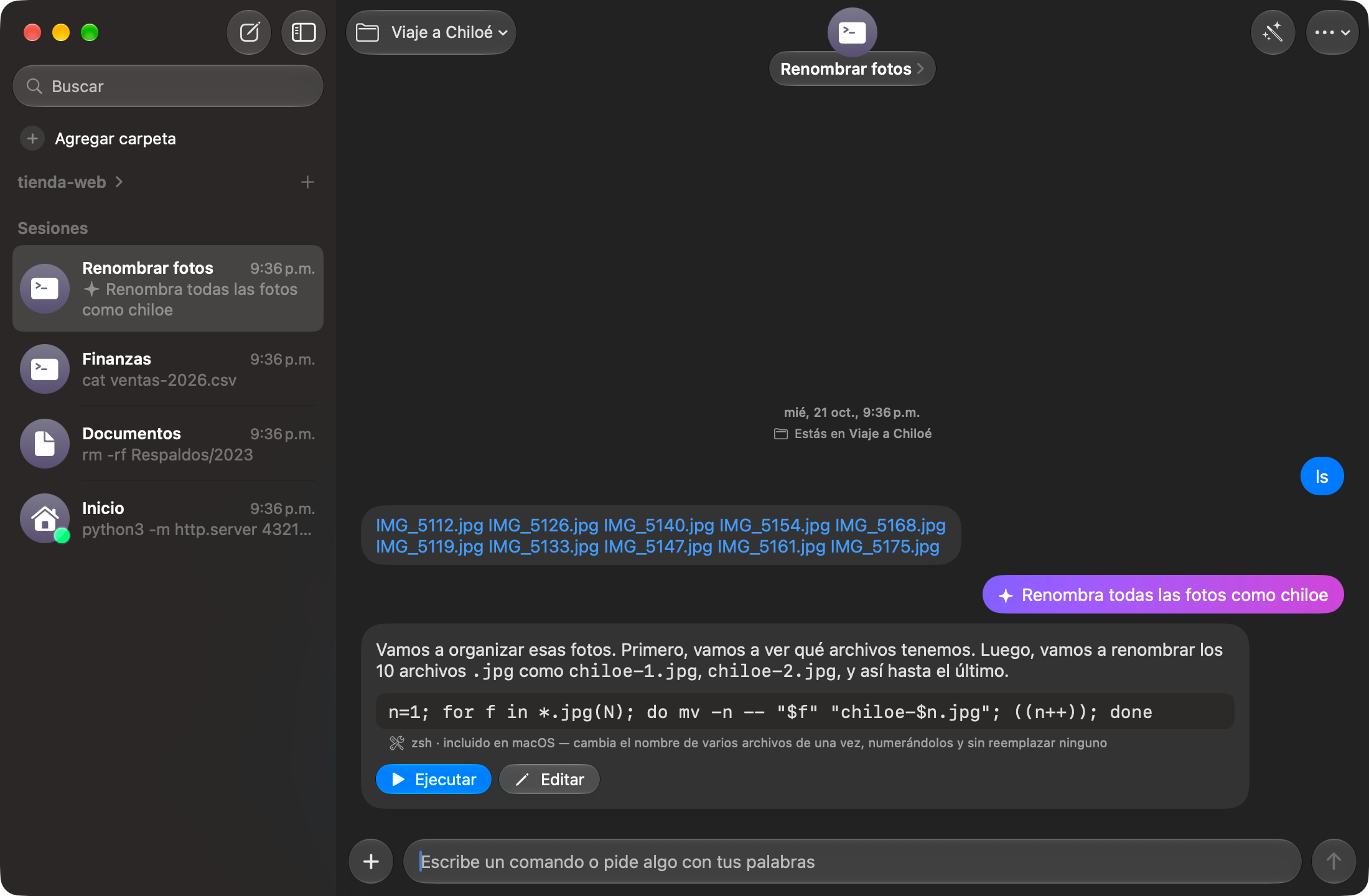
Assistant
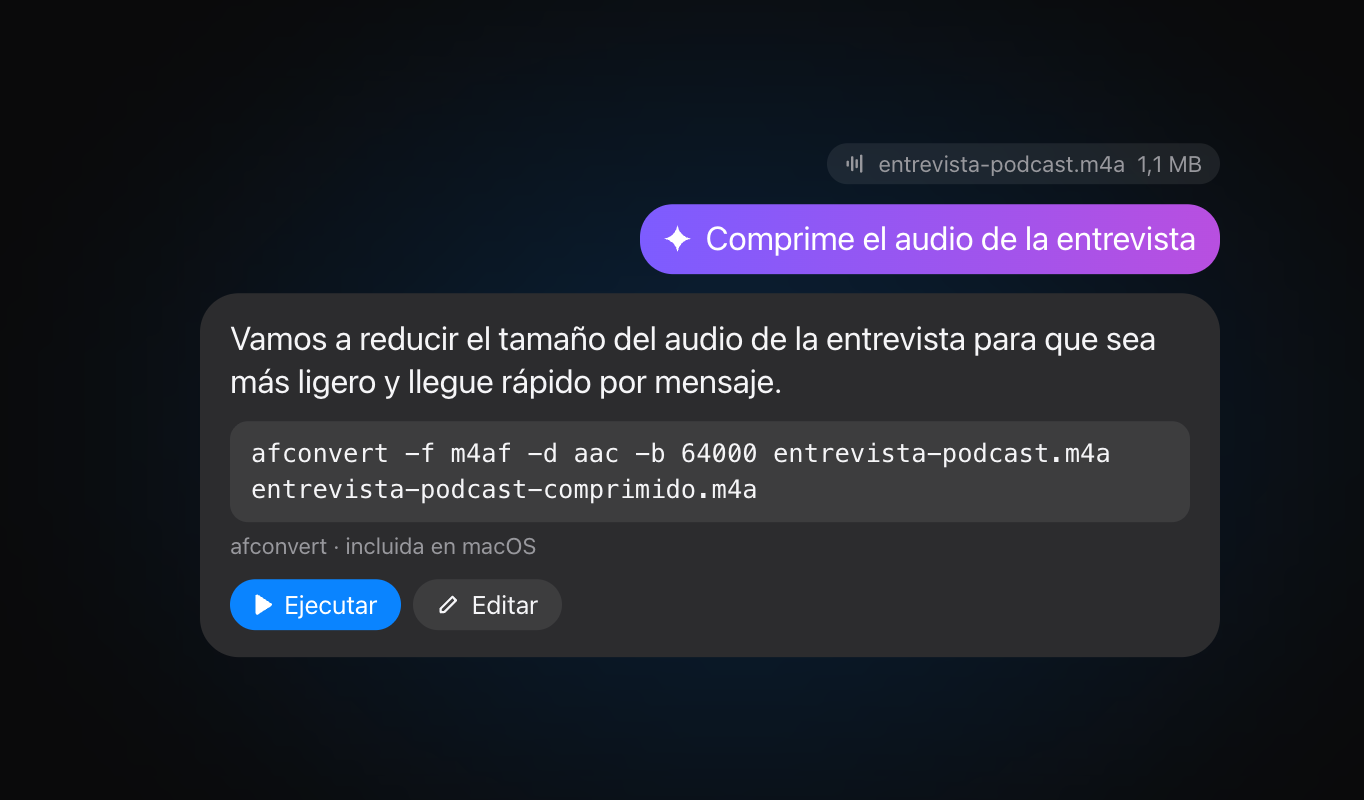
I used Apple Intelligence to suggest commands and explain what they do. Nothing runs until the user decides, and processing takes place on the Mac.
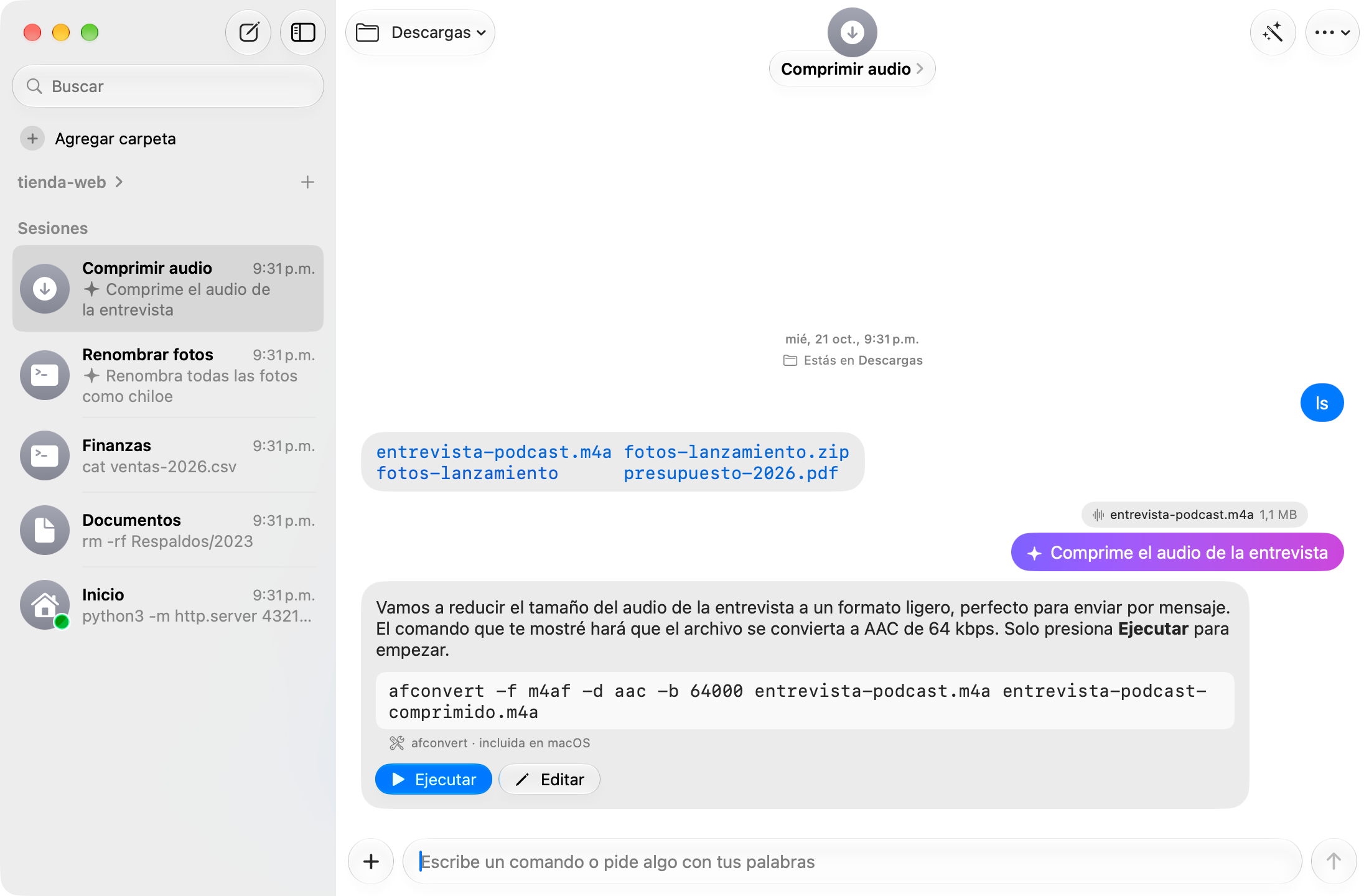
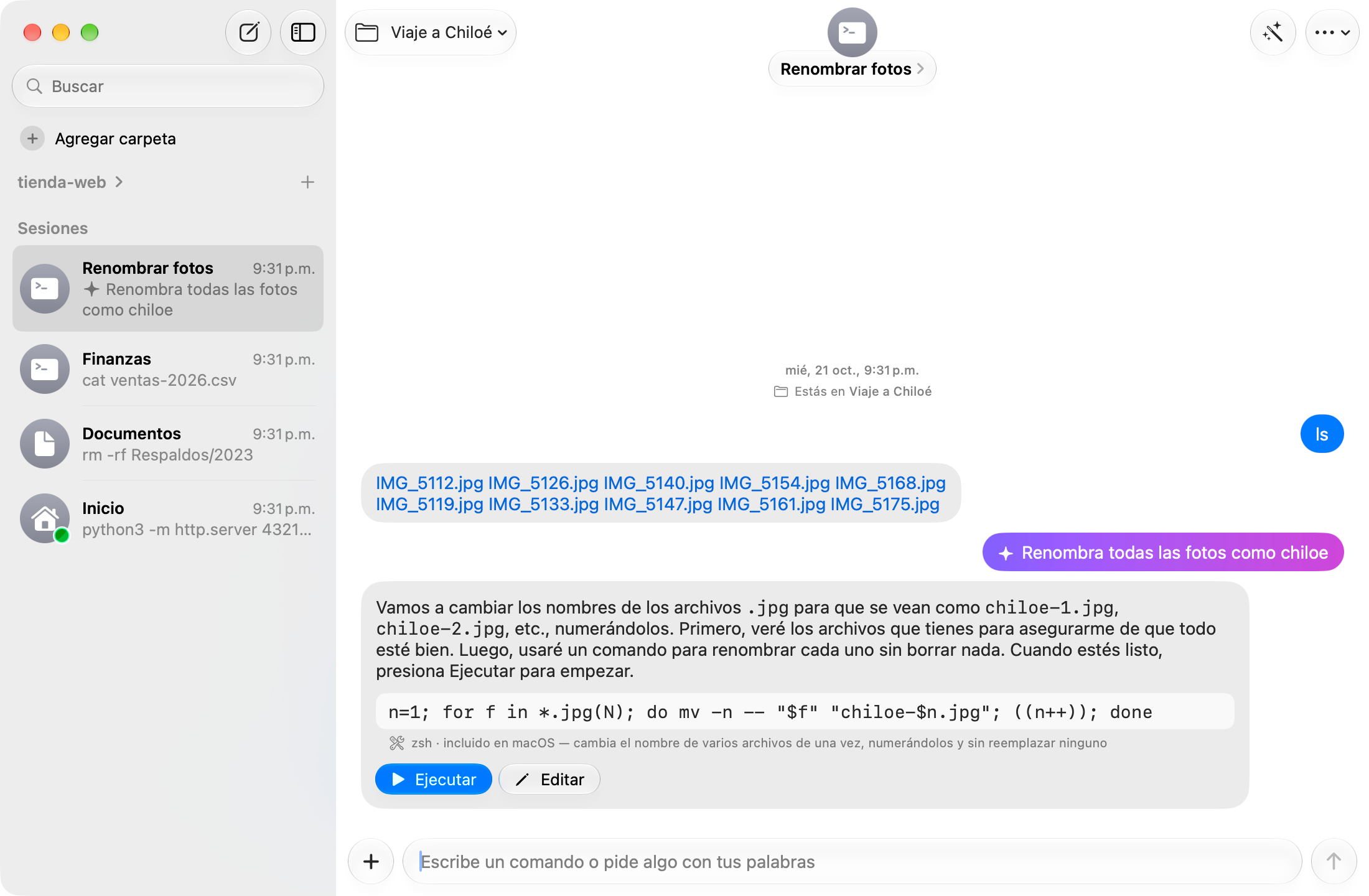
Batch operations
I built a preview comparing current and proposed filenames. The operation numbers files and avoids overwriting existing ones.
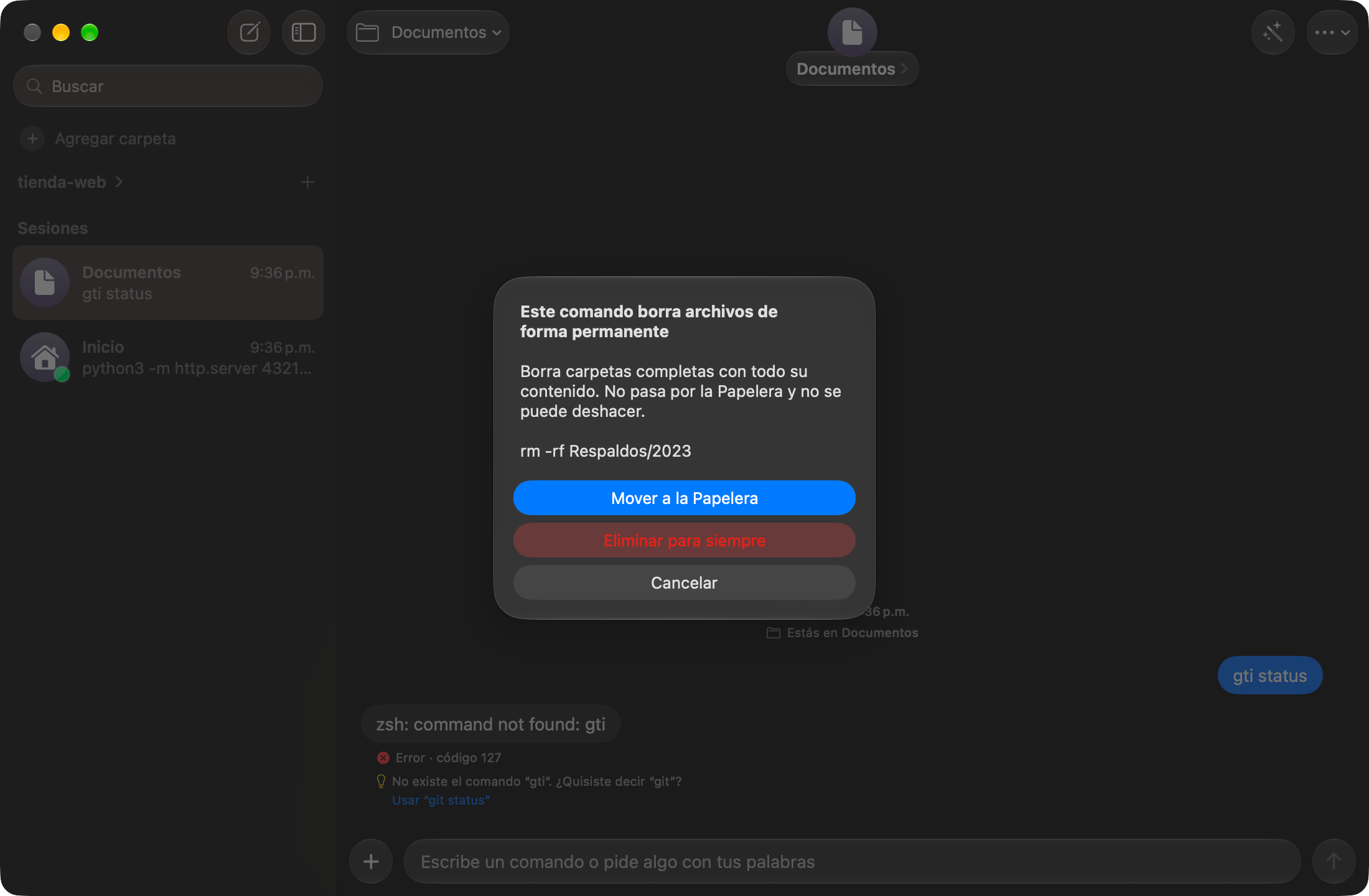
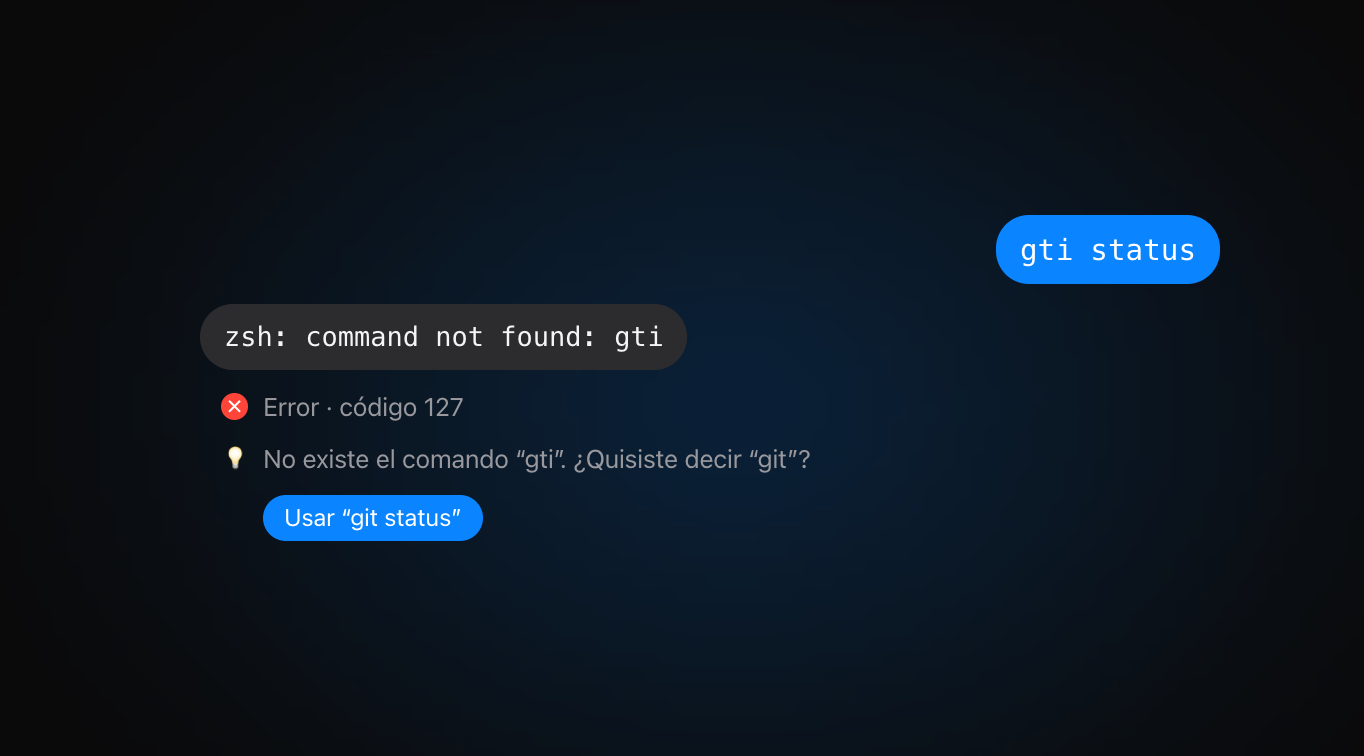
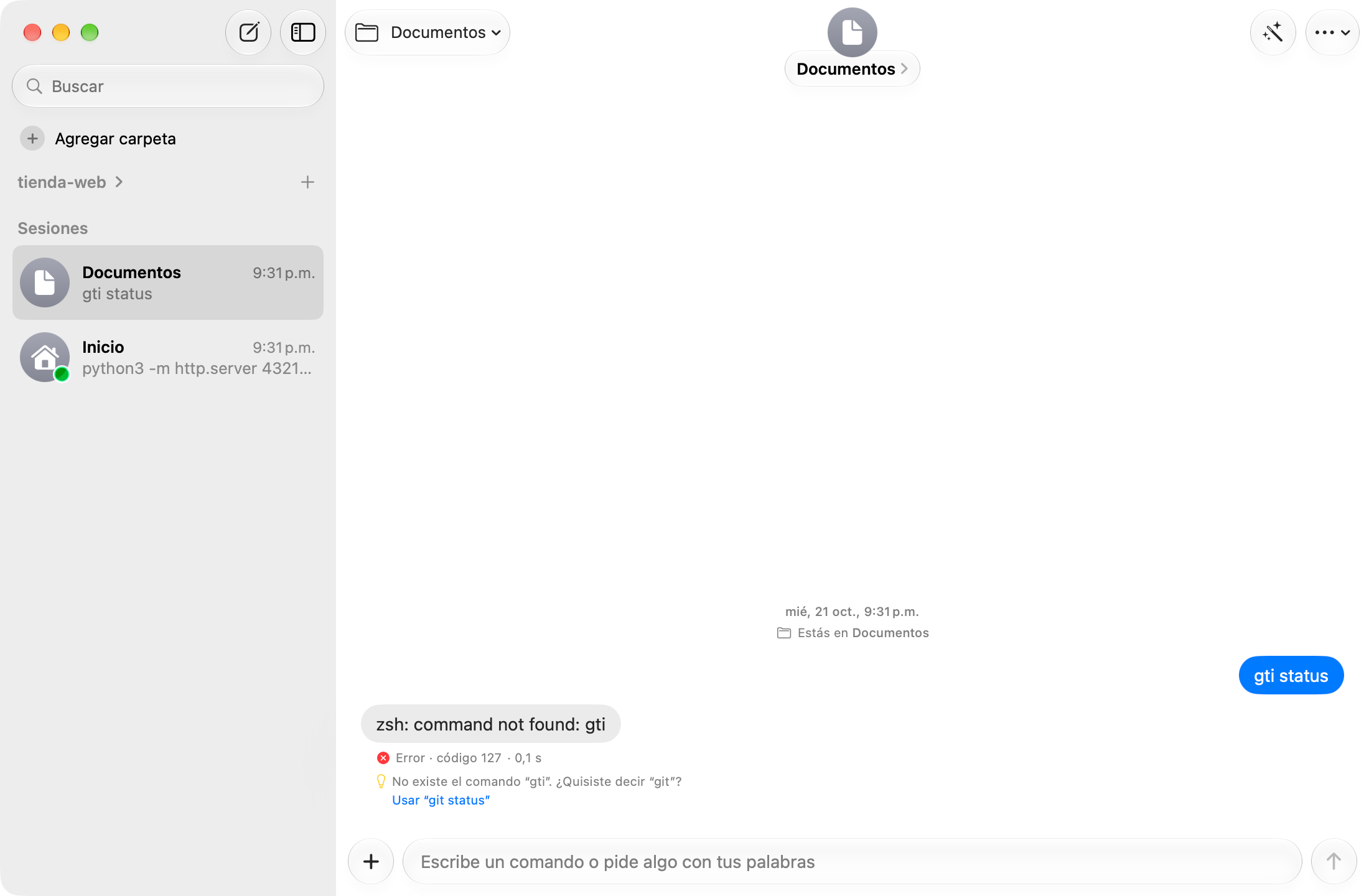
Errors
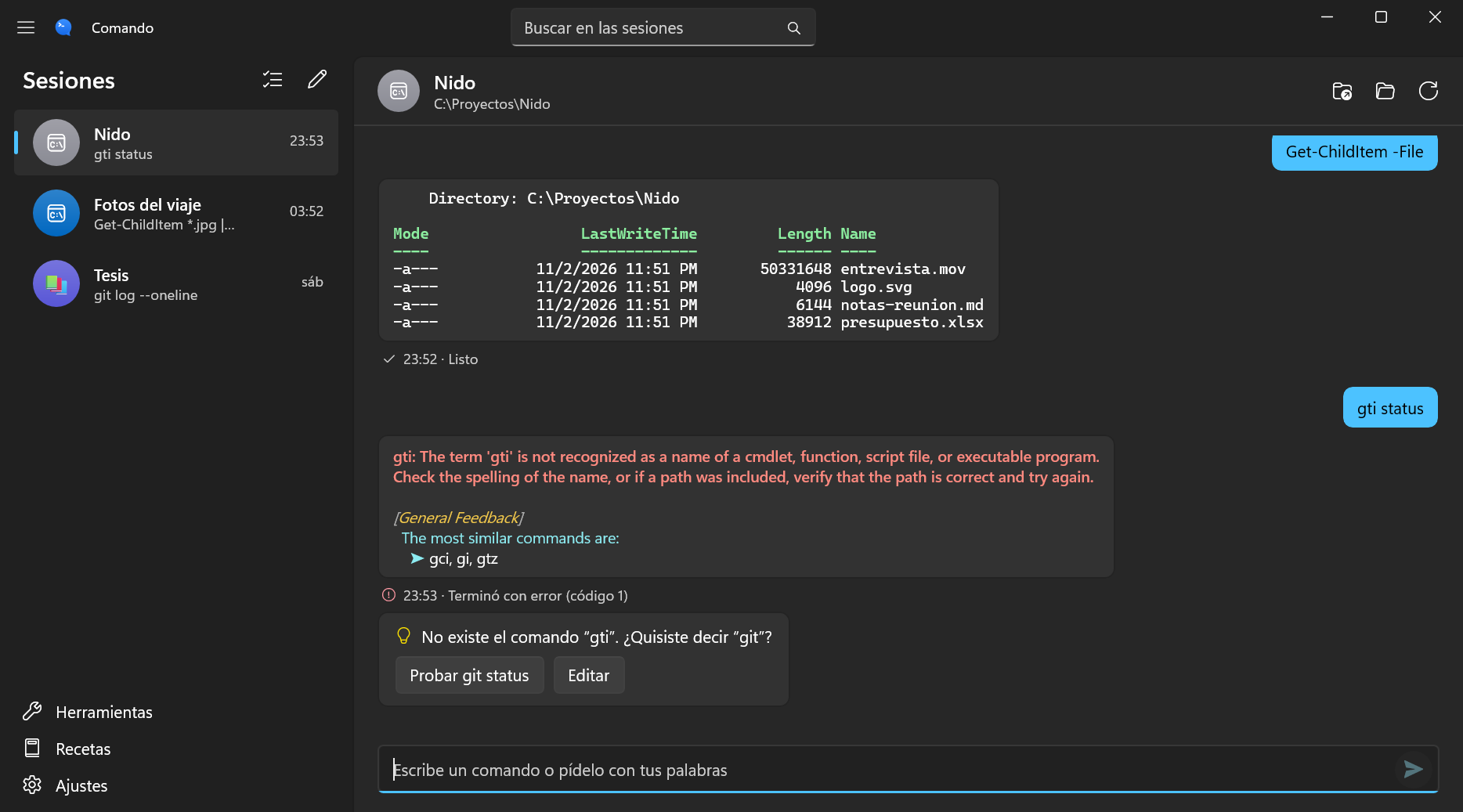
I handled errors within the conversation, including explanations and corrections when a likely command typo can be identified.
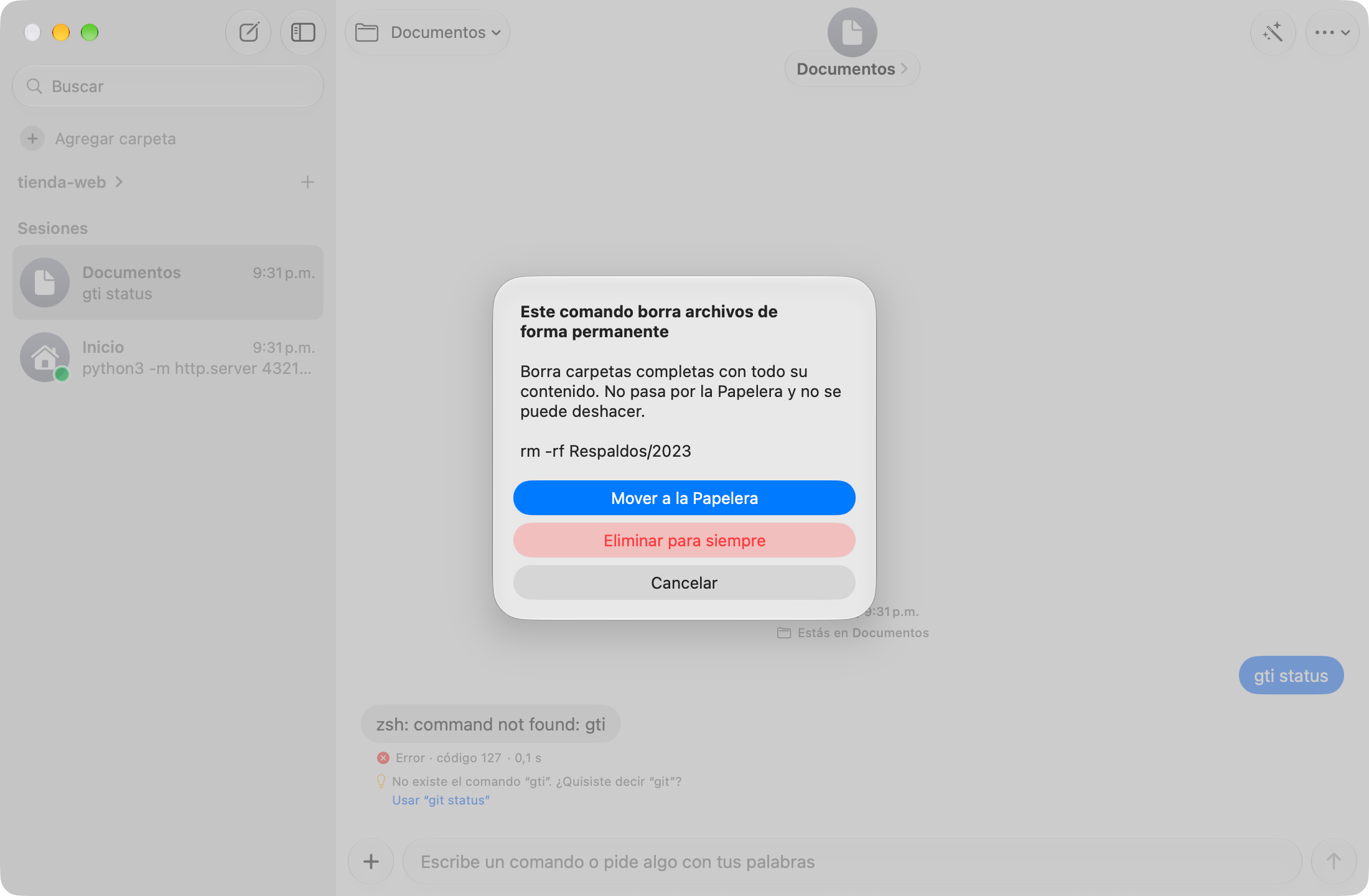
Risky actions
I explain the effect of the operation and offer to move files to the Trash rather than deleting them permanently.
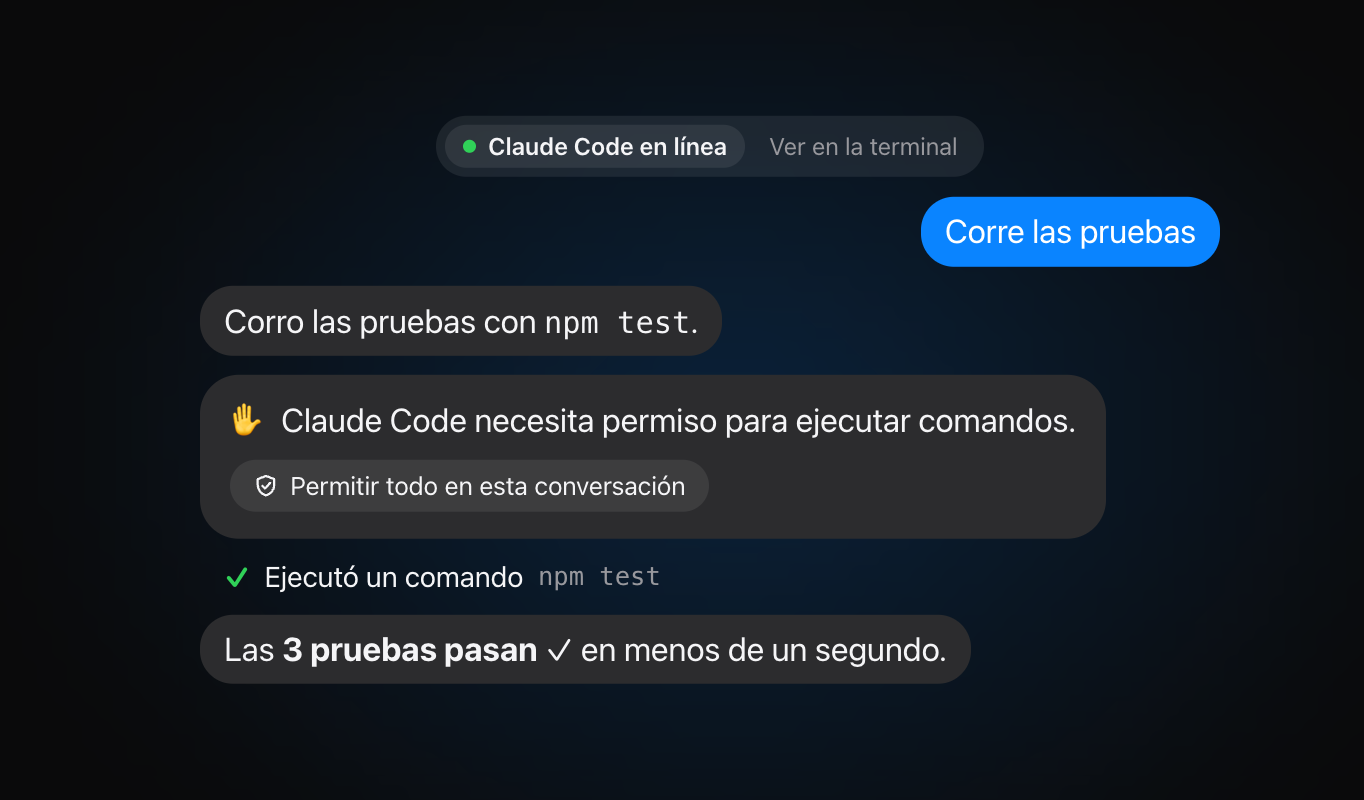
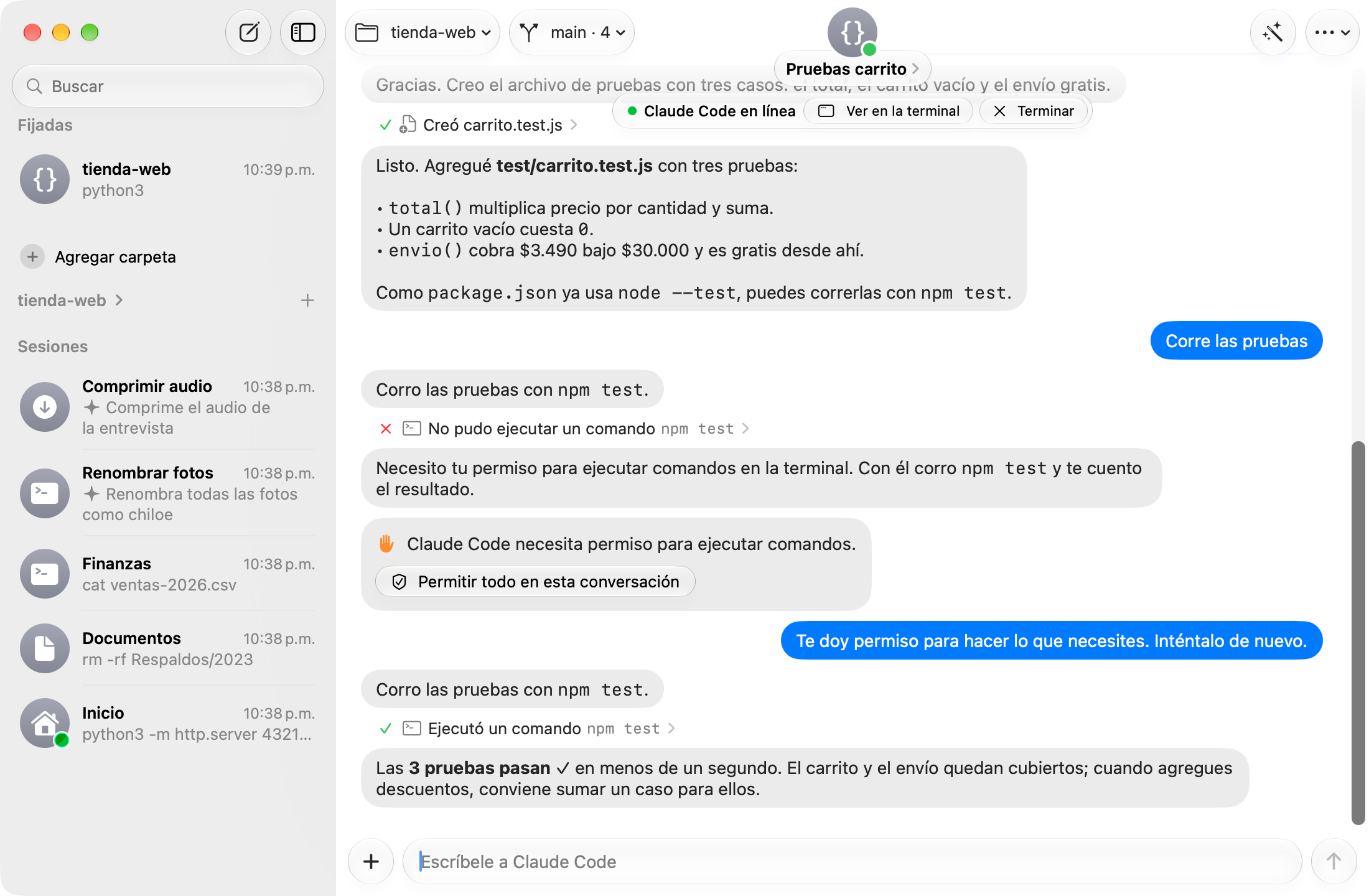
Agents
I adapted responses and permission requests from claude, codex, agy, and qwen into chat bubbles and actions.
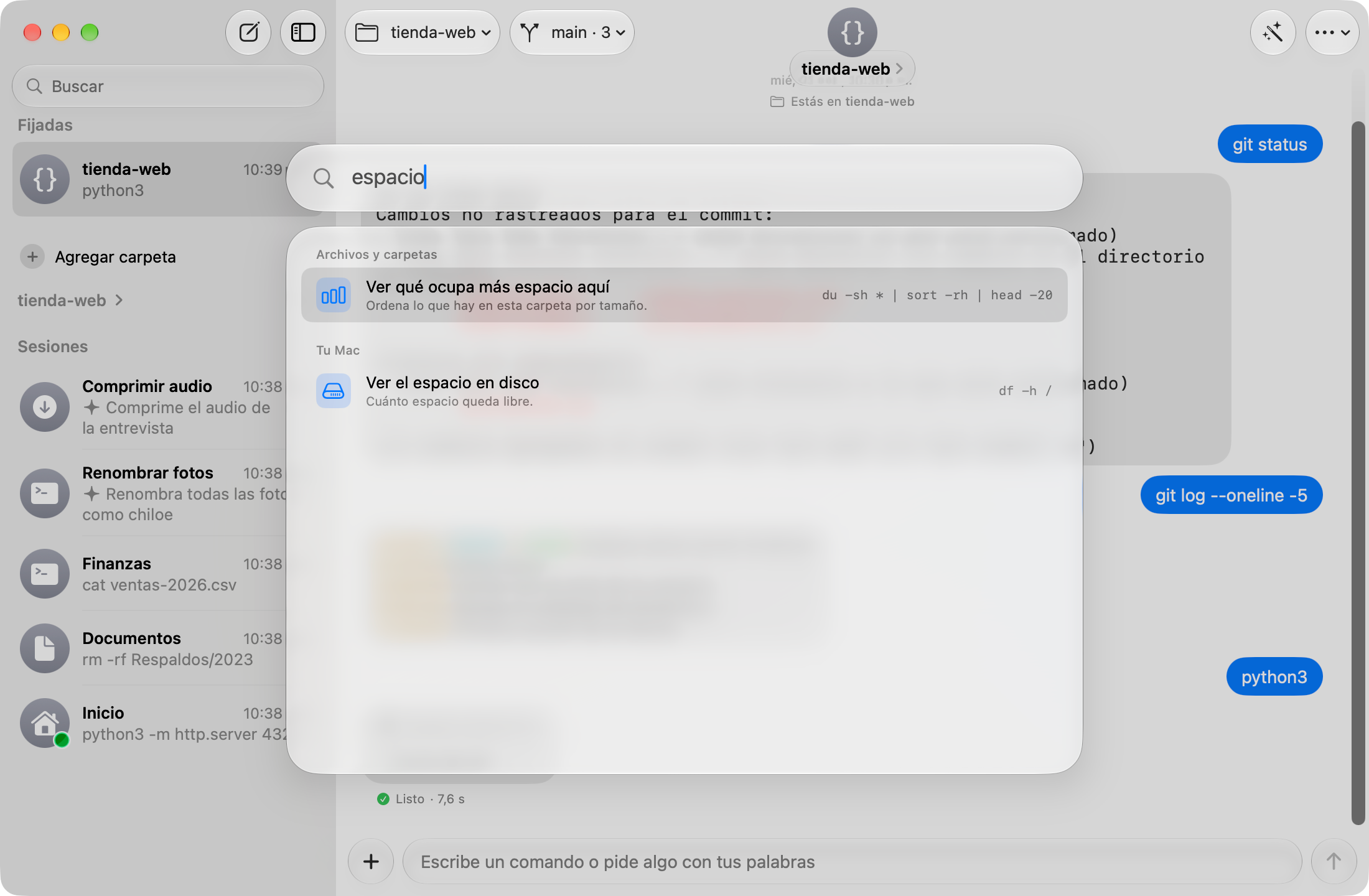
Recipes
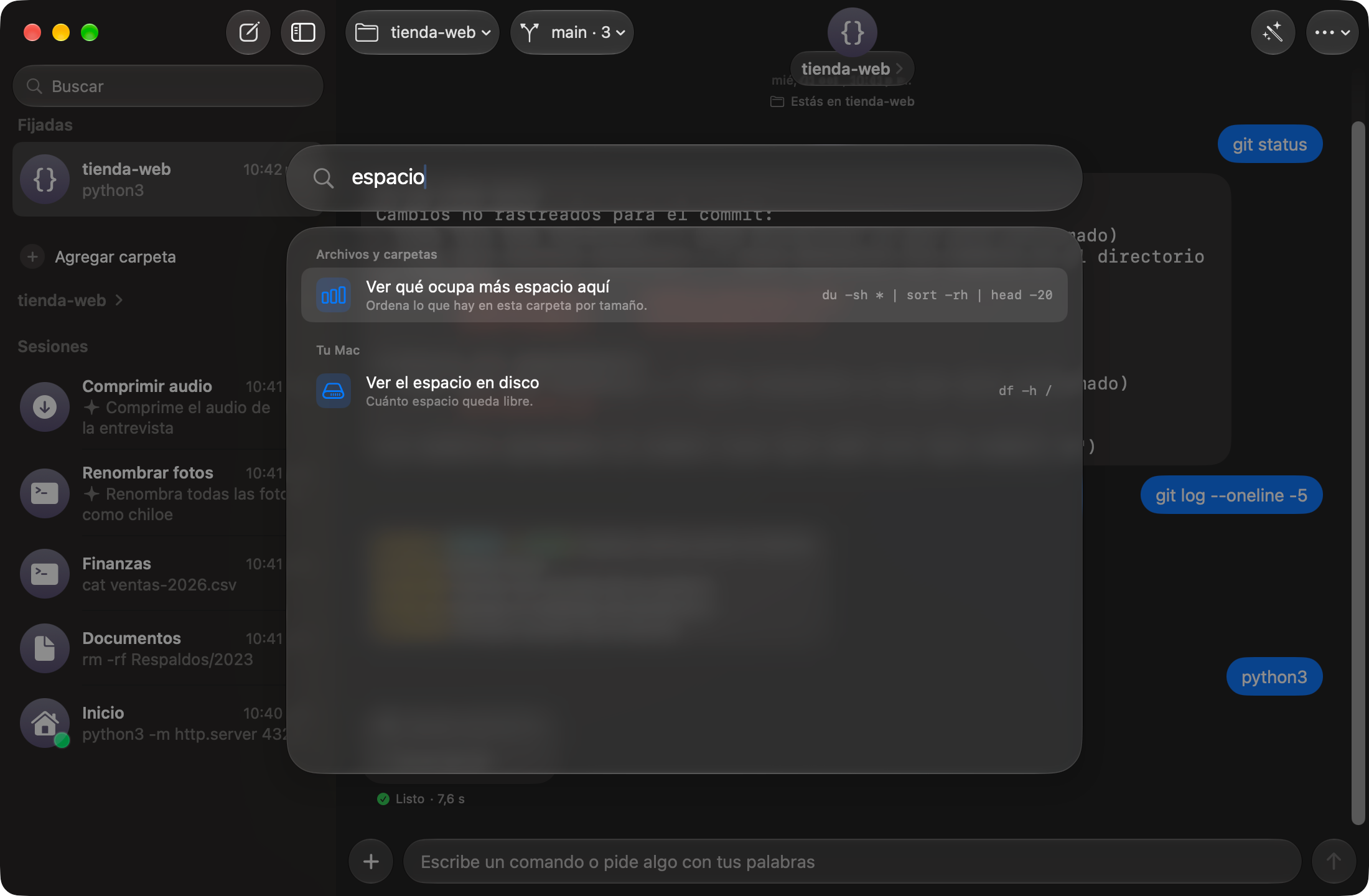
I added a ⌘K command palette for finding recipes by intent, such as checking disk usage, inspecting a port, or compressing files.
Windows
I built the Windows edition with WinUI 3, Fluent, and PowerShell 7 for each session. It's in testing and offers the same contextual error suggestions as the Mac version.
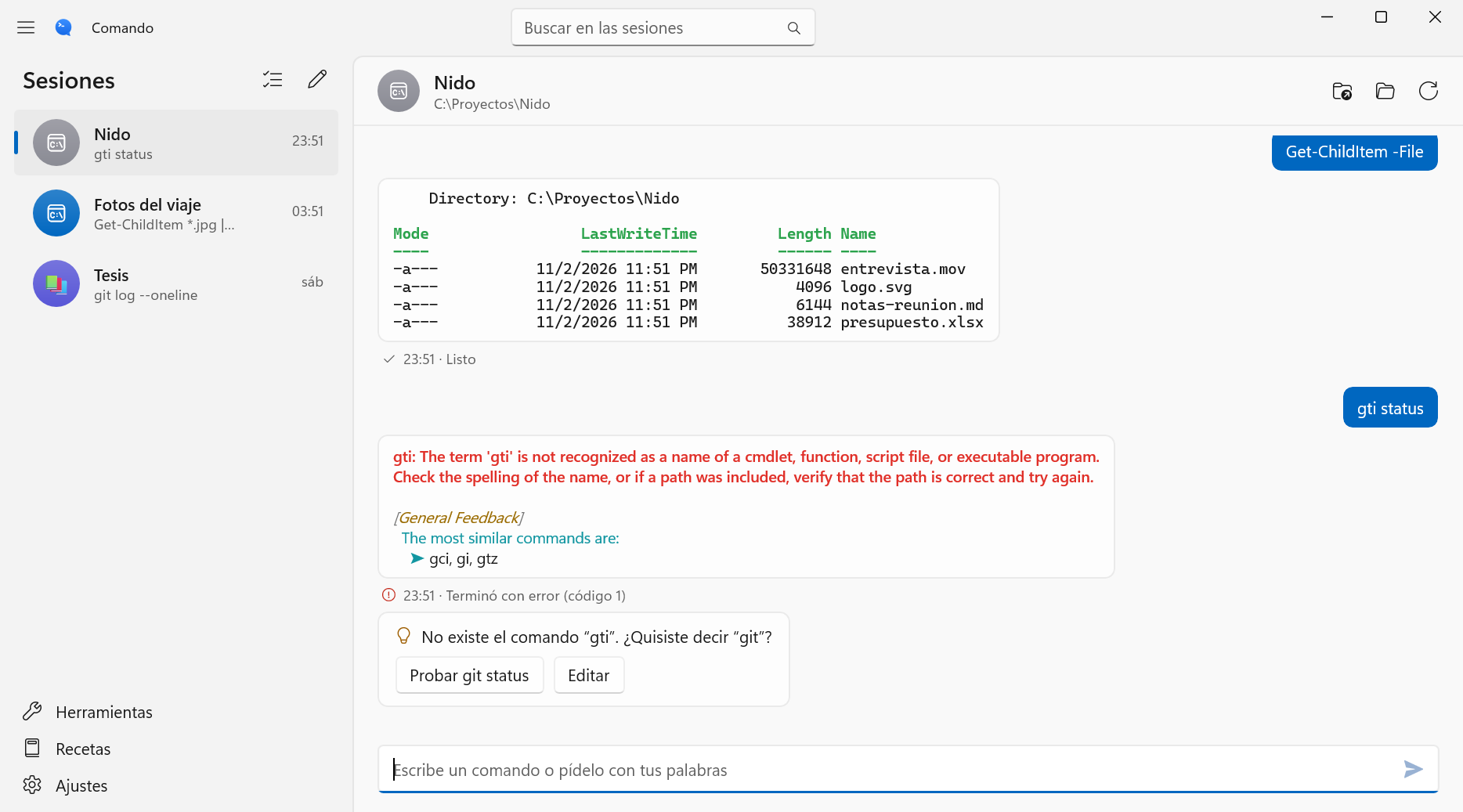
Windows terminal
I used ConPTY to connect PowerShell and an embedded xterm.js terminal for tools that need input, including nested PowerShell sessions.
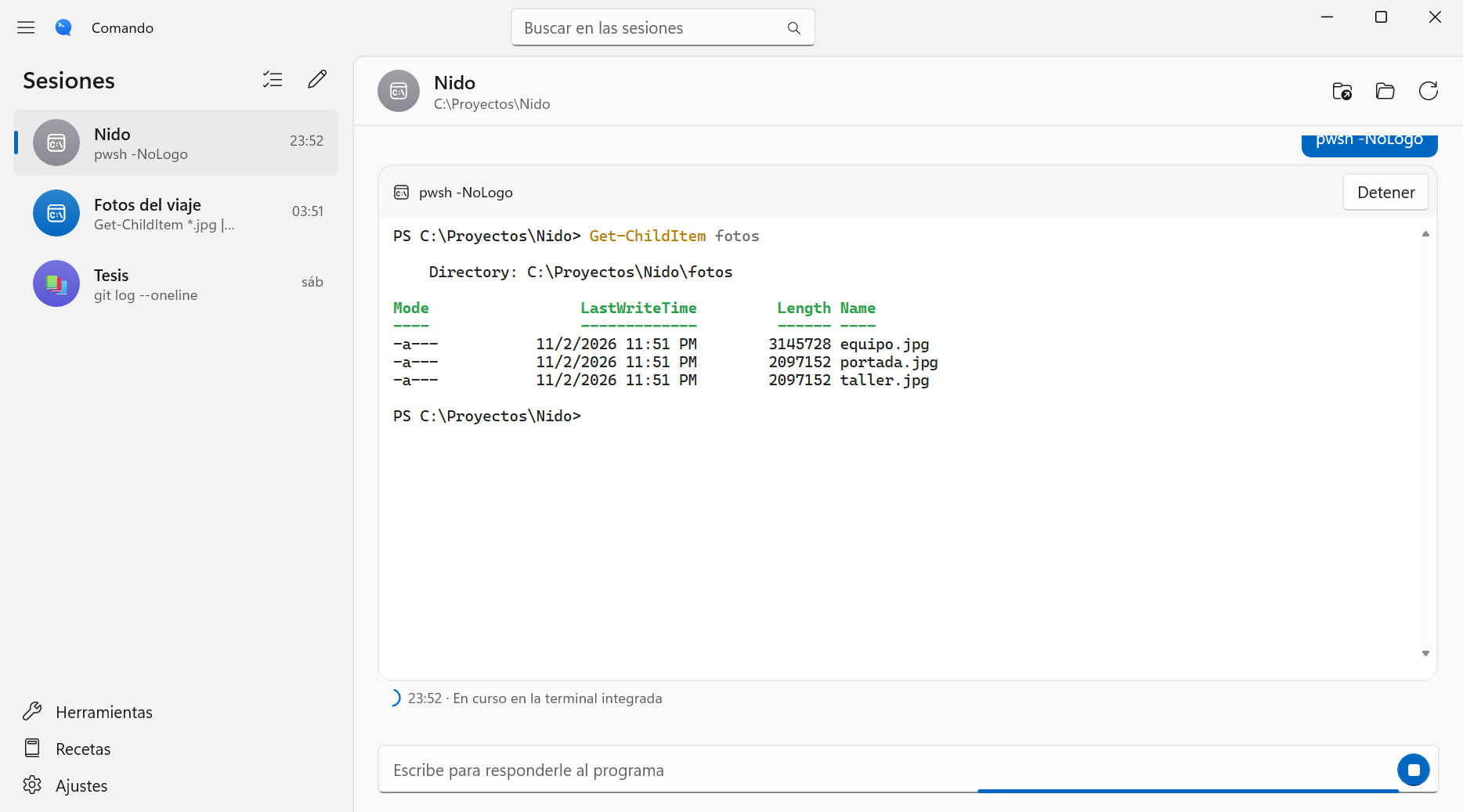
Implementation
I preserved zsh configuration loading and integrated SwiftTerm for interactive tools. Programs run within the conversation, sharing the same session and working directory.
I separated proposal, review, and execution through PendingCommand and RenamePlan. The assistant waits for user approval, and the rename workflow checks that existing files won't be overwritten.
I ported the interface and logic to C# and WinUI 3, using PowerShell 7 through ConPTY, Mica, and Segoe Fluent Icons. On Copilot+ PCs, the assistant uses Phi Silica; on other PCs, guidance and recipes remain available.
A terminal built around a conversation.
The documented Mac version requires macOS 27. Apple Intelligence assistance is optional. The Windows version is in testing, and its installer is not yet signed. Some catalog lookups use external services.