

Preserve the recording
I stored audio in recoverable chunks and added a capture log. I tested interruptions because preserving the recording is a prerequisite for transcription.
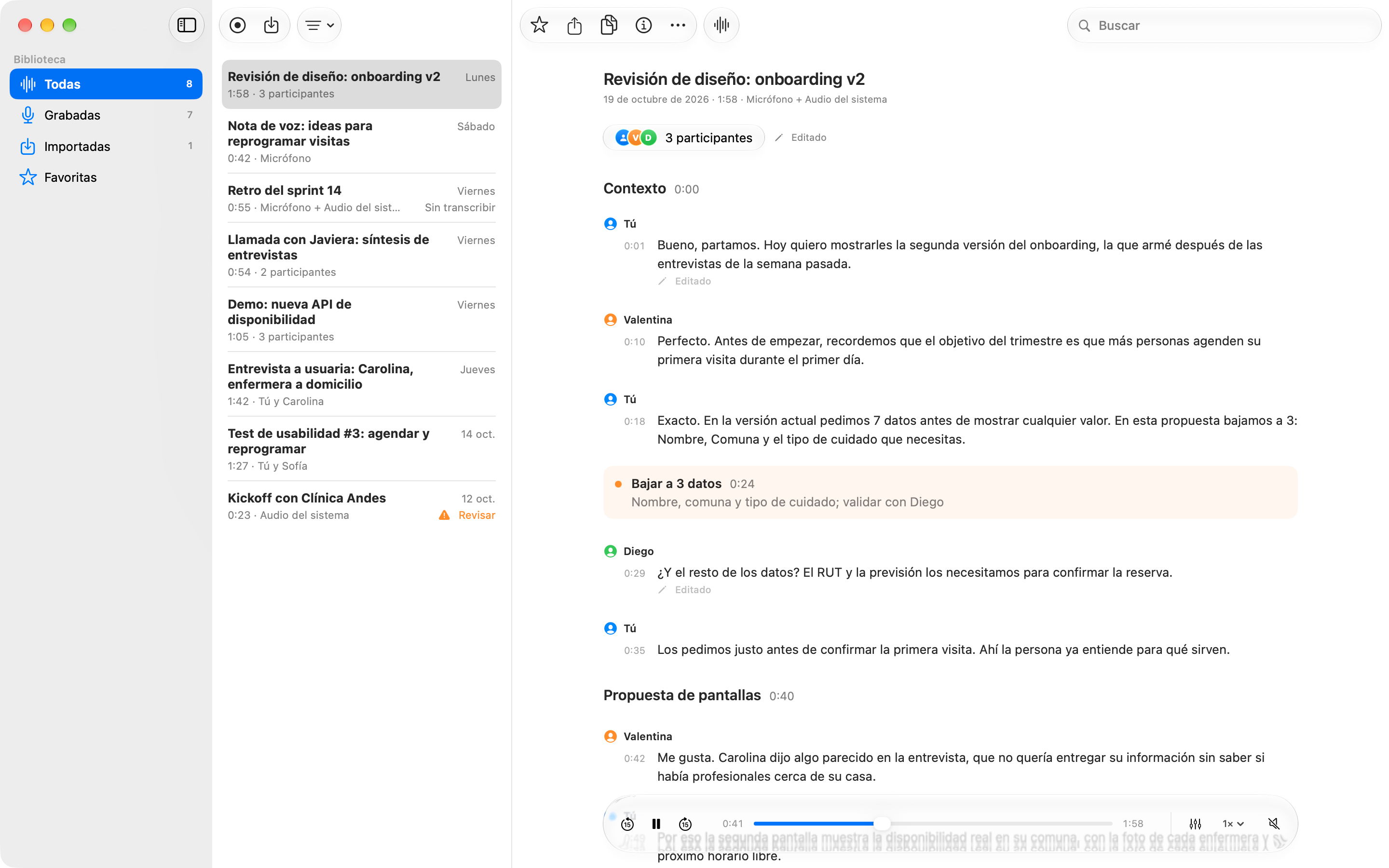
Recordings you can read, listen to, and search.
People who work with conversations and interviews
Native Mac and Windows apps · Audio · Private transcription
Swift 6 / SwiftUI / AppKit / WhisperKit / SpeakerKit / C# · .NET 10 / WinUI 3
The idea
I wanted to return to a specific idea in a recording and know who said it. I designed and developed Bardo to bring audio, transcripts, and speakers together in a native app—first for Mac, then for Windows. Transcription runs entirely on-device, without uploading recordings to a server.
The conversations, names, and company shown in the screenshots are fictional.
Getting started
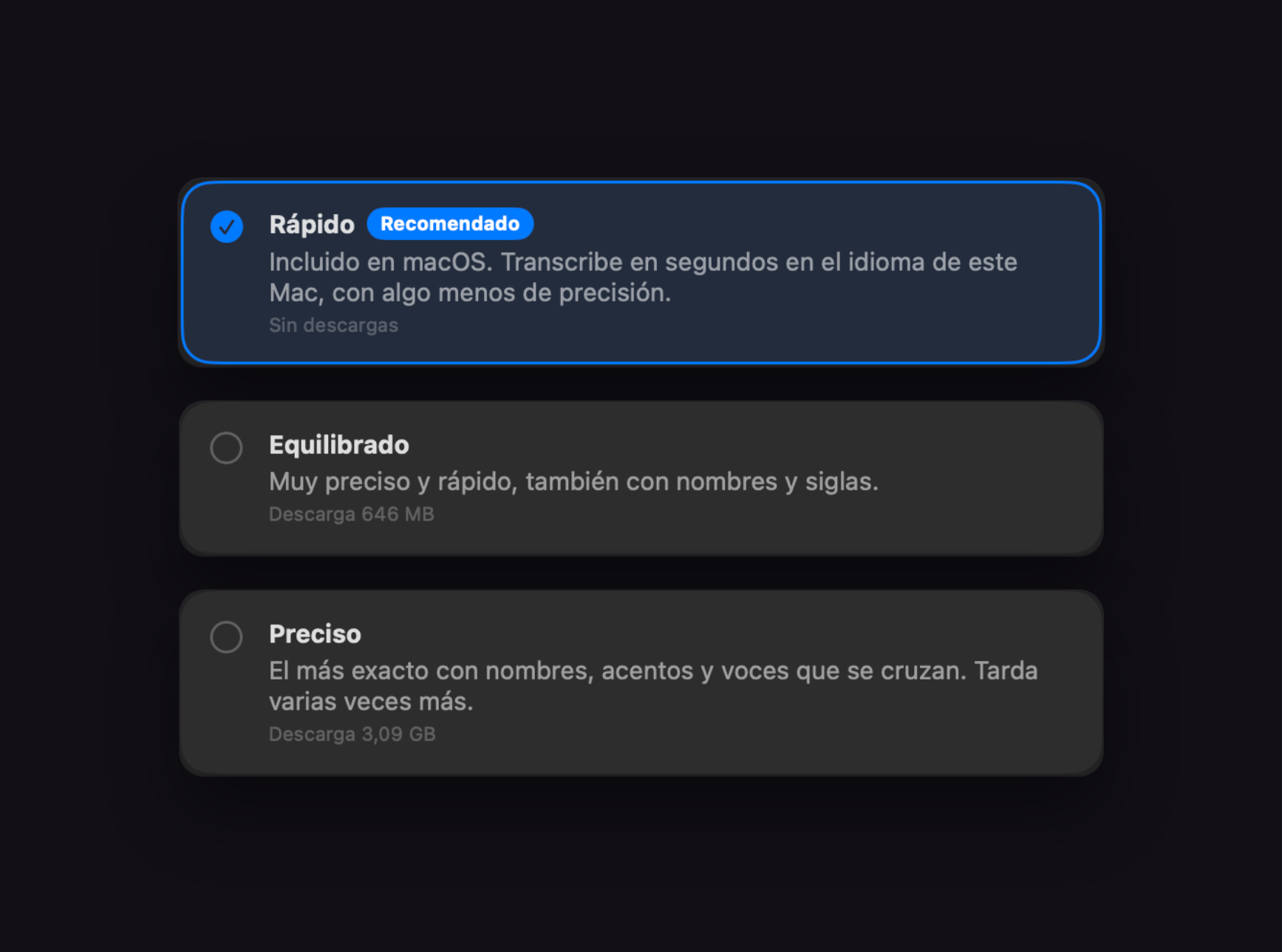
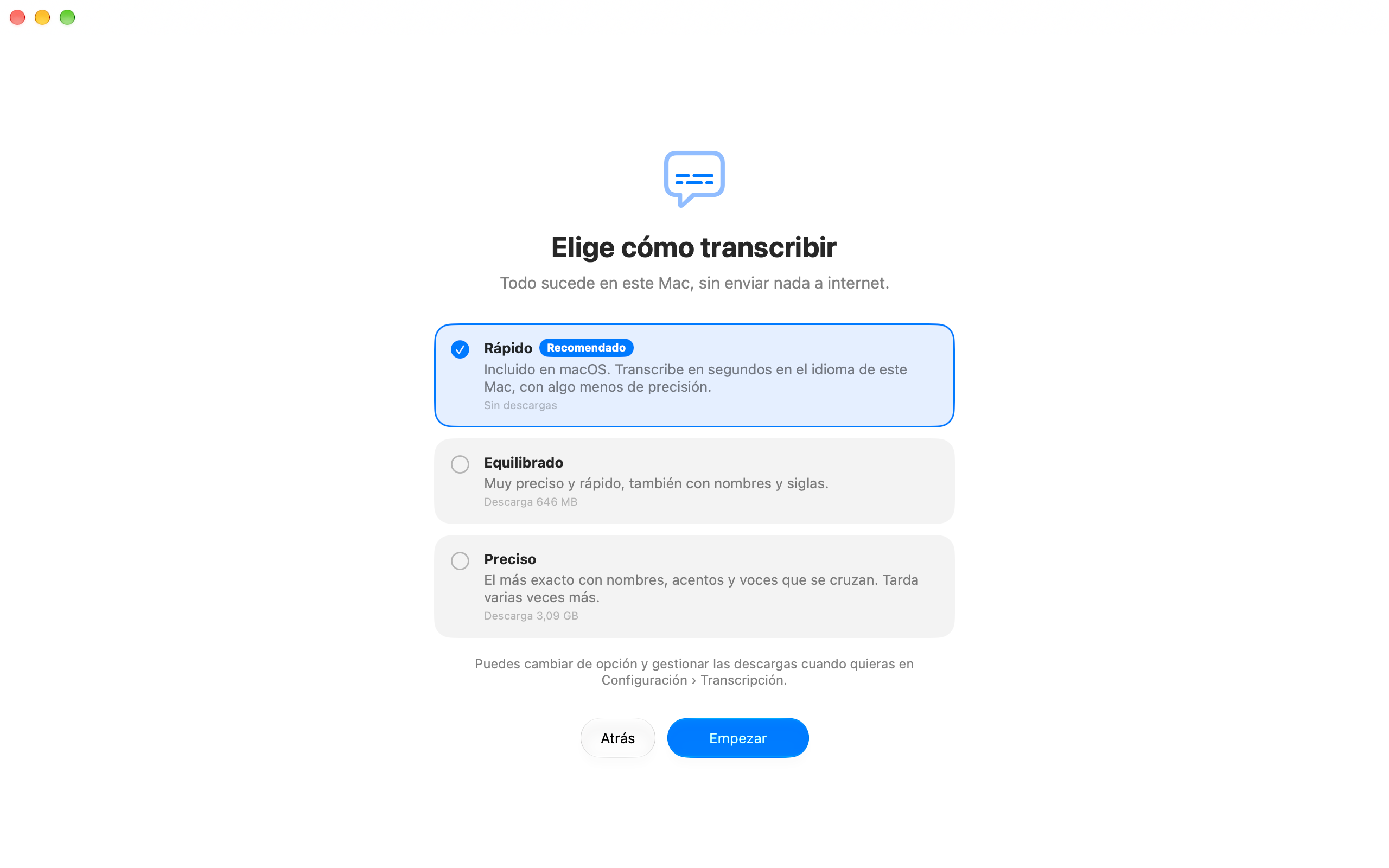
I structured first-time setup around three options: Fast, Balanced, and Accurate. Each explains its requirements and how audio is processed on Mac.
Transcription
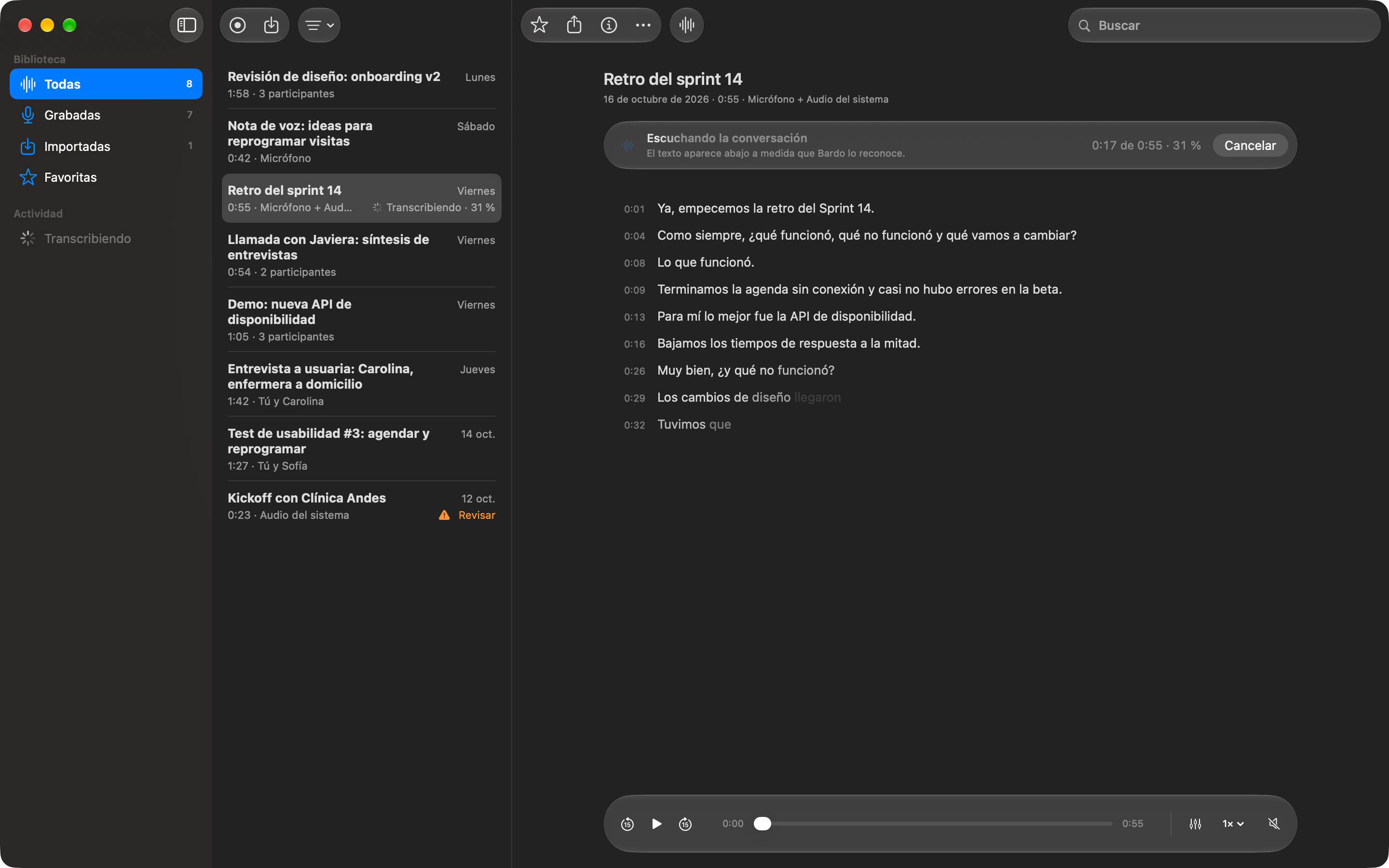
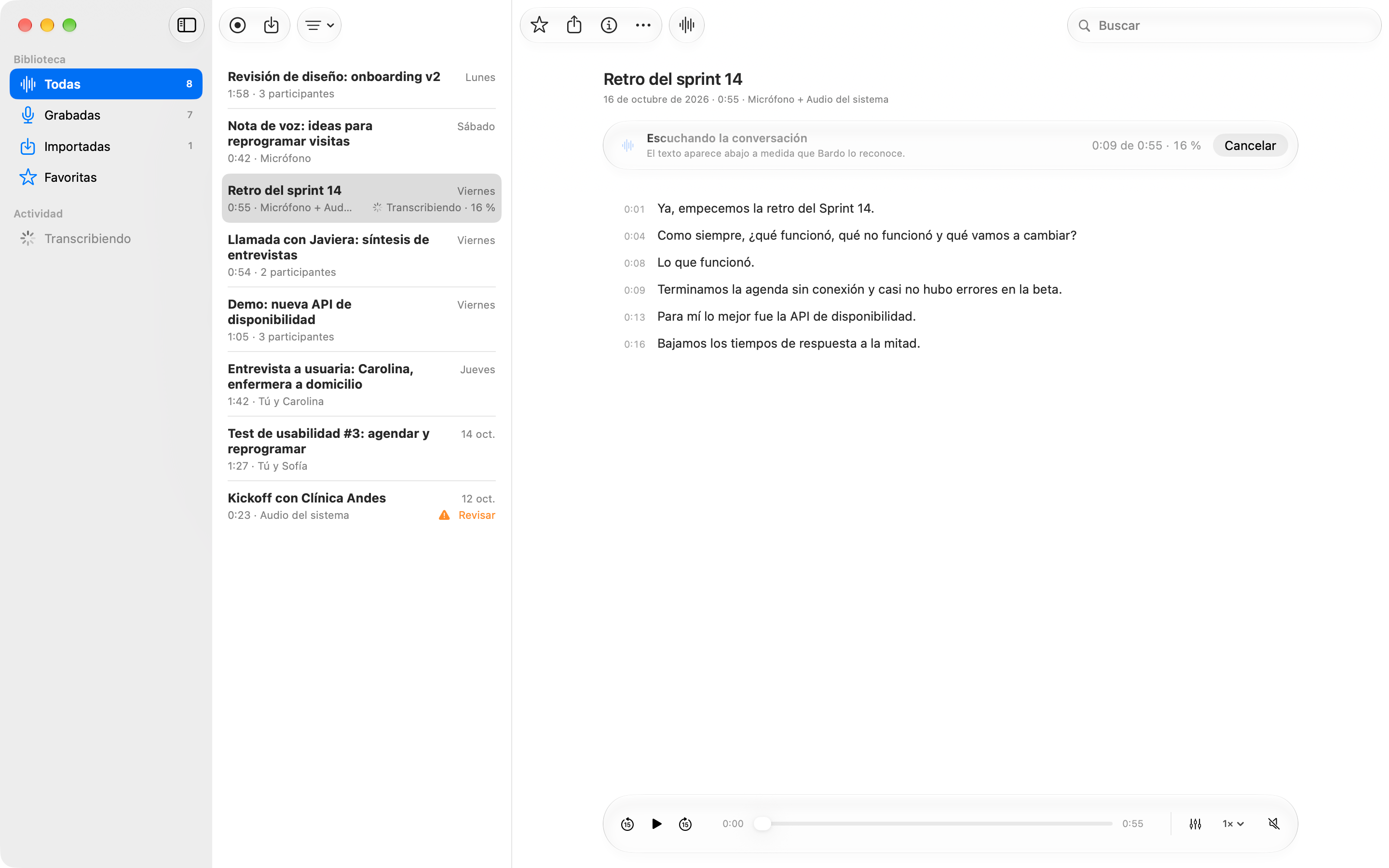
I kept progress visible in both the conversation and the library. Words appear as they are recognized.
Listening
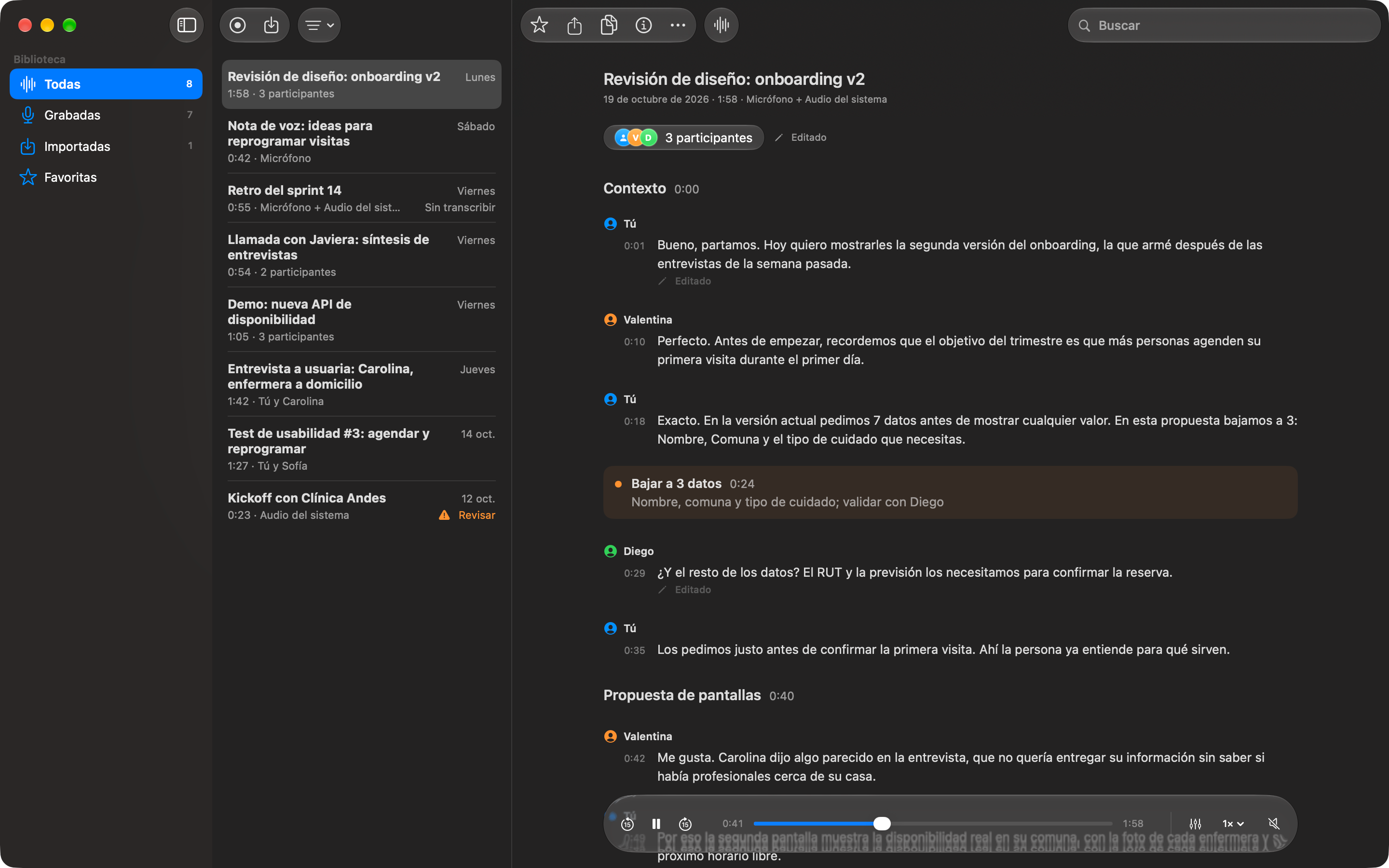
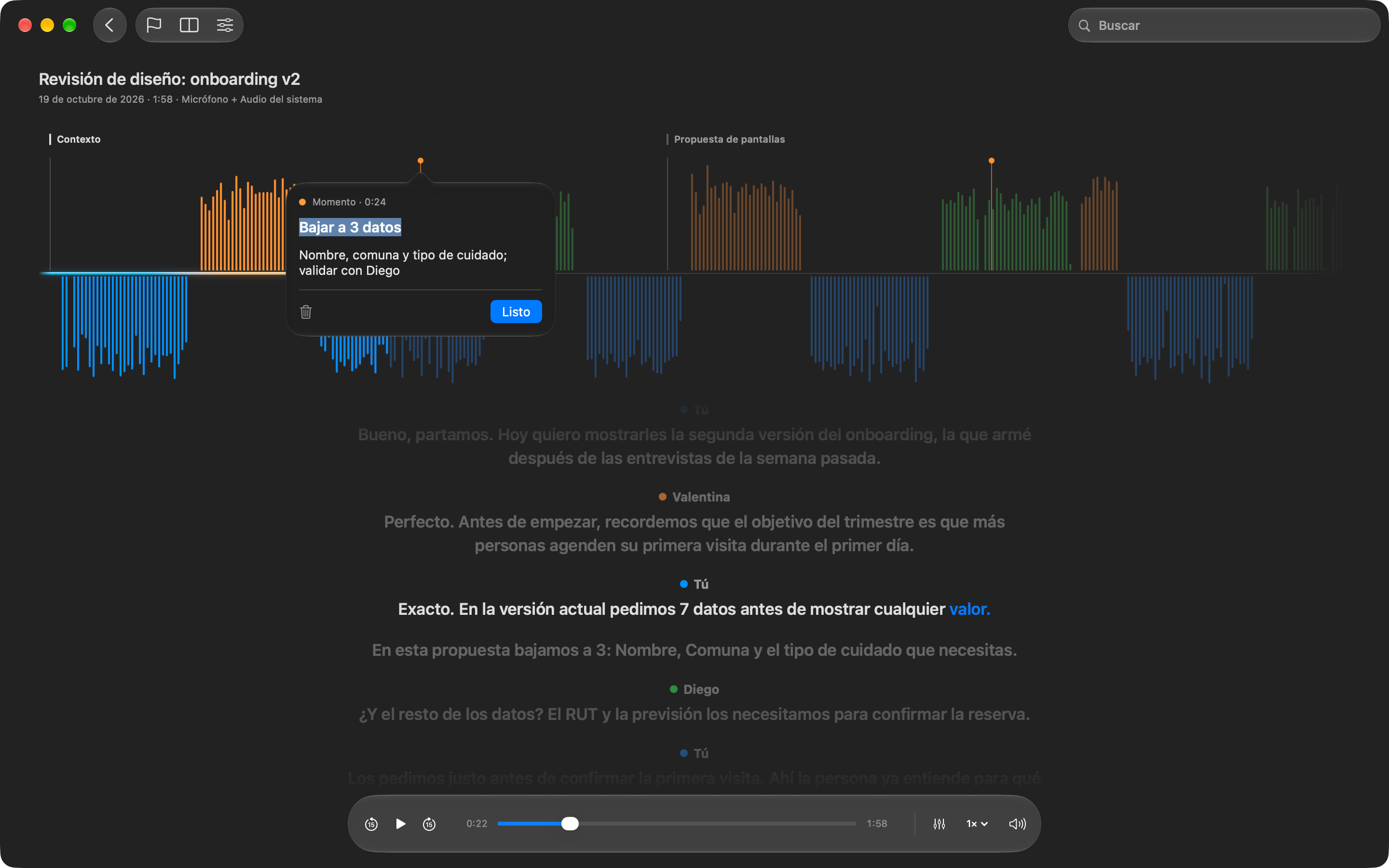
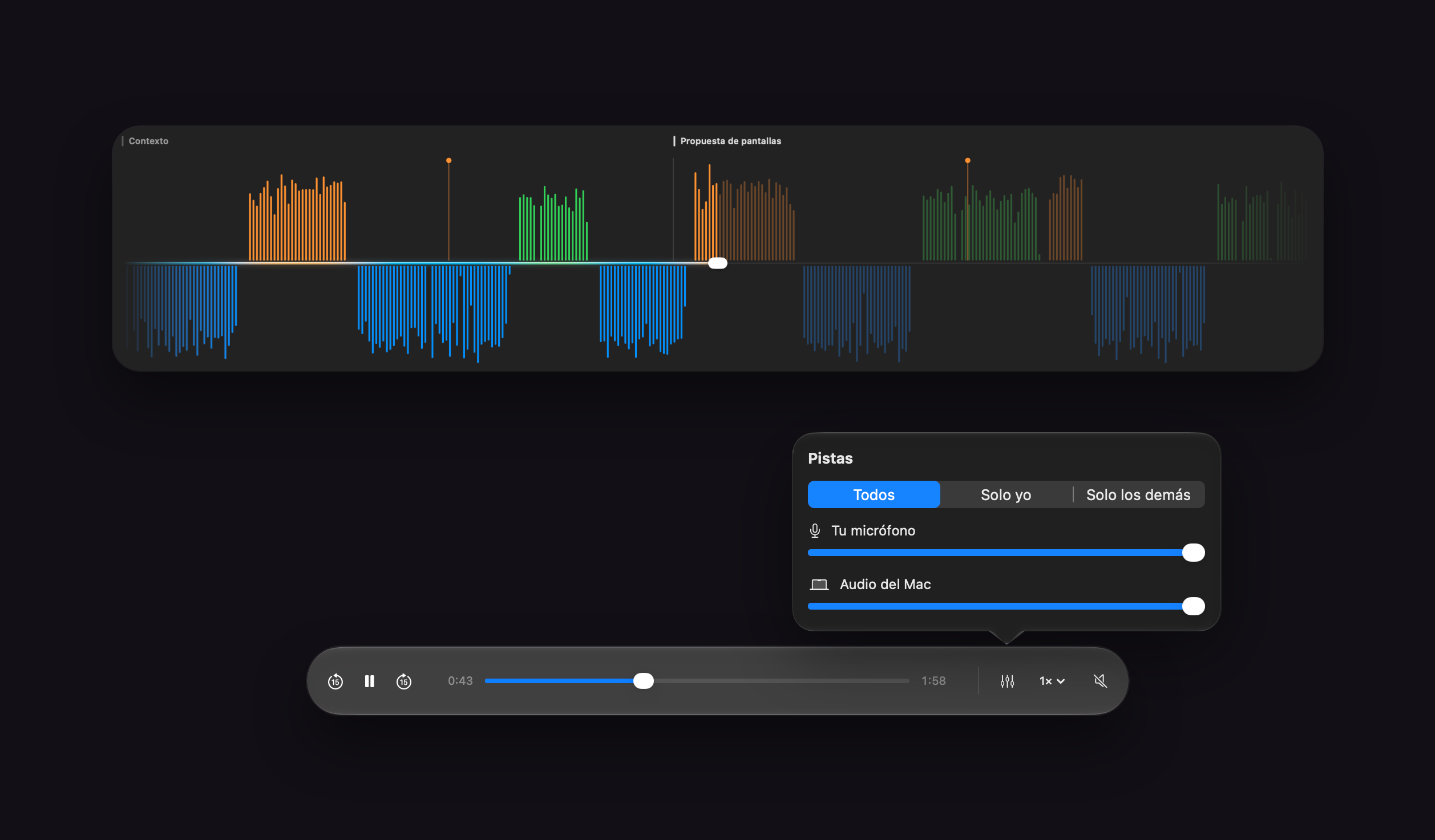
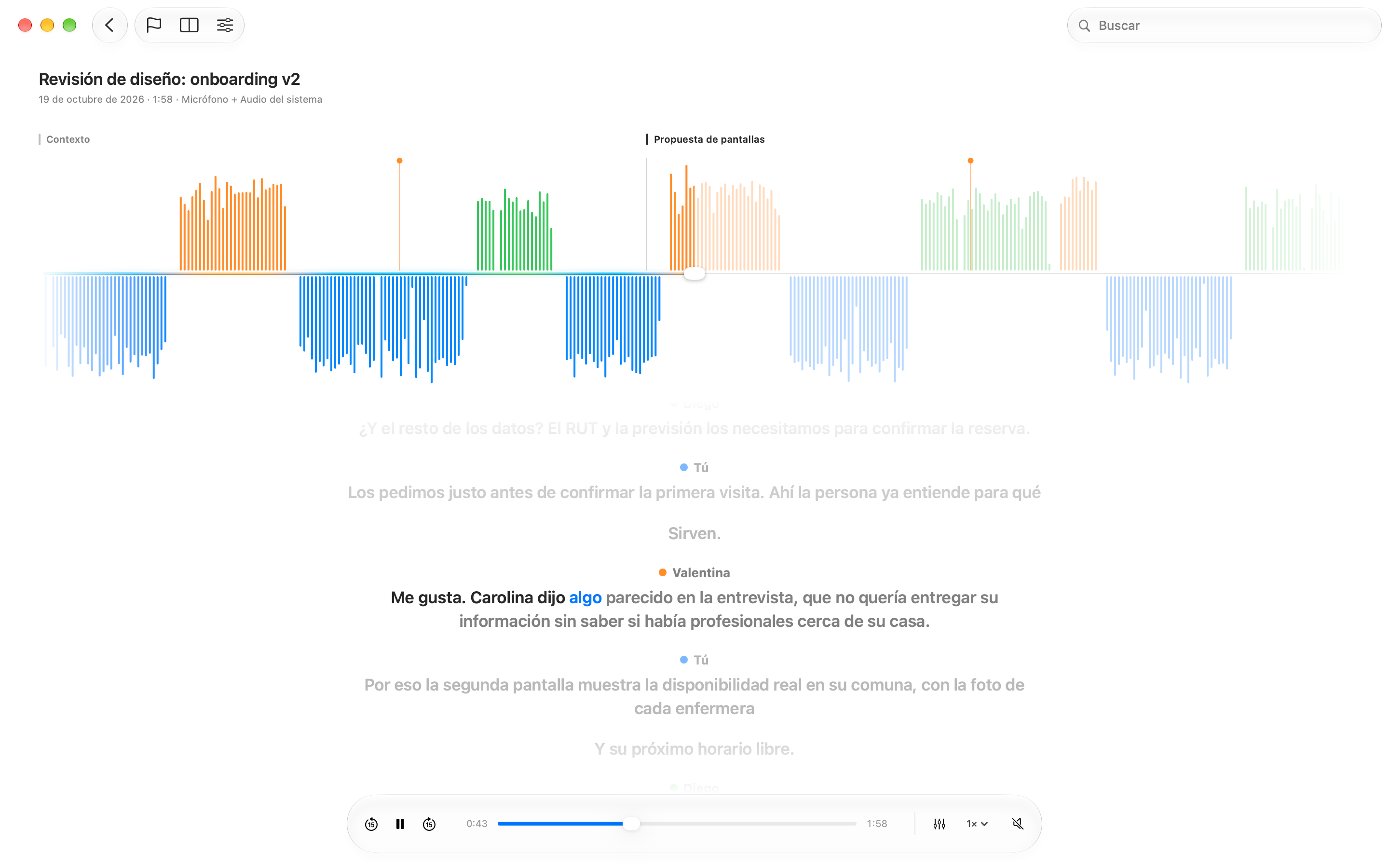
I separated Mac system audio from the user's microphone into two tracks, with speaker colors and controls for listening to each.
Bookmarks
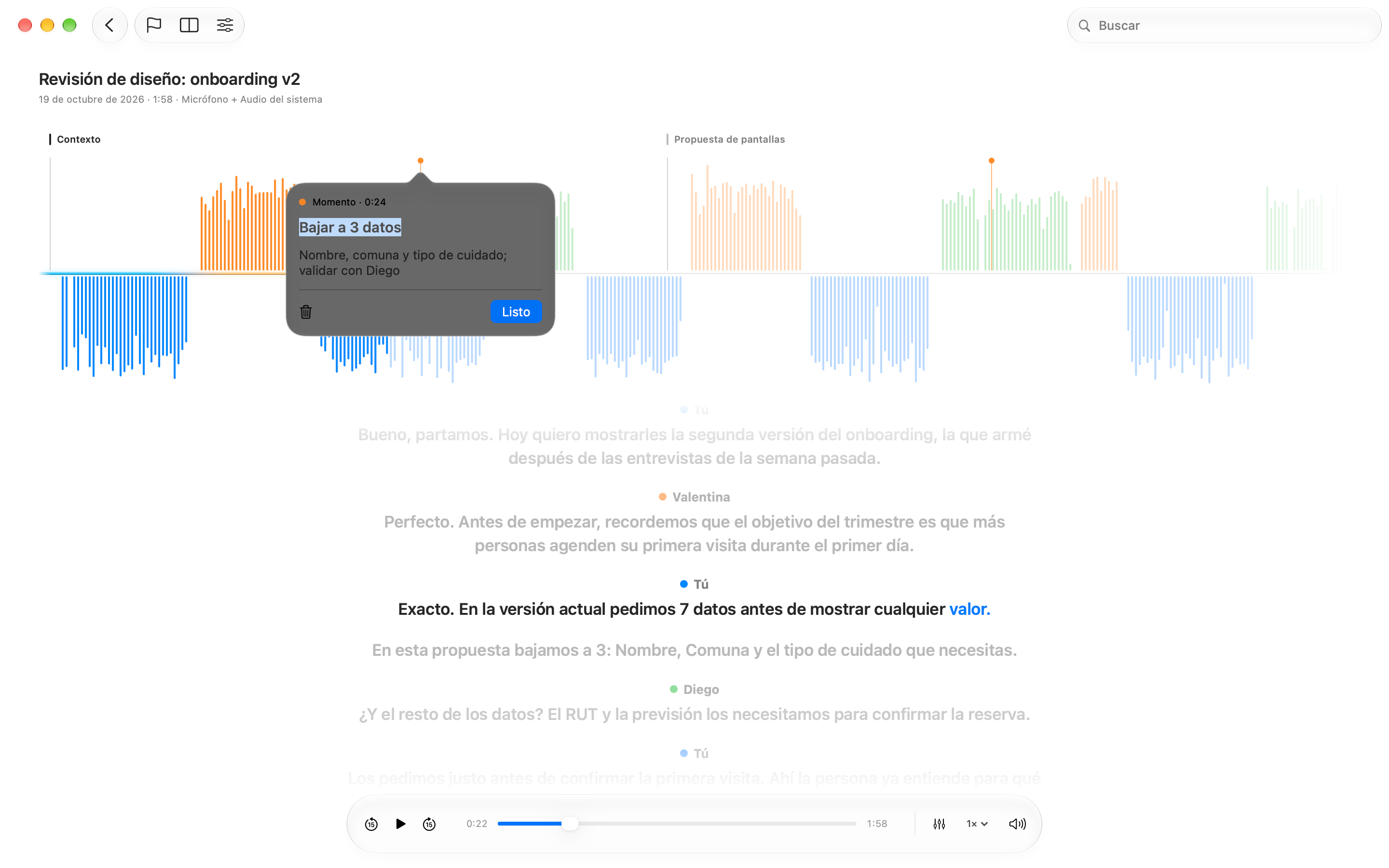
I added moments and sections to both the waveform and transcript, with notes attached to specific points.
Search
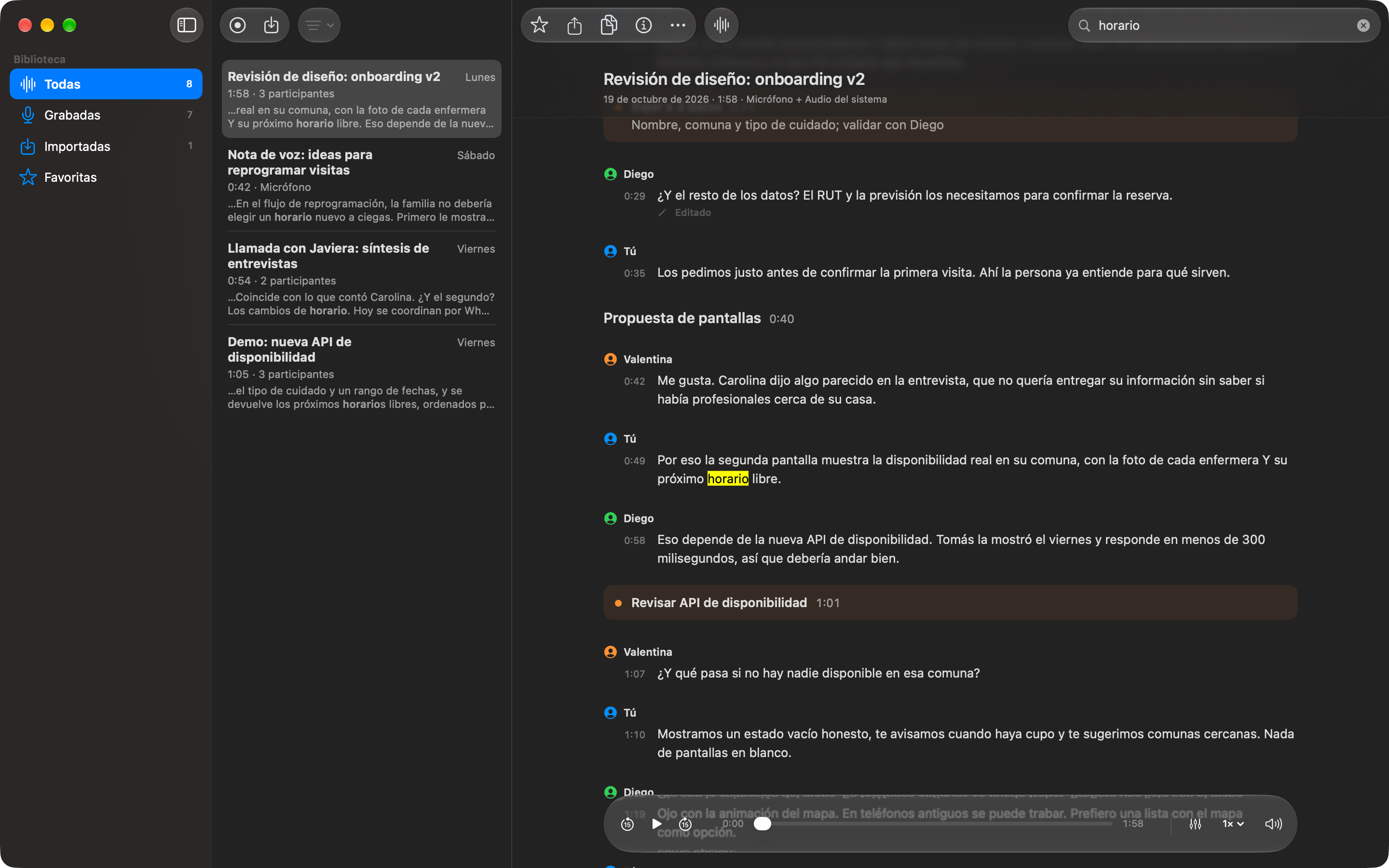
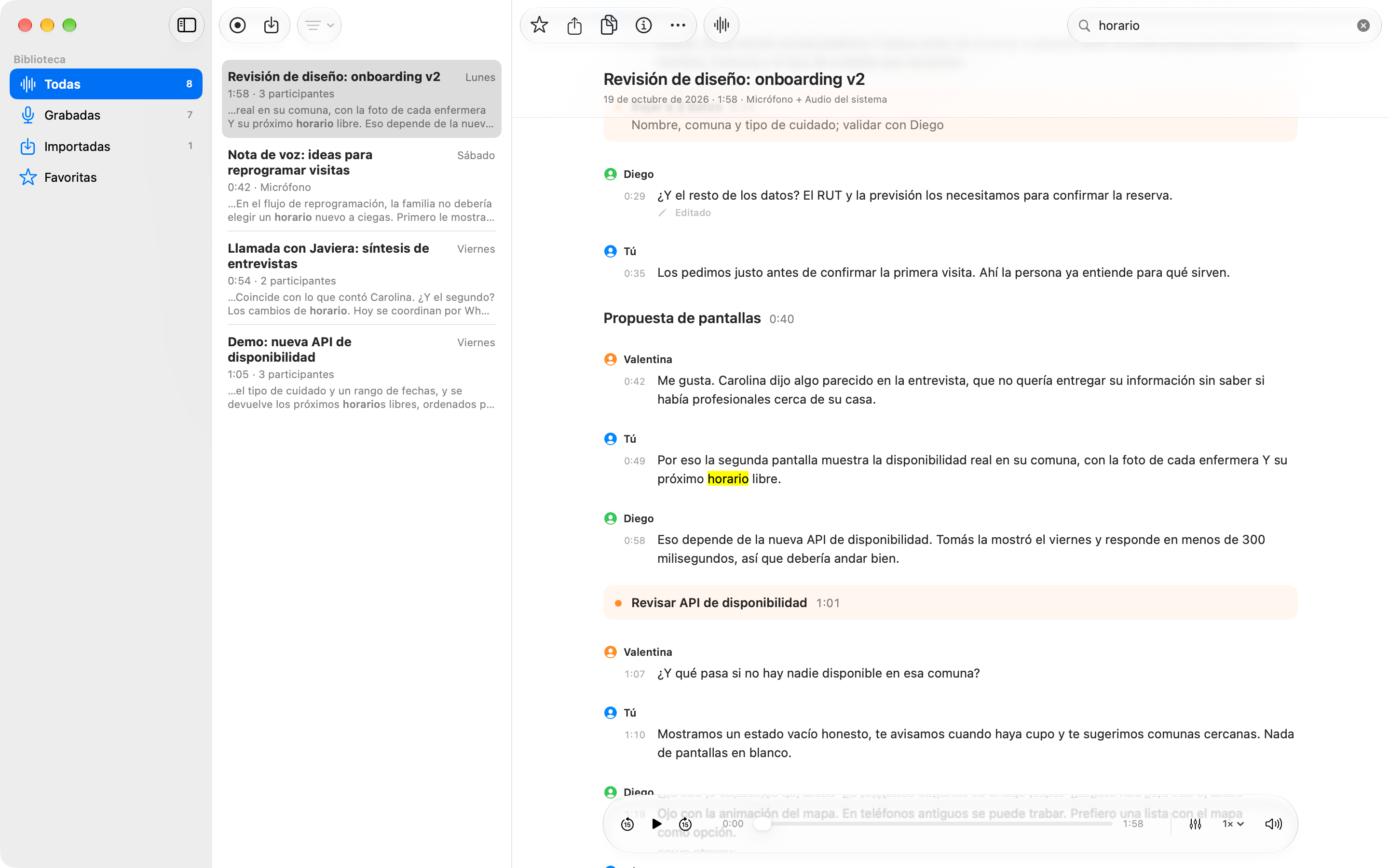
I connected search to titles, transcripts, and participants. Highlighted matches help locate each result within a recording.
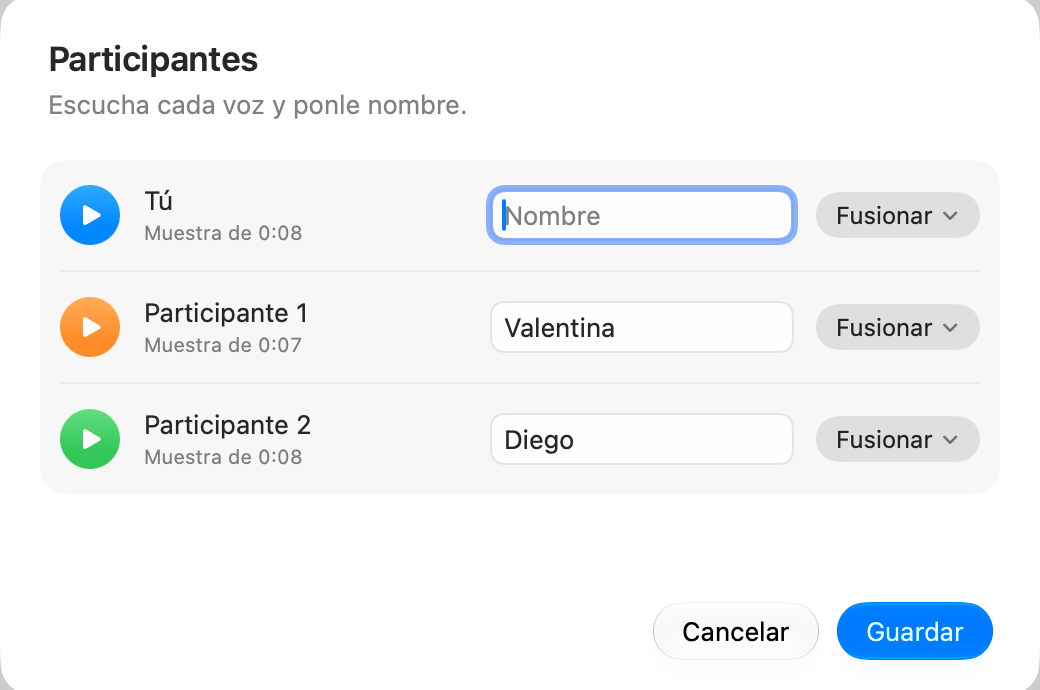
Speakers
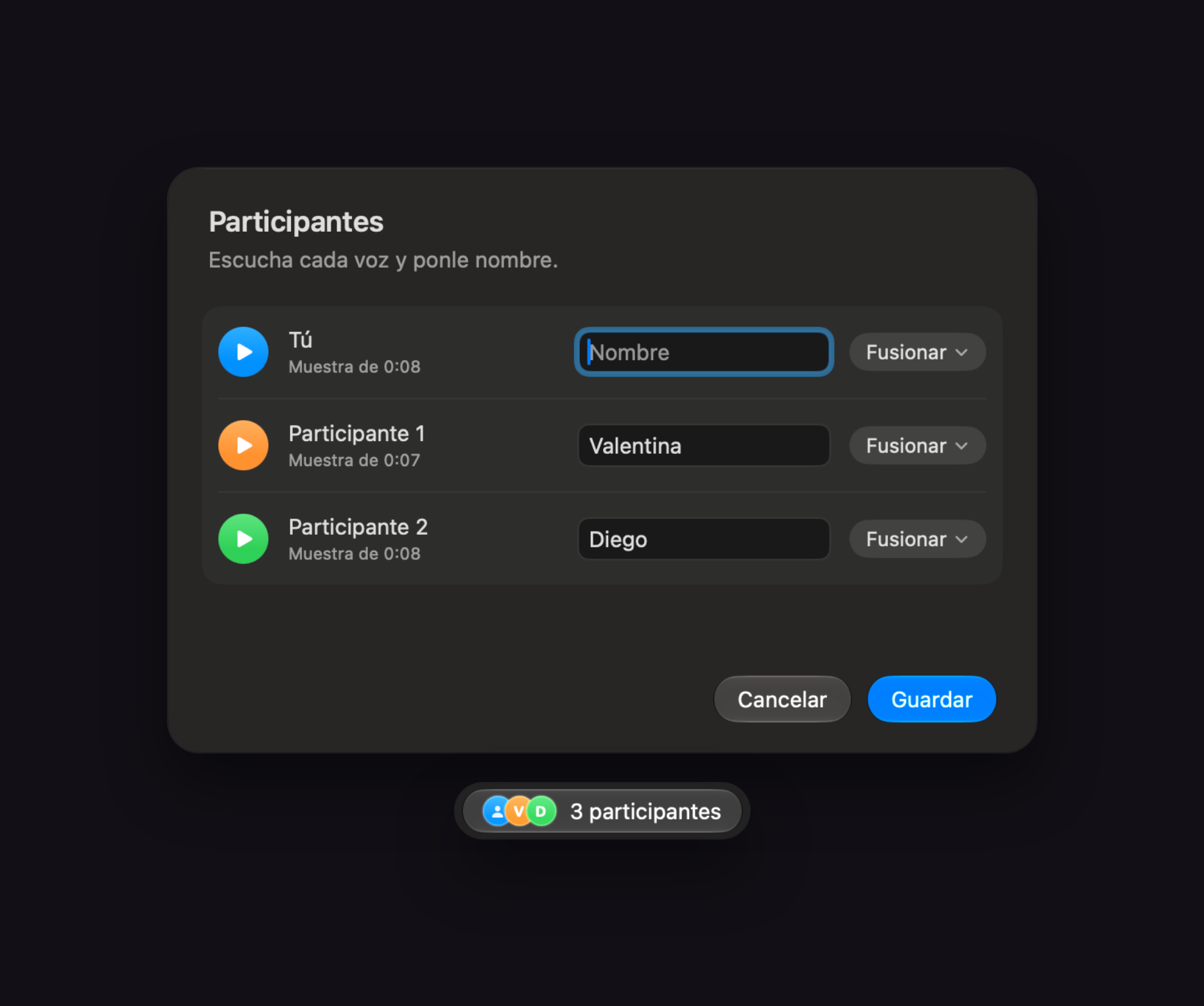
I added voice samples so speakers can be recognized, named, or merged if the same person was detected more than once.
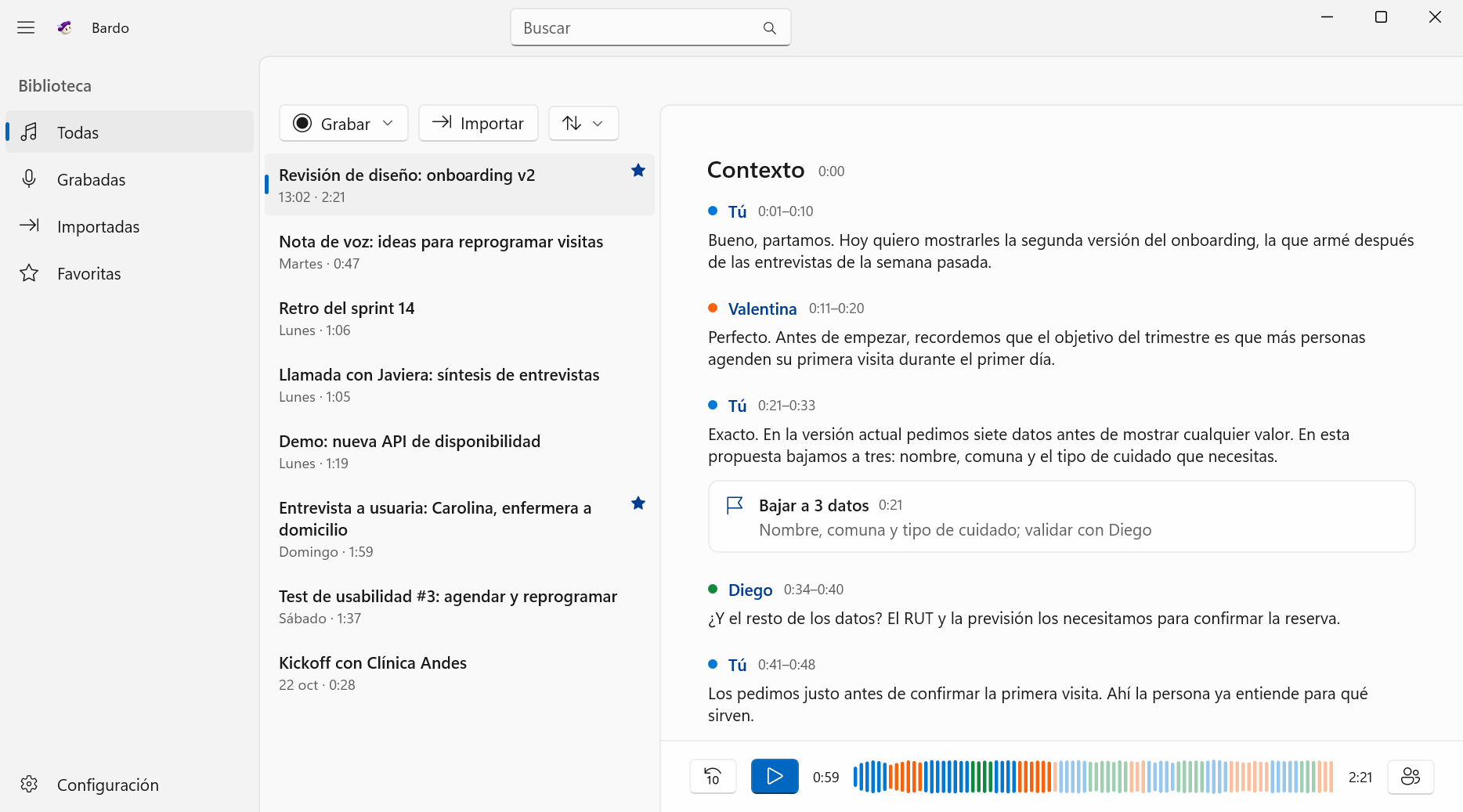
Windows
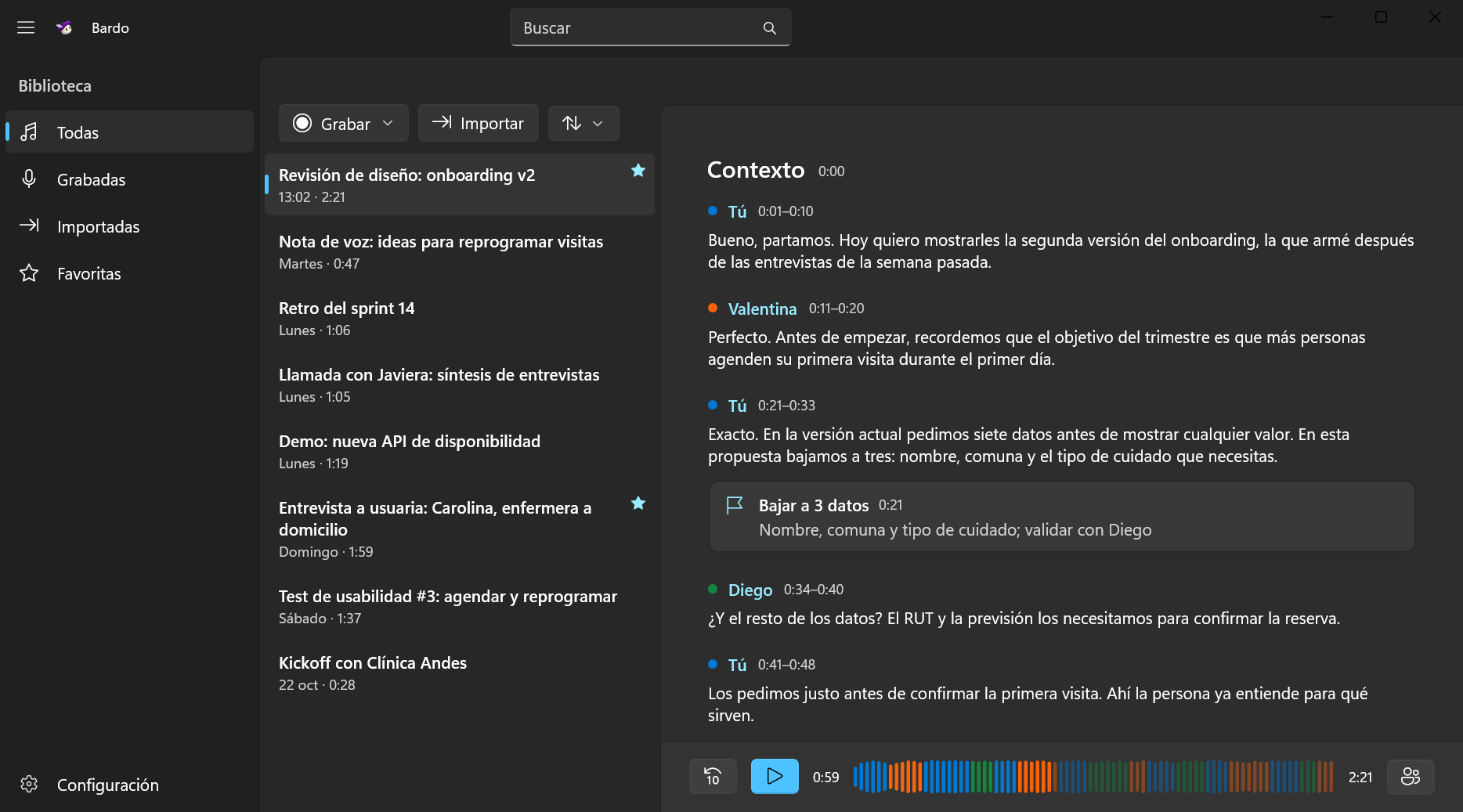
I designed the Windows version with WinUI 3 and Fluent instead of imitating macOS. Both share a library format, so a recording copied from Mac opens on PC.
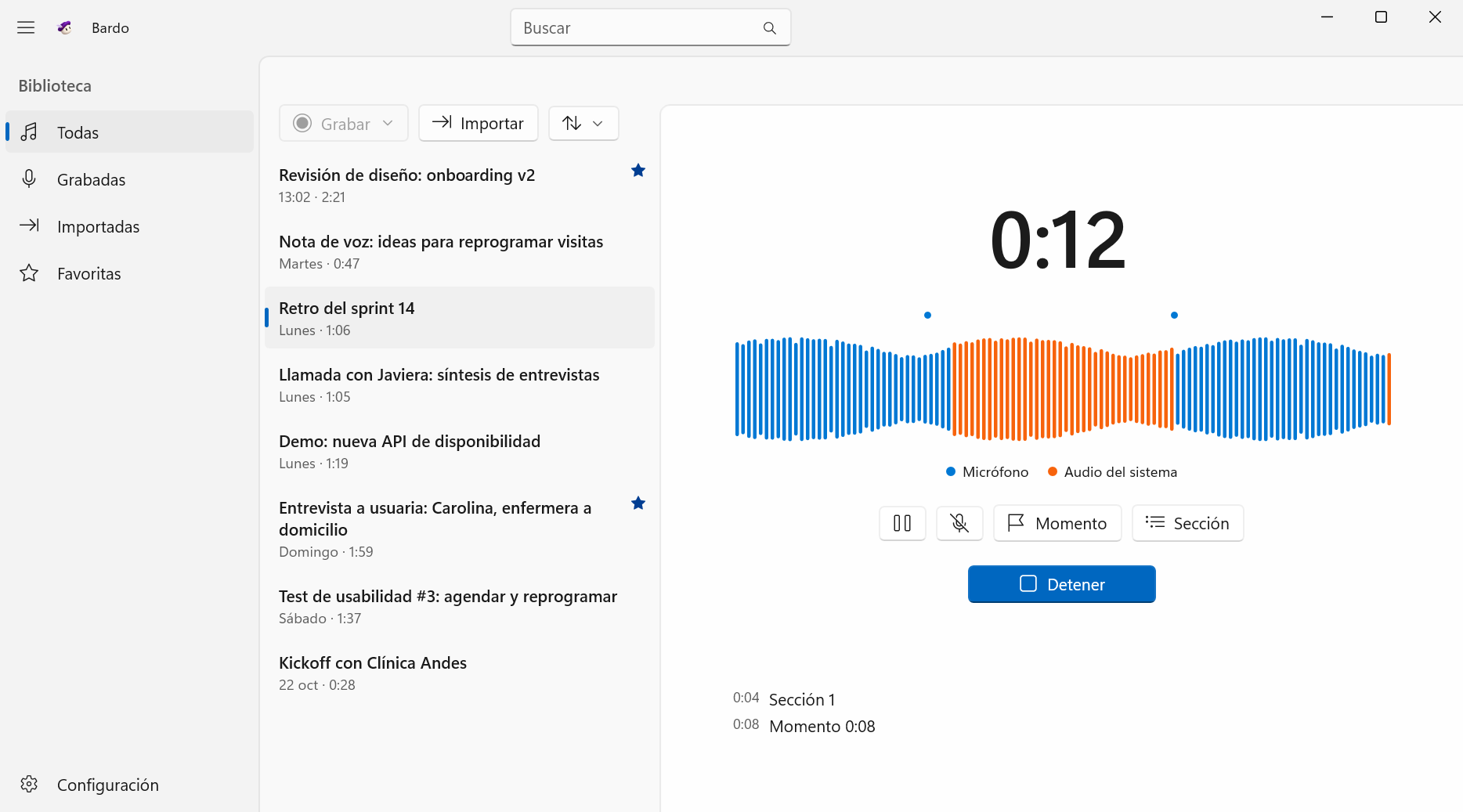
Record on PC
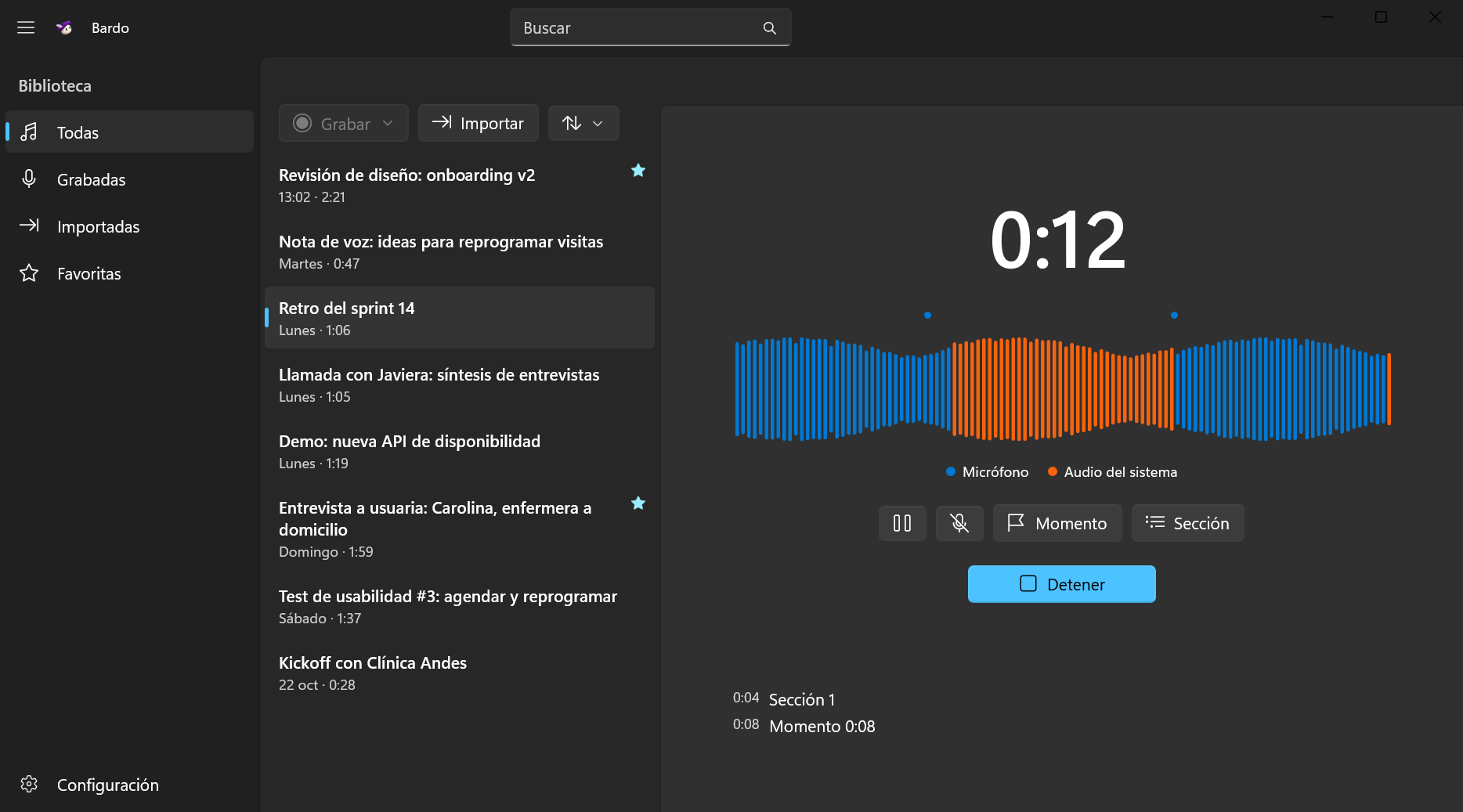
I captured microphone and system audio separately, with sections and moments that can be marked while recording. Transcription happens locally on the PC.
Implementation
I stored audio in recoverable chunks and added a capture log. I tested interruptions because preserving the recording is a prerequisite for transcription.
I built the interface with SwiftUI and AppKit, integrating WhisperKit and SpeakerKit for transcription and speaker diarization. I brought transcripts, audio, search, and bookmarks together in the player.
I built the Windows version in C# with WinUI 3 and Fluent, without sharing Swift code. It uses Whisper.net with the same models and sherpa-onnx for speaker detection, and stores the library in the same format as the Mac app.
Recordings you can read, listen to, and search.
Runs on Apple Silicon Macs with macOS 15 or later, and on Windows 11 x64 or ARM PCs. Models must be downloaded on first use. Apple's recognition features require macOS 26. Archiving and the recording indicator are currently Mac-only. Bardo transcribes conversations; it does not generate meeting minutes with a language model.