


A local, isolated engine
I integrated stable-diffusion.cpp with Metal as a helper process inside the app, isolated for each generation. It loads FLUX.3 Klein GGUF weights in two variants: Balanced (Q4_K) and Light (Q3_K).
Images you create and edit by chatting, on your Mac.
People who want to create images without sending them to an external service
Native Mac app · Image generation and editing · On-device model
Swift 6 / SwiftUI / AppKit / stable-diffusion.cpp / Metal / FLUX.3 Klein
The idea
I wanted to generate and edit images with an open model without relying on a cloud service or the terminal. I designed and built Reverreal as a native Mac app where everything happens in a conversation: you describe the image, watch it take shape, and ask for changes to the result. FLUX.3 Klein downloads once and runs on the Mac itself through Metal; after that, Reverreal works offline.
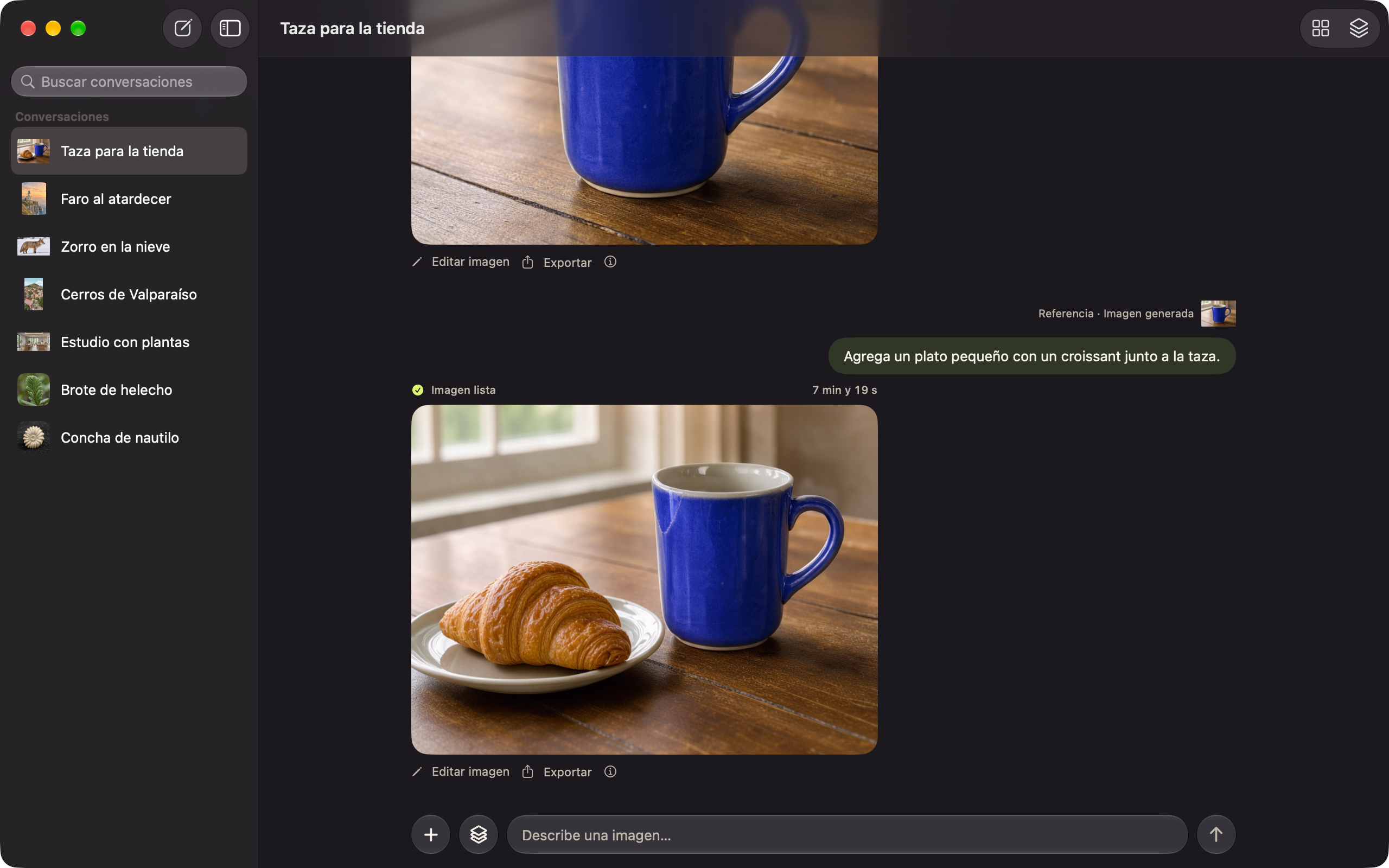
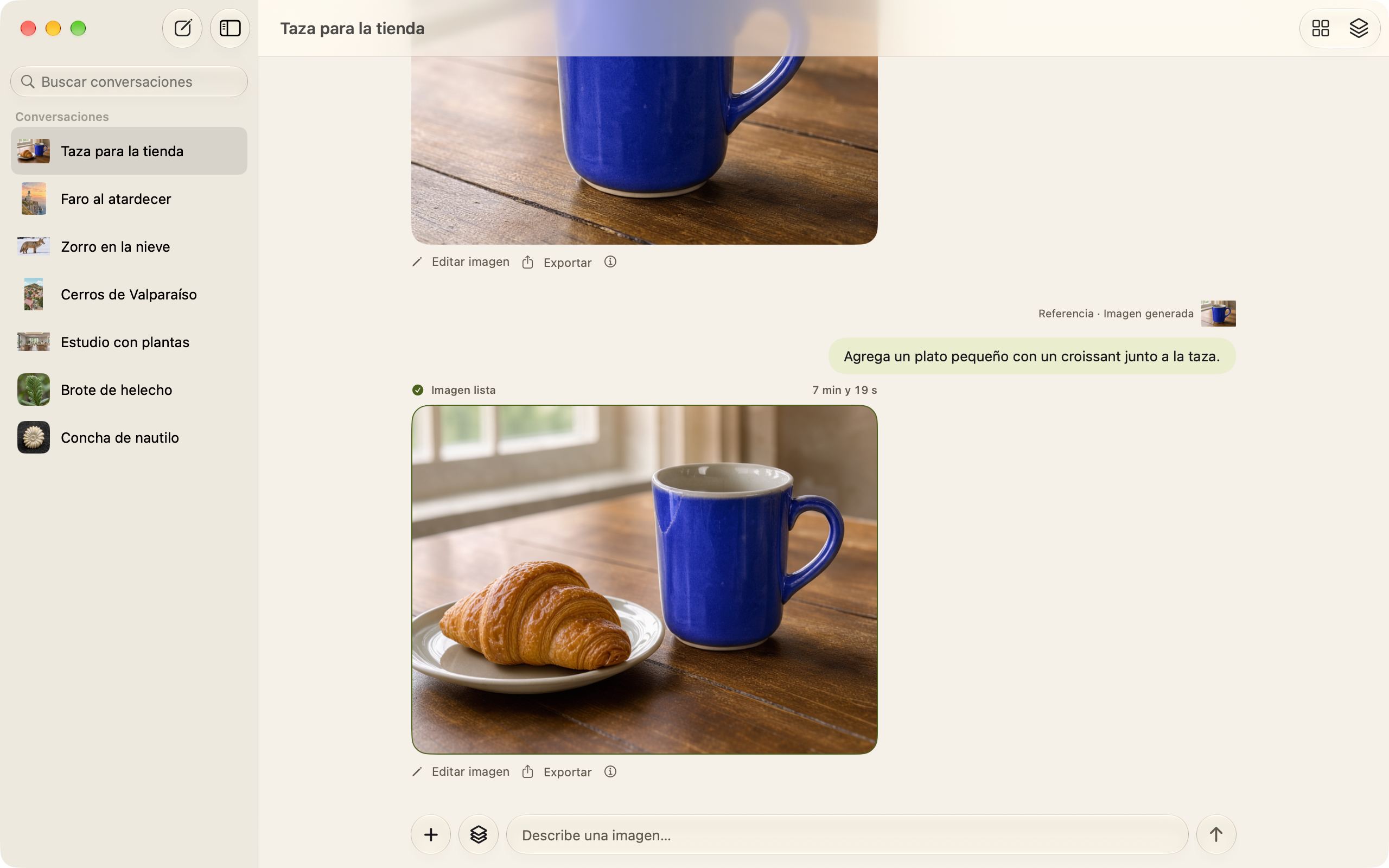
Reverreal generated every image in these screenshots on a 16 GB MacBook Air M5. The times shown are the ones measured for each generation.
First run
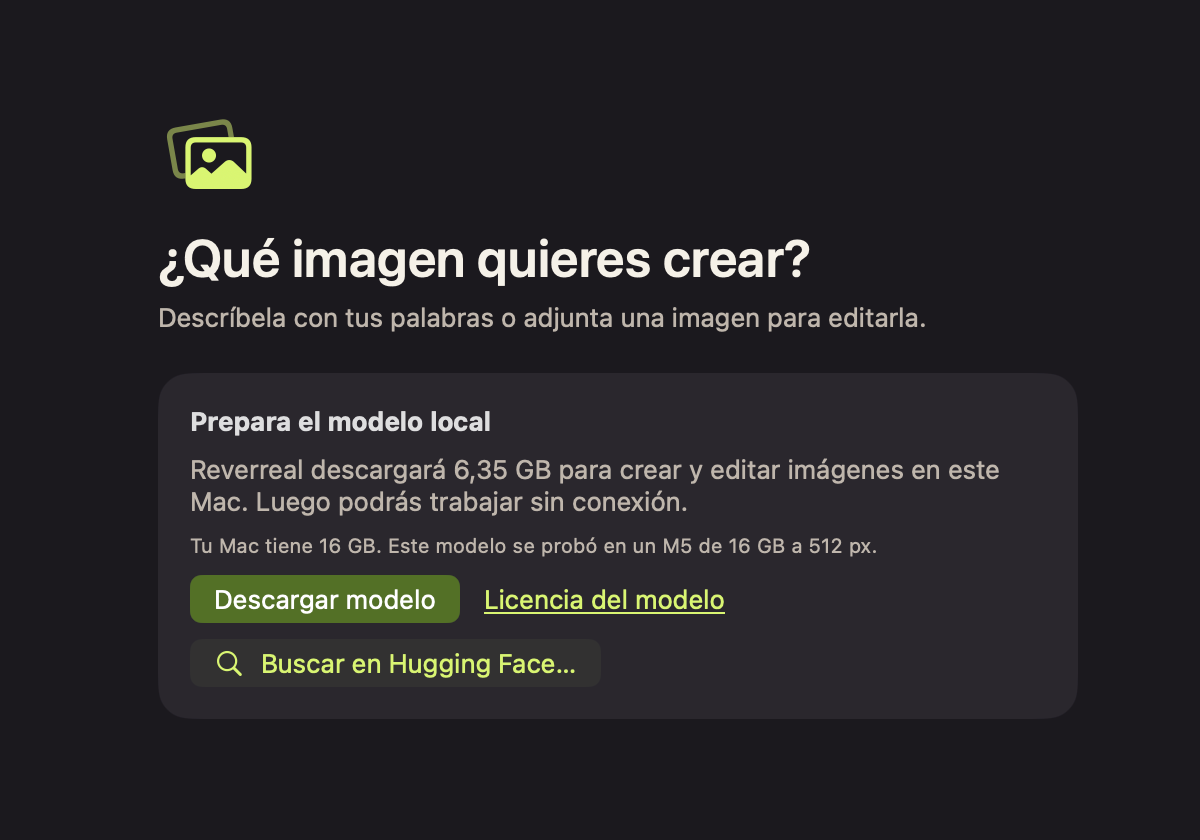
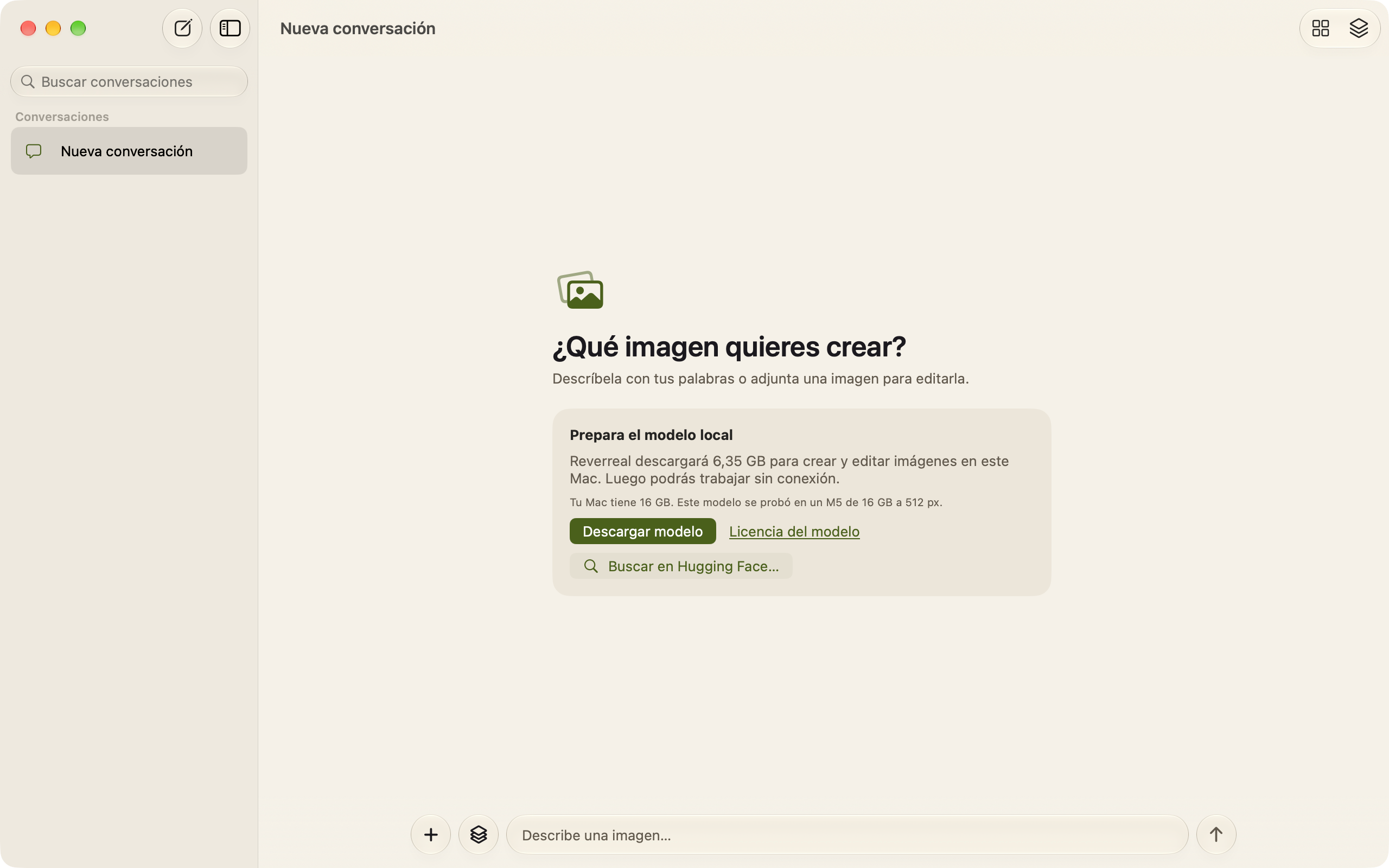
I brought setup into the first conversation. Reverreal explains how much it will download and what to expect on that Mac, shows progress, and verifies every file before enabling the composer.
Presets
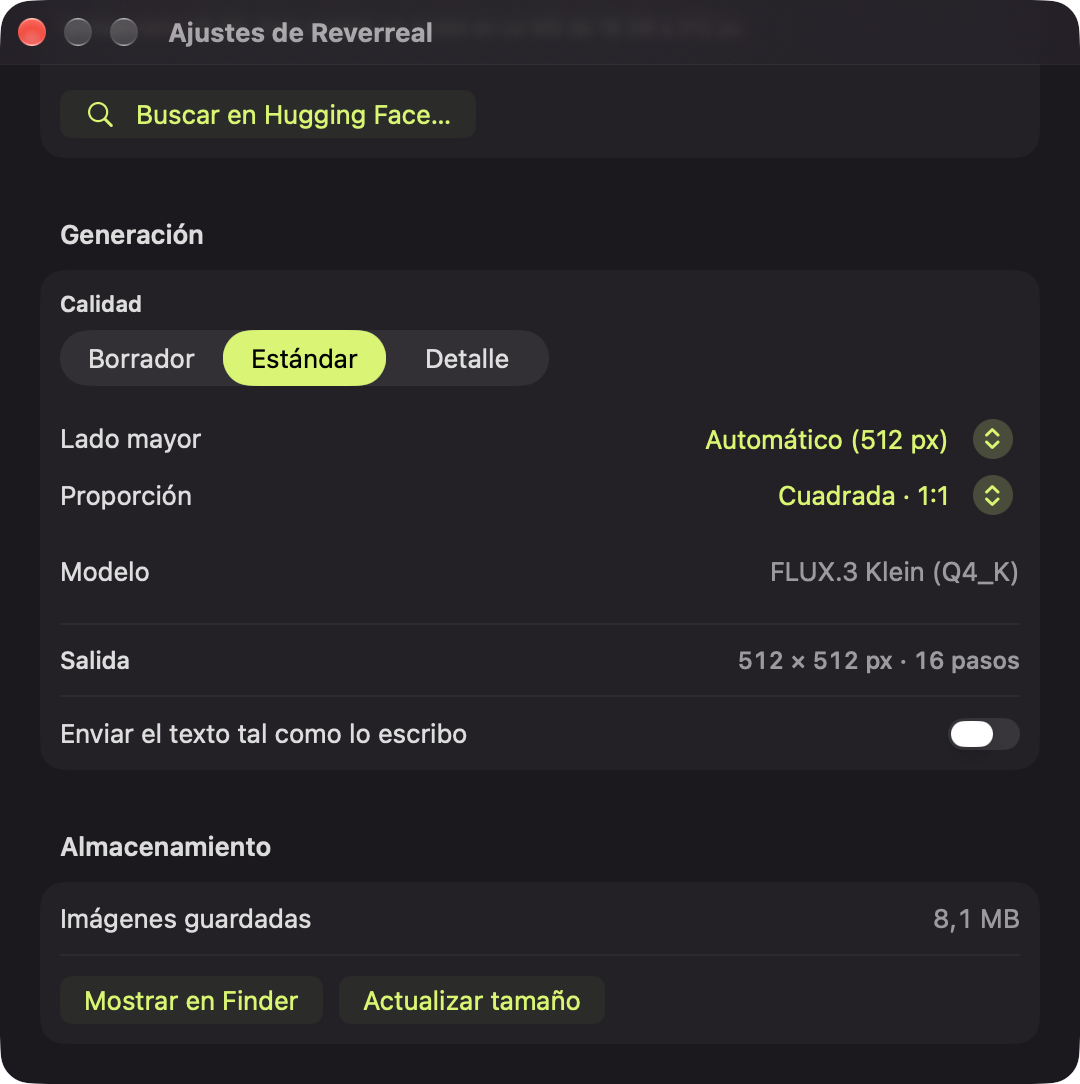
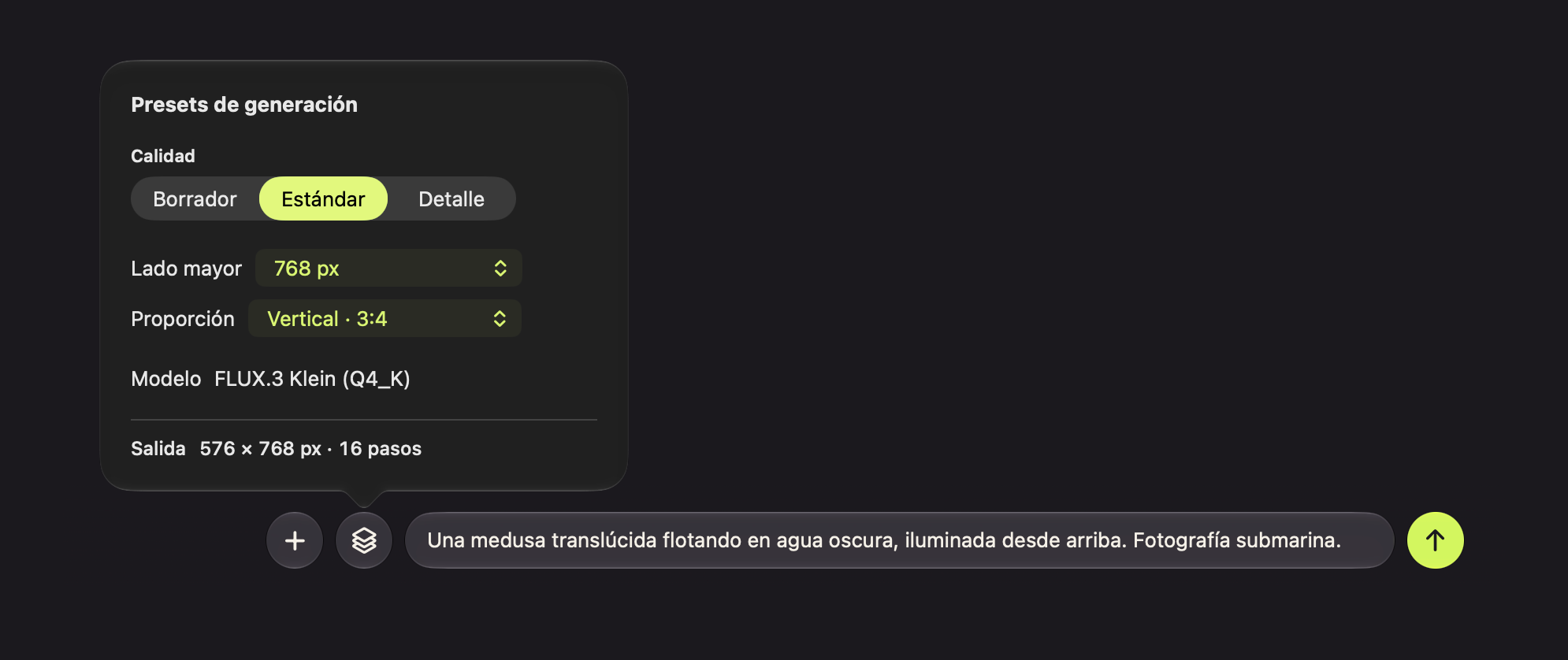
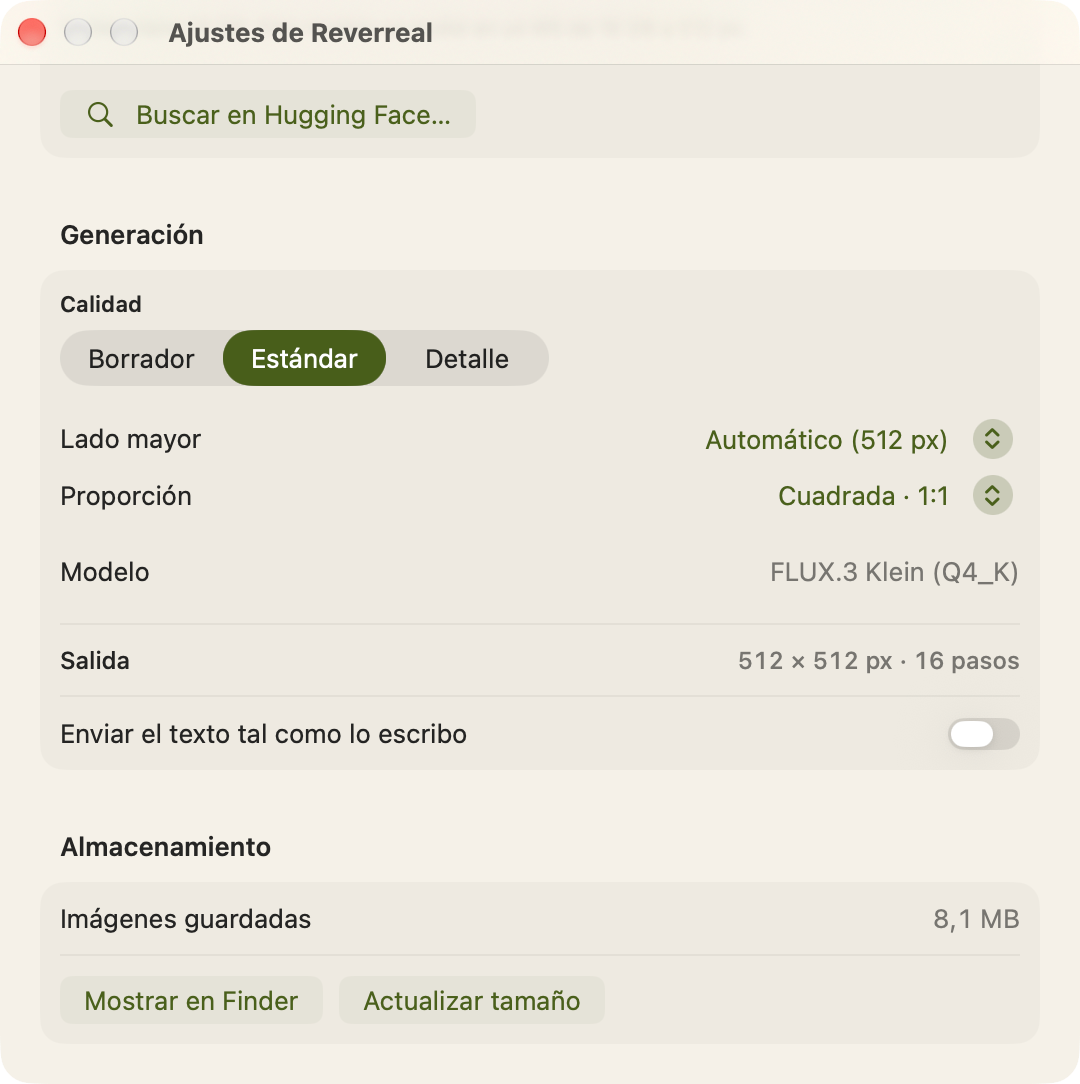
I gathered quality, long edge, and aspect ratio in a panel next to the composer. Before sending, it shows the model, dimensions, and steps the engine will use. Settings keeps the defaults.
Generate
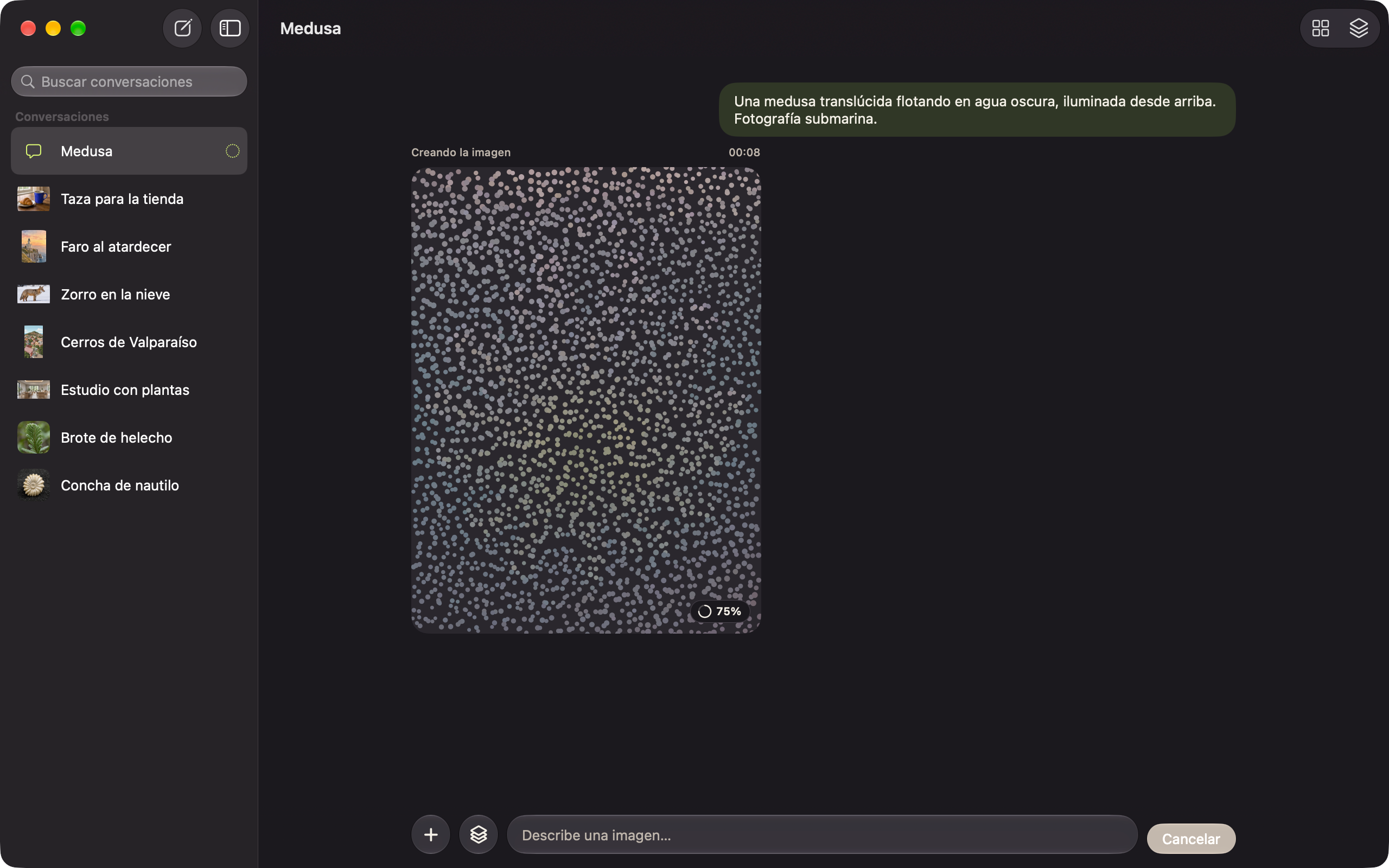
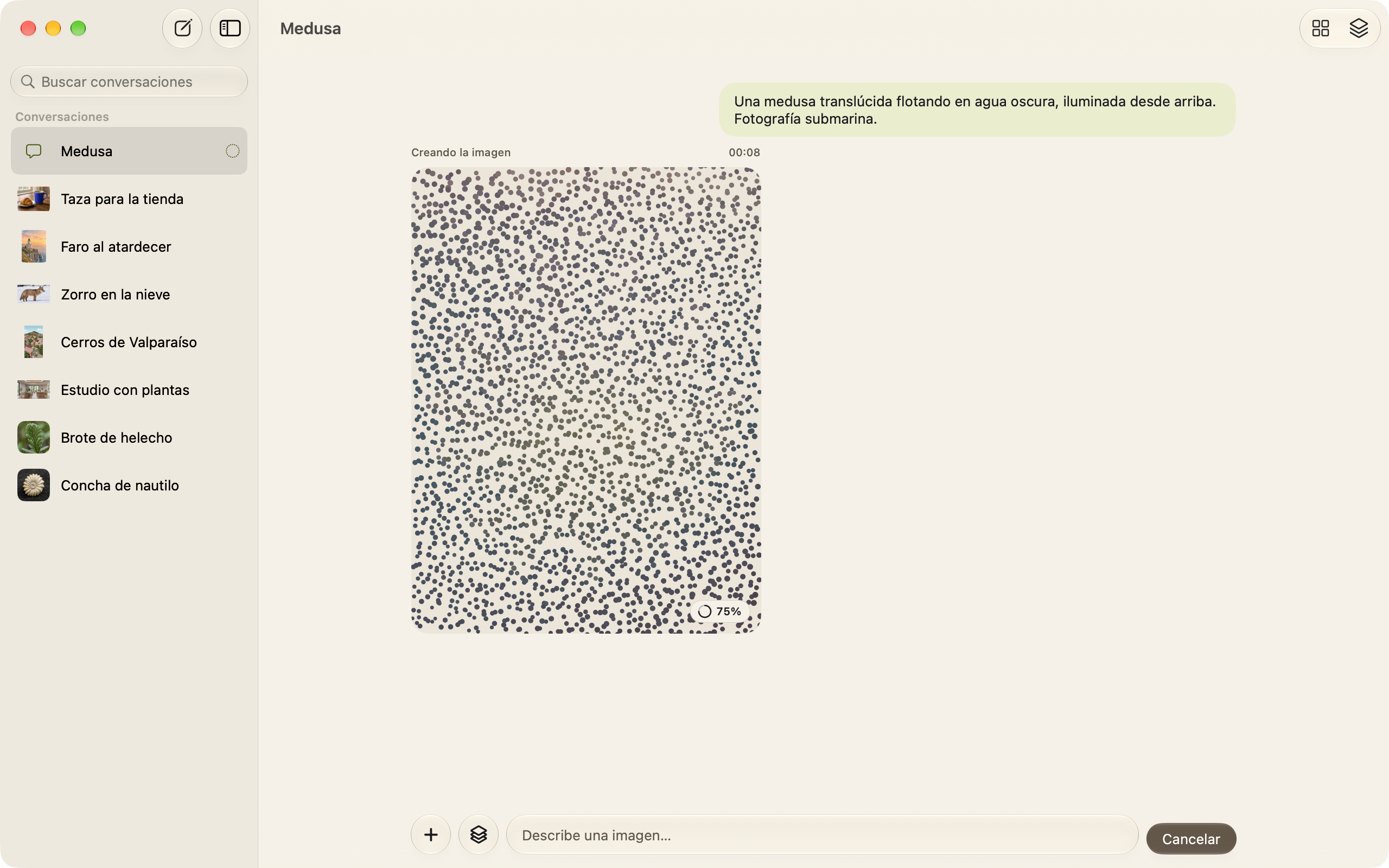
While the engine works, the canvas shows real progress and takes its color from the low-resolution preview Metal provides. When it finishes, the saved image fills the same frame.
Details
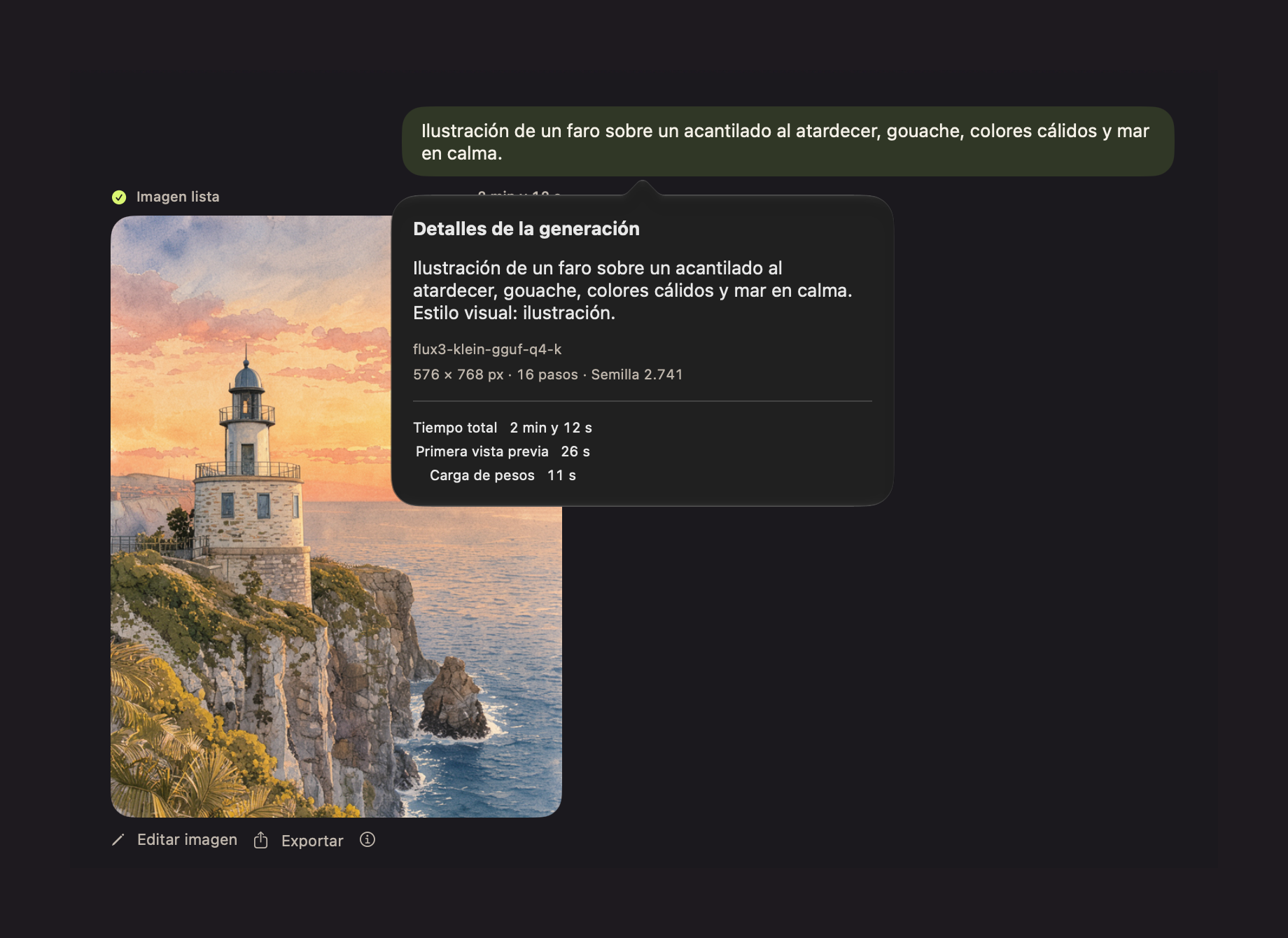
Every result keeps the prompt the model received, its size, steps, seed, and the measured loading and generation times.
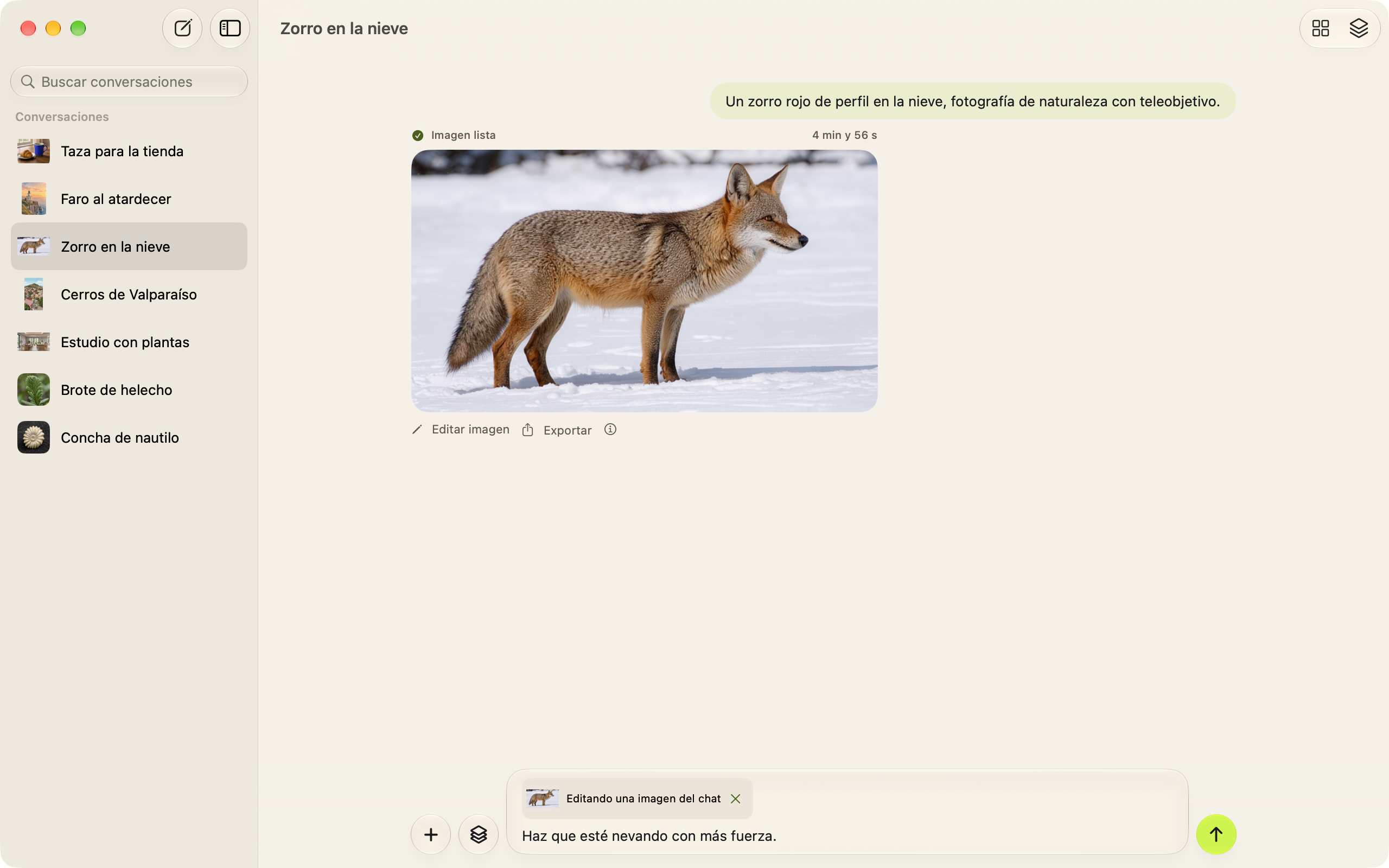
Edit
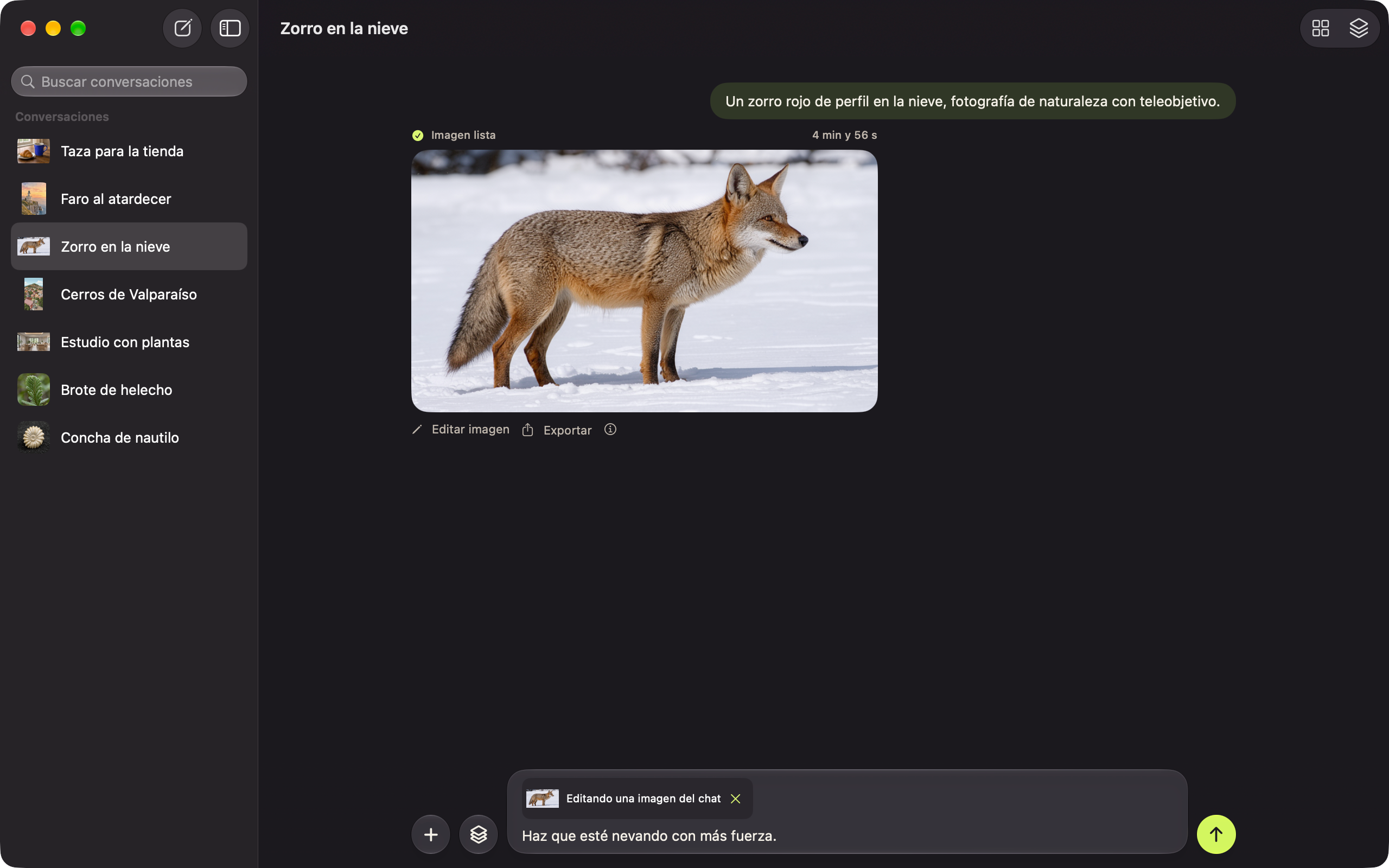
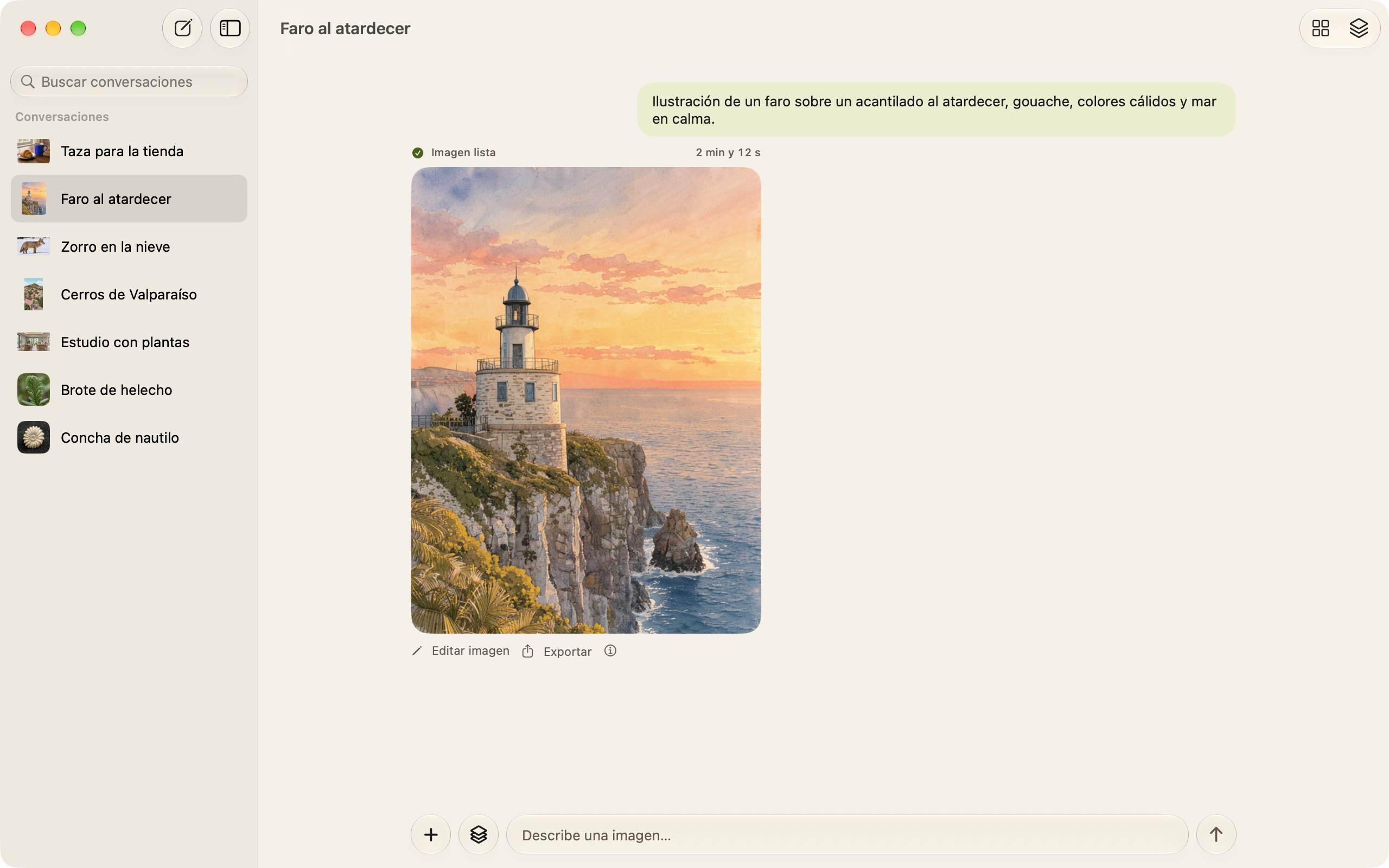
Edit image places the result in the composer as a reference and asks what to change. Each edit stays in the conversation next to the image it started from.
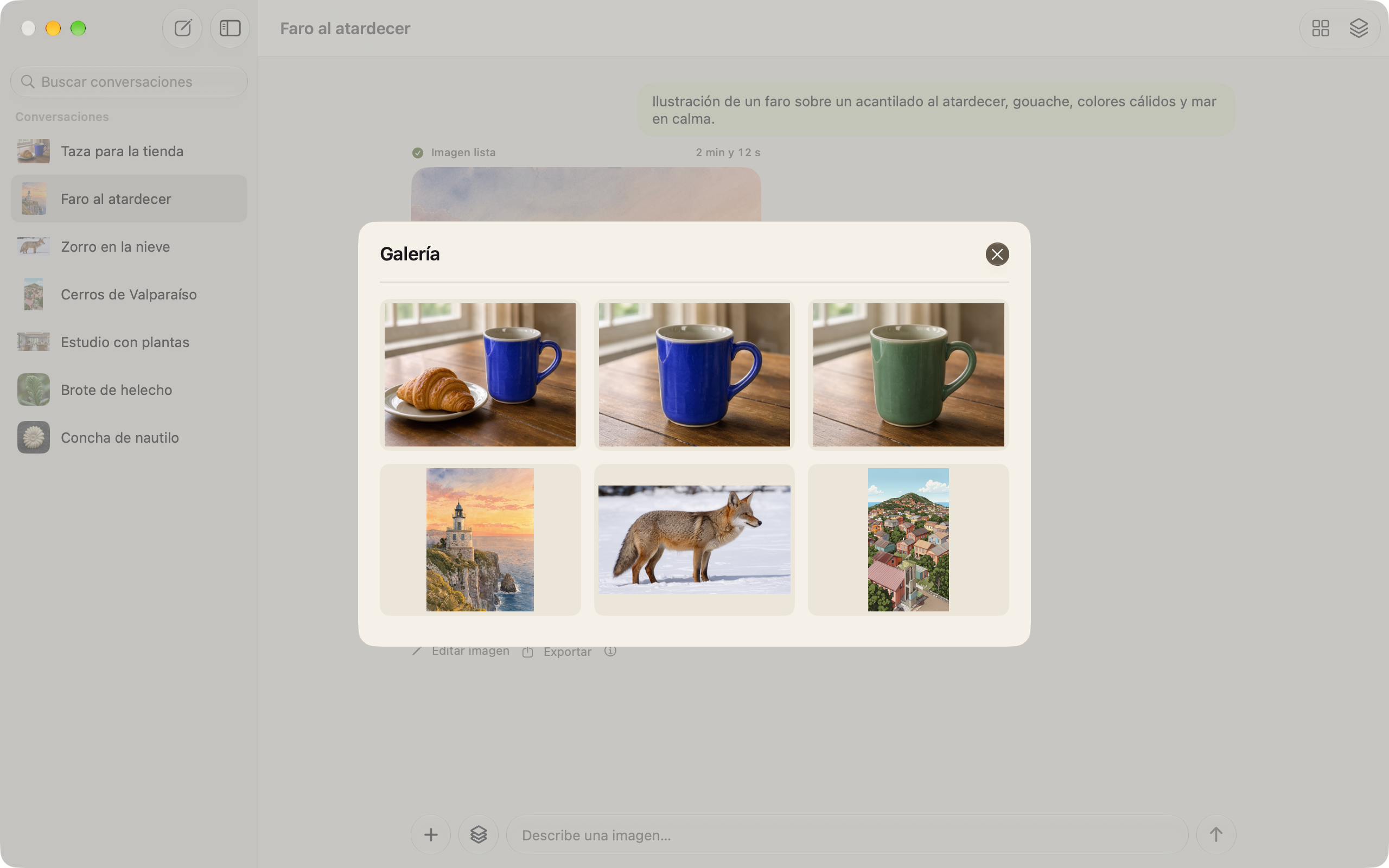
Gallery
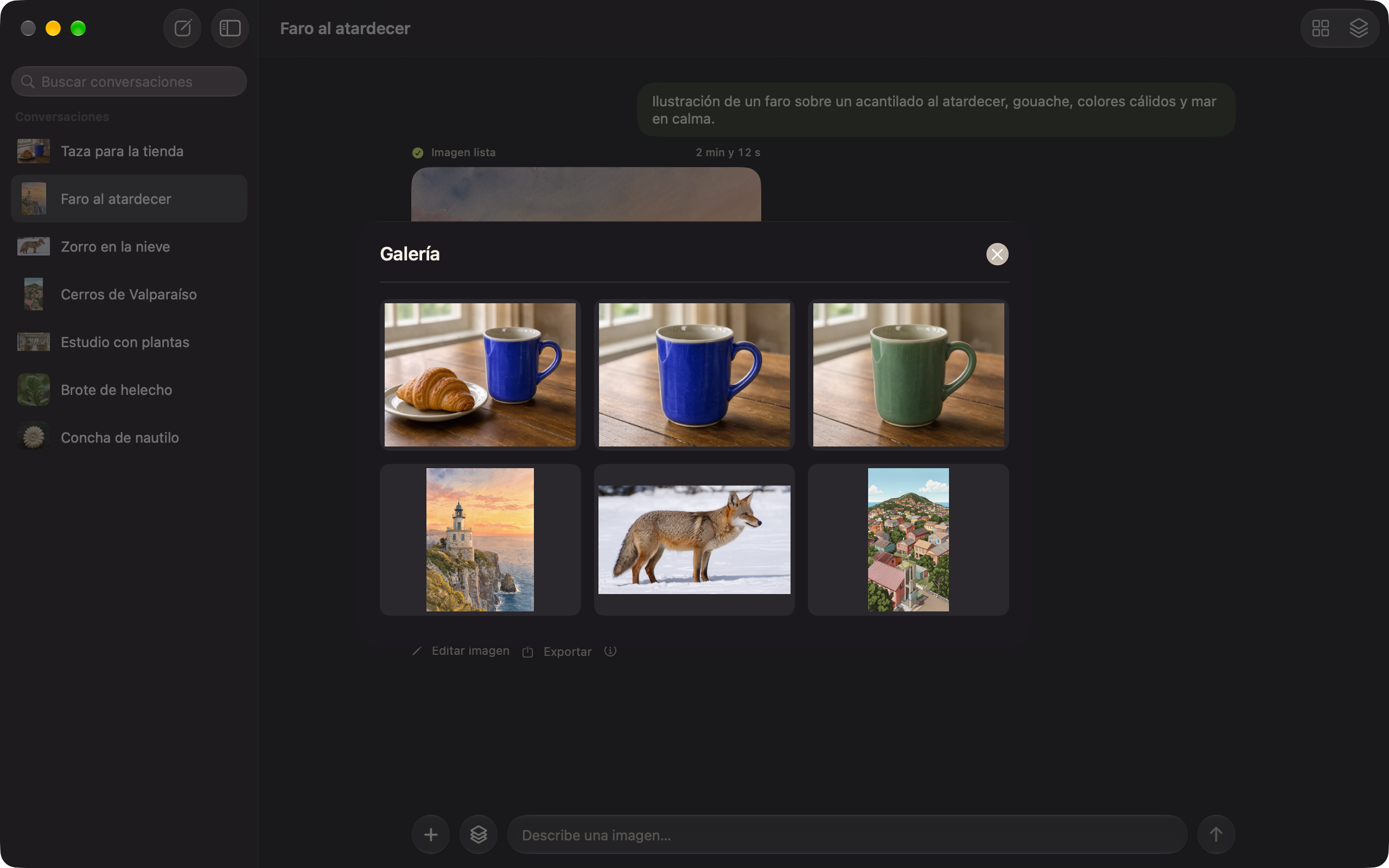
I added a gallery with the results of every conversation. From there, each image opens at full size to export as PNG or JPEG.
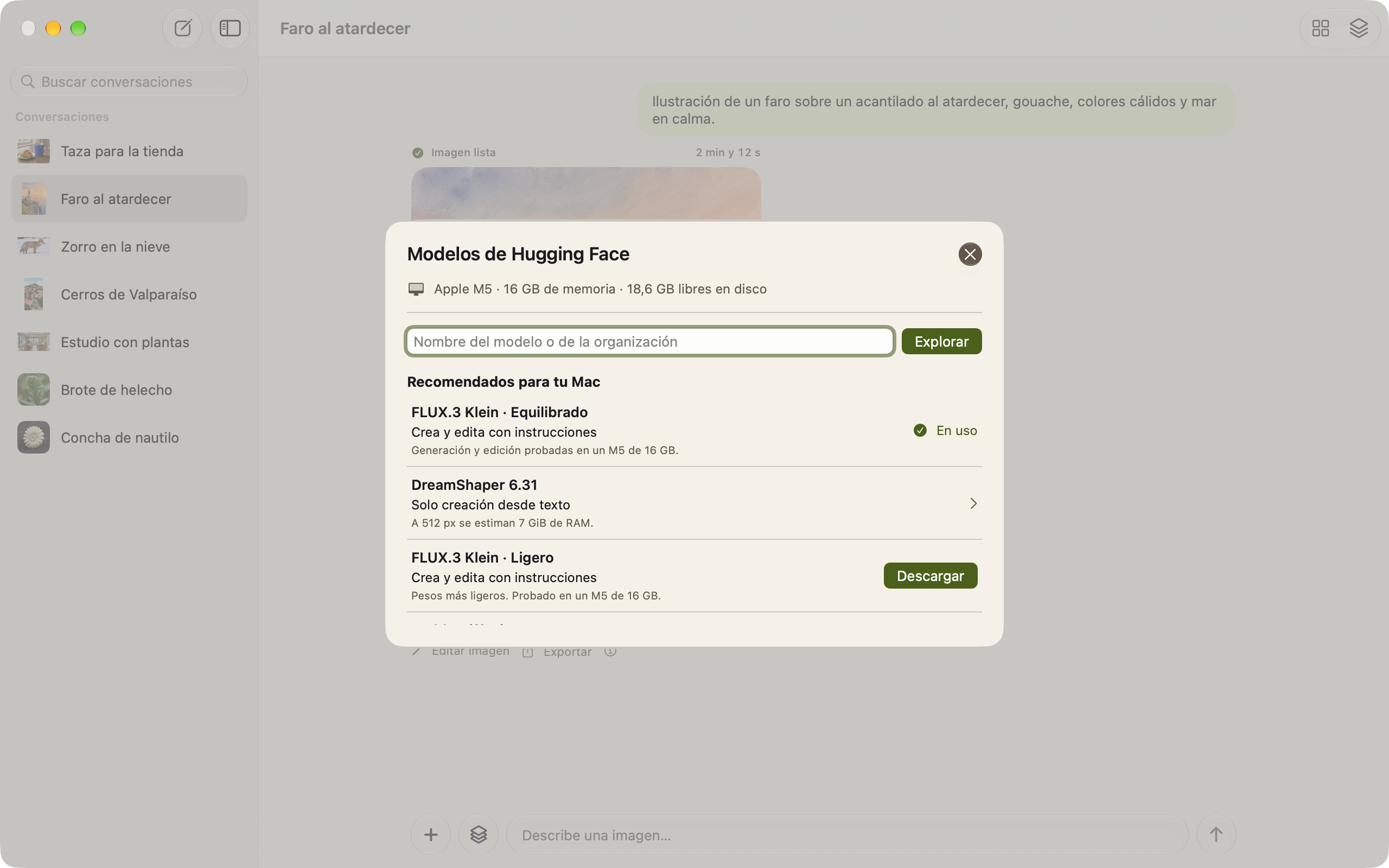
Models
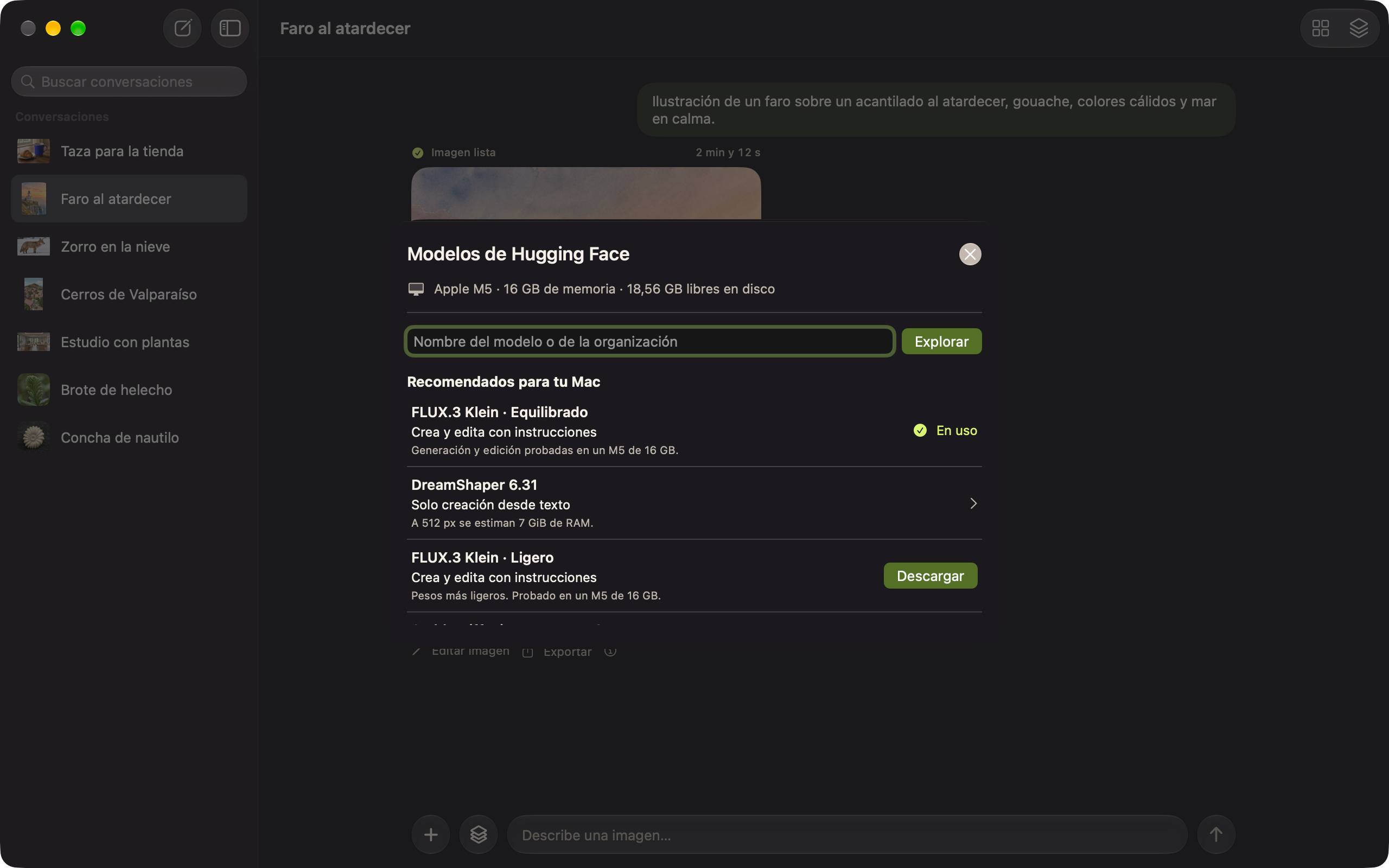
I designed a Hugging Face browser that starts with recommendations for that Mac, based on its memory, Metal, and available space. Each one says whether it creates from text or edits with instructions.
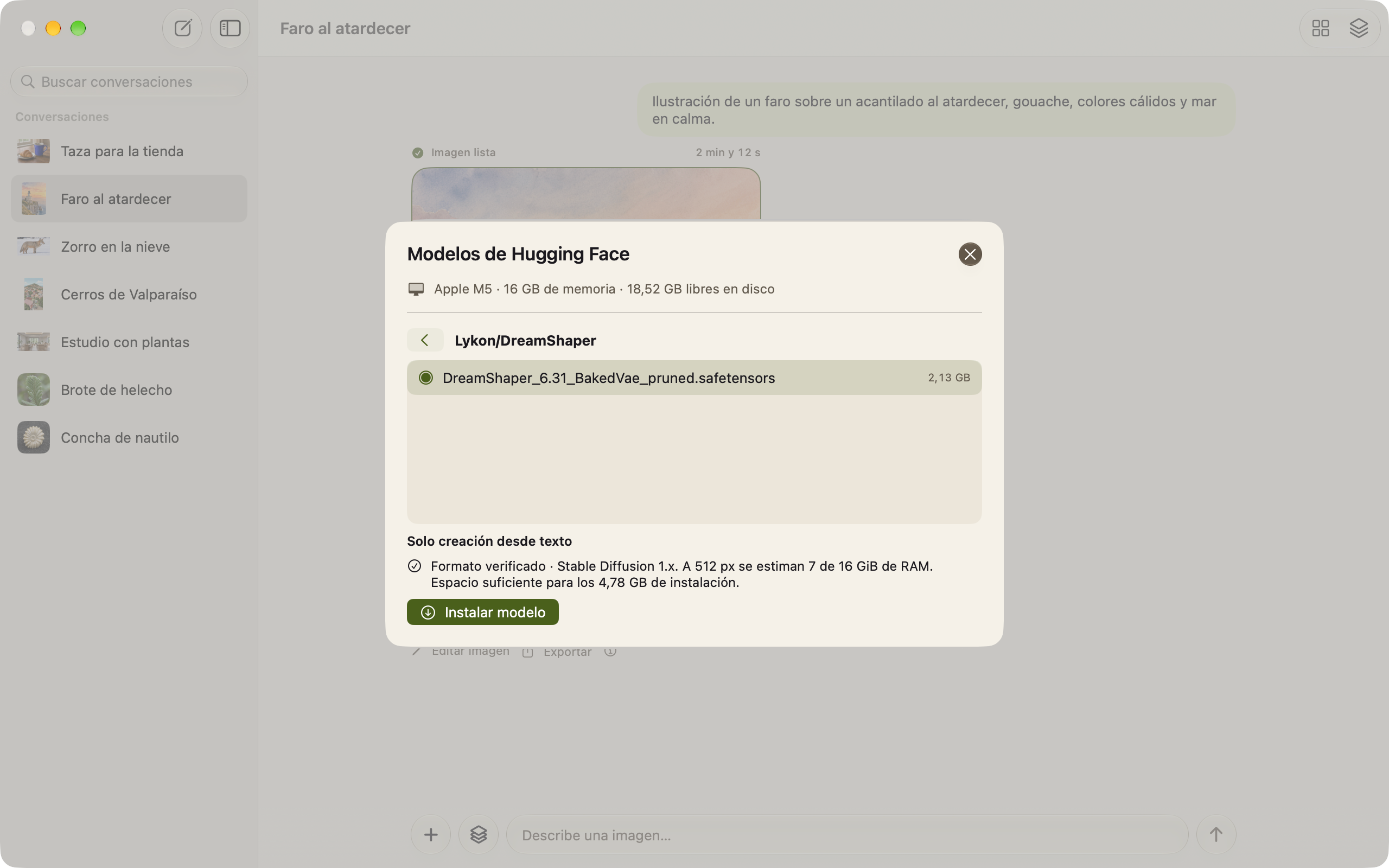
Before downloading
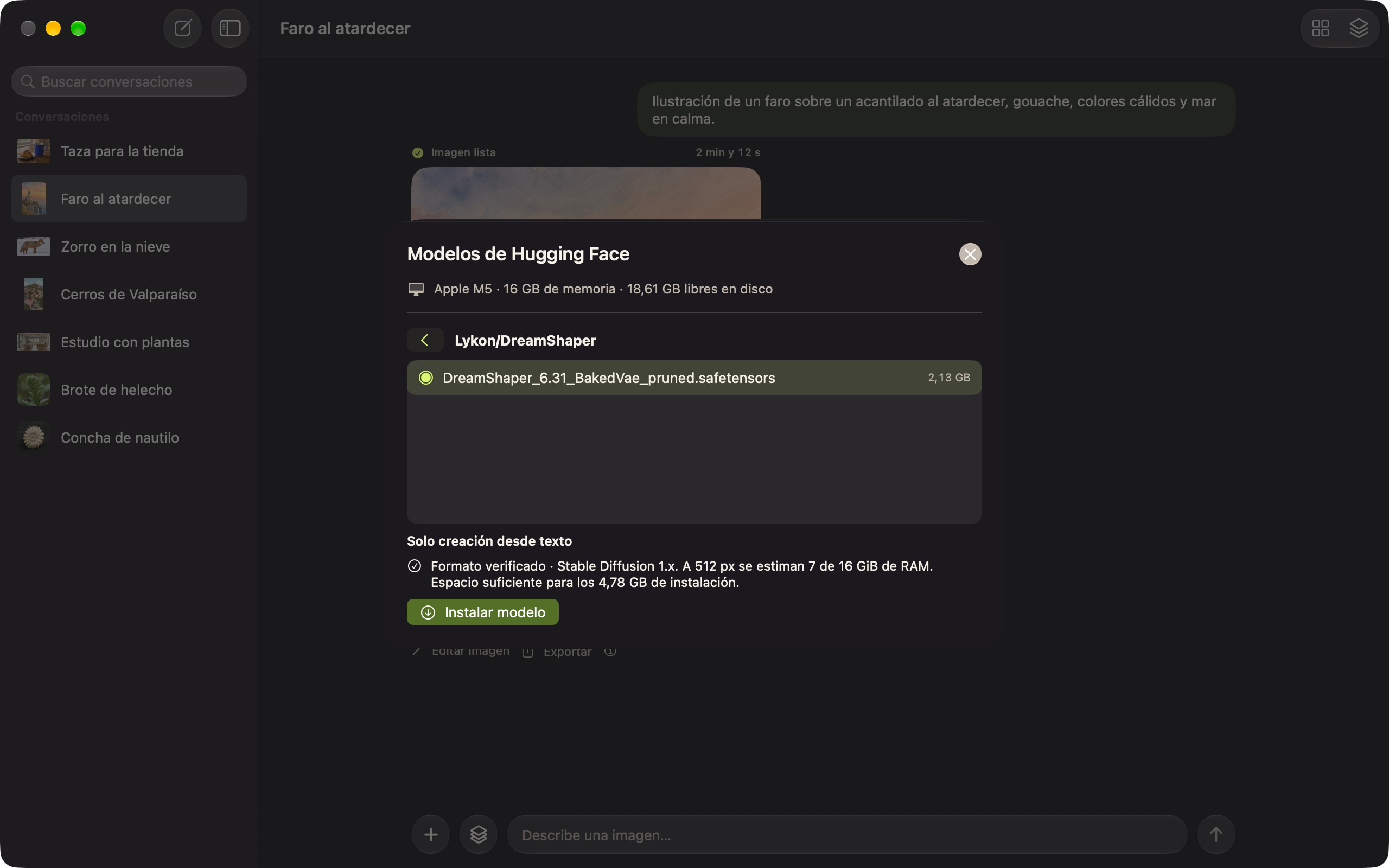
When you pick a file, Reverreal reads its header to identify the architecture and estimates the memory and disk space it will need on that Mac.
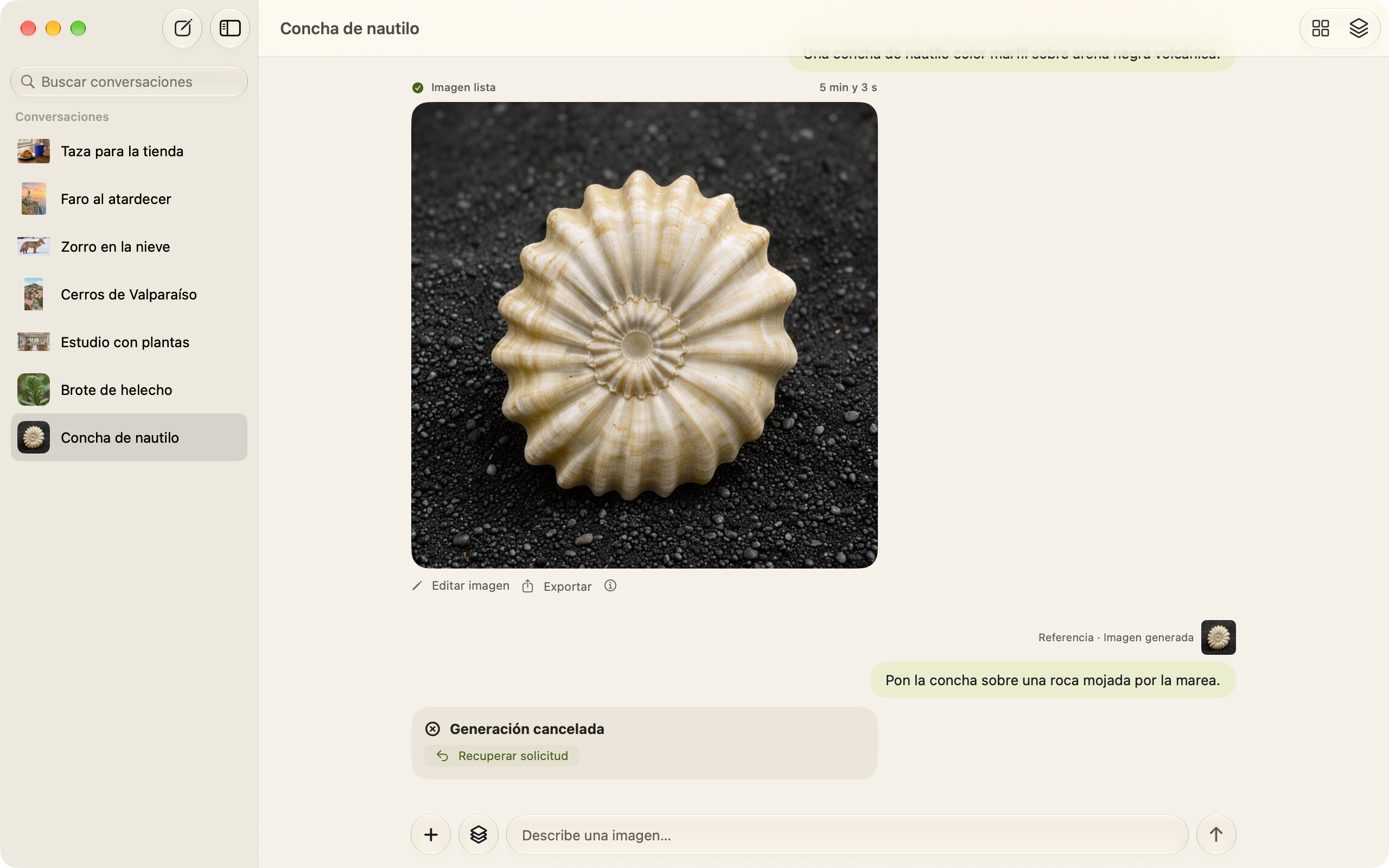
Recover
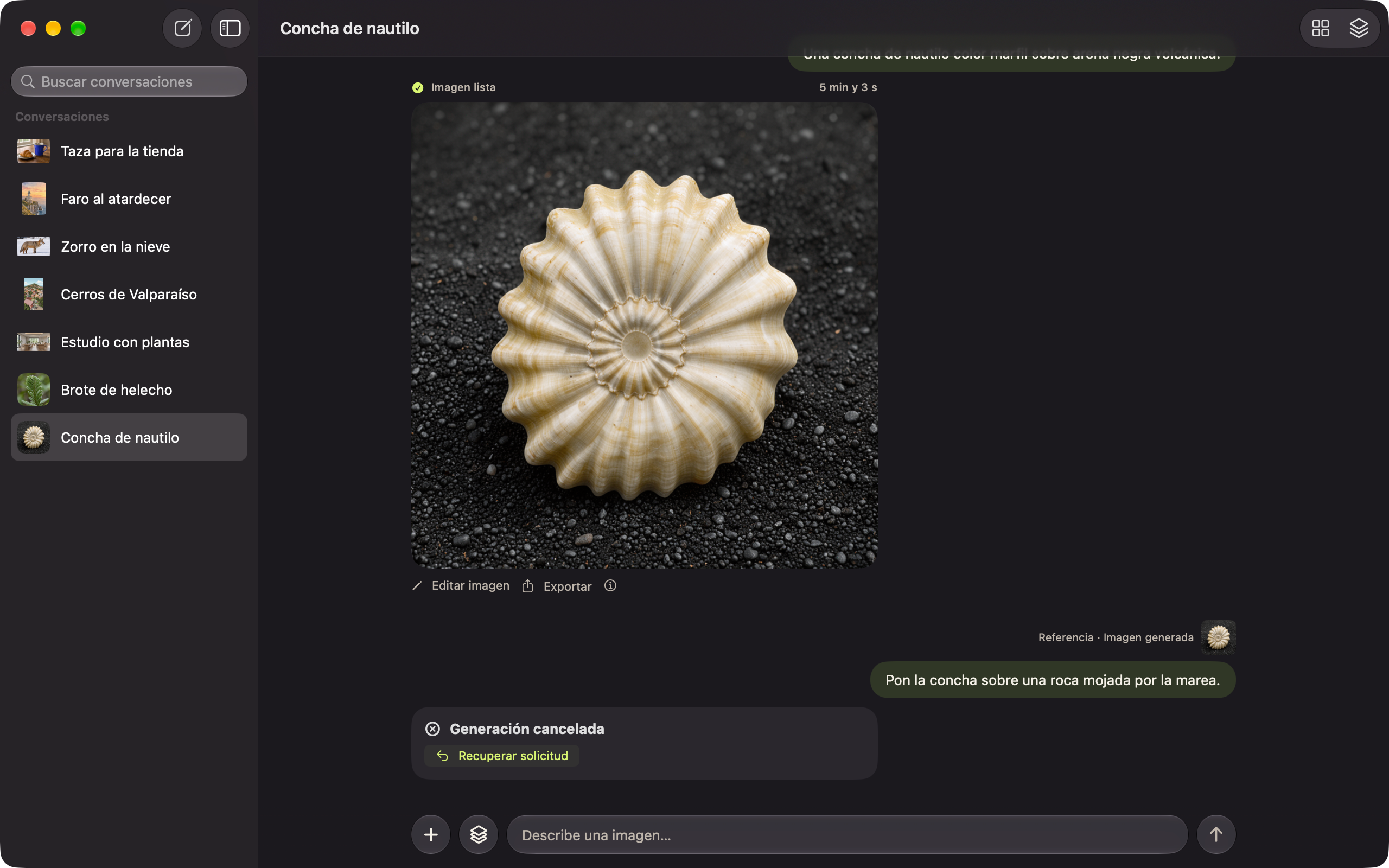
If a generation is canceled, the conversation says so and offers Recover request to try again with the same prompt.
Implementation
I integrated stable-diffusion.cpp with Metal as a helper process inside the app, isolated for each generation. It loads FLUX.3 Klein GGUF weights in two variants: Balanced (Q4_K) and Light (Q3_K).
The installer downloads from pinned Hugging Face revisions and checks every file's SHA-256. Downloads can be canceled and retried, and both variants reuse the resources they share.
I saved every result atomically, with recovery if the process ends between writing the PNG and recording it. Each edit becomes a version with its reference and parameters.
Images you create and edit by chatting, on your Mac.
Runs on Apple silicon Macs with macOS 27. The first setup downloads 6.35 GB; after that it works offline. On a 16 GB Mac, a new image takes two to three minutes and an edit six to eight. It's a personal project: not yet distributed or notarized.